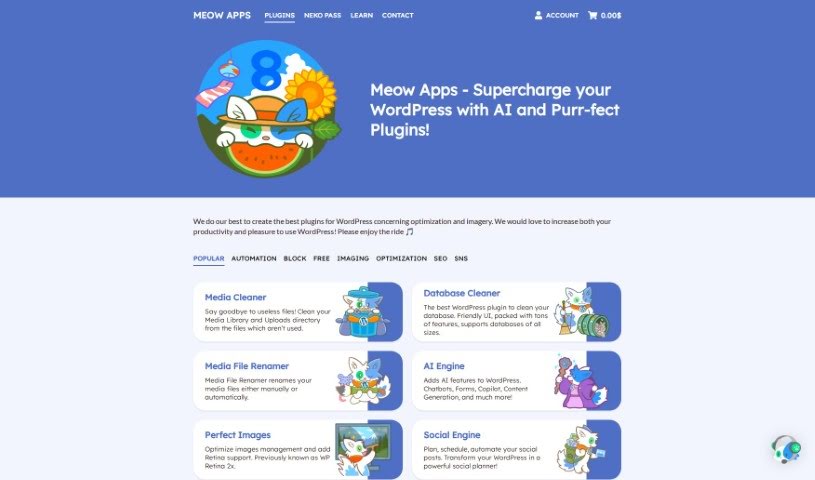
Screenshot of Meow Apps

Meow Apps

Discover what Meow Apps is and how to use it effectively in 2025. We'll explore its features and see how it stacks up against other content writing tools.

Screenshot

What is Meow Apps?

The AI Engine on Meow Apps is a really versatile plugin for WordPress, created by Jordy Meow. He’s a software engineer and photographer based in Tokyo. This plugin is designed to completely change how you create content and improve your website’s user experience. It comes packed with features like a chatbot that works much like ChatGPT, smart AI forms that adapt to your needs, an AI Copilot to help with your writing, advanced tools for generating content, and translation helpers, among other things. You can even fine-tune it for your own custom AI models and integrate it with other plugins using its API. There’s a free version, and a Pro version that unlocks even more advanced capabilities, such as AI forms, chatbots that understand your content, detailed statistics, and ways to set your own usage limits. The AI Engine can help you create content that’s optimized for SEO, and it includes a helpful disclaimer that explains how its AI technologies are used and what their limitations are.

Who created Meow Apps?

Jordy Meow is the brilliant mind behind the AI Engine on Meow Apps. He’s a software engineer and photographer who lives in Tokyo. Meow Apps really got started because Jordy wanted to make WordPress more productive and user-friendly by offering high-quality tools that are also well-supported. His journey into creating plugins began when he started building tools for his own needs. These tools became so popular within the WordPress community that it eventually led him to establish Meow Apps.

What is Meow Apps used for?

  • API integration: Connects with other plugins.
  • ChatGPT-style Chatbot: Offers a familiar conversational AI experience.
  • Content & Image Generator: Helps create written content and visuals.
  • AI Playground: A space to experiment with AI tools, like for translation correction.
  • Fine-tuning Capabilities: Lets you train custom AI models.
  • Add a conversational AI chatbot to your site to make user interactions more engaging.
  • Use advanced AI to create unique, engaging content and images specifically for your WordPress site.
  • Access a variety of AI tools, including those for translation correction, to really polish your content.
  • Easily prepare and manage datasets, which is key for training custom AI models that are perfectly suited to your website’s specific needs.
  • Integrate the AI Engine’s broad capabilities with other plugins through its straightforward internal API.
  • Create fresh, engaging content for your site that’s also optimized for SEO, helping to boost your website’s search rankings.

Who is Meow Apps for?

  • Content creators
  • Web Developers
  • Bloggers
  • Digital marketers
  • Website Owners
  • Content creators (again!)
  • Web Developers (again!)
  • SEO specialists
  • Digital Marketers (again!)

How to use Meow Apps?

Getting started with the AI Engine on Meow Apps is pretty straightforward. Just follow these steps:

  1. Installation: It’s as simple as installing any other plugin on your WordPress site. Just add the AI Engine plugin.
  2. Exploration: Once it’s installed, dive in and start exploring all the cool features. You’ve got the ChatGPT-style chatbot, the content and image generator, and the AI playground for things like translation correction, plus much more.
  3. Fine-tuning: If you want to get really specific, use the fine-tuning capabilities. This lets you prepare and manage your own datasets to train custom AI models that are tailored precisely to what your website needs.
  4. API Integration: Want to connect it with other plugins? You can easily do that using its internal API to tap into a wide range of functionalities.
  5. Free vs. Pro Versions: Decide which version fits best. The free one is great, but the Pro version offers even more, like AI forms, chatbots that really understand your content, detailed statistics, and the ability to set your own limits on AI usage.
  6. SEO Optimization: Need your content to rank well? The AI Engine’s content generator can help you create SEO-optimized content for your WordPress site, which should help improve its search rankings.
  7. Disclaimer: Before you jump in, it’s a good idea to read the disclaimer. It’ll help you understand how the plugin’s AI technologies are used and what their limitations are.

By following these steps, you can really make the most of the AI Engine on Meow Apps. It’s a powerful way to boost your WordPress site with advanced AI features, making user interactions better and your content creation process smoother.

Related AI Tools

Discover more tools in similar categories that might interest you

Stay Updated with AI Tools

Get weekly updates on the latest AI tools, trends, and insights delivered to your inbox

Join 25,000+ AI enthusiasts. No spam, unsubscribe anytime.