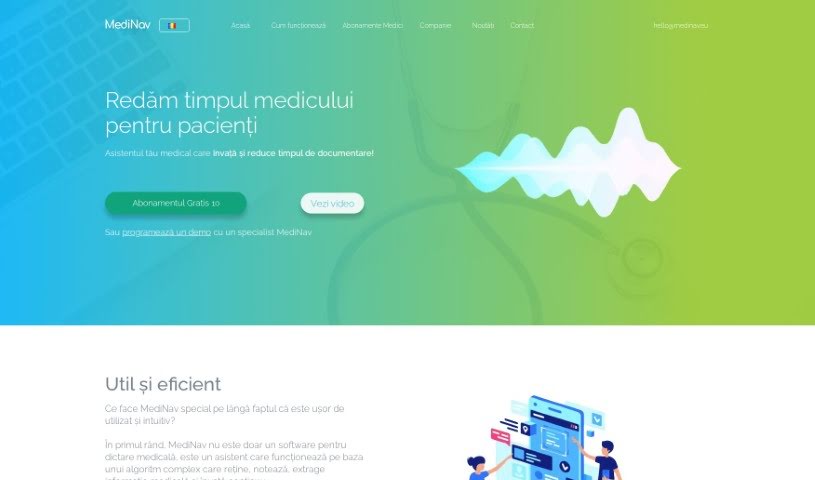
Screenshot of Medinav

Medinav

Discover what Medinav is and how to use it effectively in 2025. We'll explore its features and see how it stacks up against other Doctor Tools.

Screenshot

What is Medinav?

MediNav is more than just a medical dictation app; it’s a smart assistant. It uses advanced speech recognition and natural language processing to perform really well. It’s designed to be easy and intuitive to use. At its core, MediNav has a sophisticated algorithm that can remember information, pull out key medical details, and it just keeps learning. What’s really neat is its unique approach to data protection – you’ll need to sign a Data Protection Agreement to make sure your information is kept safe. Plus, MediNav gets better over time; it learns from any corrections you make during consultations, which helps it become more accurate and efficient.

Who created Medinav?

SIA MediNav is the company behind Medinav. You can find them at Matīsa Iela 61 - 23, Rīga, LV-1009, Latvia, and also in Italy at Largo Abate Conforti 147, 84121, Salerno. The specific founder isn’t mentioned in the information we have.

What is Medinav used for?

MediNav is a versatile tool used across several medical fields, including:

  • Radiology
  • Cardiology
  • Gastroenterology
  • Anatomo-pathology

Here’s how it helps doctors:

  • It significantly reduces the time doctors spend on patient documentation.
  • It lowers costs by cutting down the need for extra staff like consultation assistants or typists.
  • Doctors can deliver results faster, which leads to happier patients.
  • It offers better security and control over data compared to older methods.

MediNav uses the latest speech recognition and natural language processing technology. It’s designed to learn continuously, improving its accuracy as you make corrections. It can also adapt to new medical specialties over time. For secure data sharing between clinics, it uses federated learning techniques. The team is also working on adding support for more European languages, like German, Spanish, and Polish.

Essentially, it assists in consultations for various fields like radiology, cardiology, and gastroenterology. It gets smarter with every correction you make, leading to faster results and greater customer satisfaction. It also provides enhanced data security and control.

While it’s primarily used in Romanian, there are plans for expansion into other European languages. It helps save time by eliminating the need for CDs and allows for quick data access. By lowering costs associated with personnel, doctors can either spend more time with each patient or see more patients overall. This all contributes to faster results and better data security.

It’s used in specialties like Radiology, Cardiology, Gastroenterology, Anatomo-pathology, and others. A data protection agreement is in place to ensure your data is protected. The technology combines state-of-the-art speech recognition with natural language processing. It learns from mistakes through corrections, adapting to new specialties and even individual users within a specialty. It uses a complex federated learning technique to securely share these learnings between clinics.

Key benefits include reducing patient documentation time, lowering costs through personnel assistance, delivering faster results for customer satisfaction, and enhancing data security. It’s particularly useful in fields like Radiology, Cardiology, Gastroenterology, and Anatomo-pathology. The ongoing development includes new European languages to make it more widely adopted.

Who is Medinav for?

MediNav is a valuable tool for a wide range of healthcare professionals, including:

  • Physicians
  • Nurse Practitioners
  • Medical Assistants
  • Healthcare Administrators
  • Medical transcriptionists
  • Speech Therapists
  • Psychologists
  • Clinical researchers
  • Radiologists
  • Emergency Medical Technicians

How to use Medinav?

Here’s a simple guide to using Medinav effectively:

  1. Get Started with Medinav: First, head over to the official Medinav website. If you don’t have an account yet, you’ll need to create one.
  2. Check Out the Features: Take some time to explore everything Medinav offers. This includes finding doctors, booking appointments, accessing your medical records, and getting helpful reminders.
  3. Find a Doctor: Need a specific doctor or specialist? Just use the search bar. You can narrow down your search by location, specialty, when they’re available, and more.
  4. Book Your Appointment: Once you’ve picked a doctor, choose a date and time that works for you. Be sure to include any important details about why you’re visiting.
  5. Upload Medical Records: If you have any relevant medical records or reports, upload them to your account. This helps the doctor prepare before your appointment.
  6. Get Reminders: Make sure to enable notifications. You’ll get reminders for your appointments, medication schedules, or any follow-up visits.
  7. Attend Your Appointment: On the day of your appointment, log into your Medinav account. You can then join a virtual consultation or head to the doctor’s office at the specified location.
  8. Follow Up: After your consultation, just follow any instructions the doctor gives you. You can also easily schedule your next appointment right through the platform.
  9. Share Your Feedback: Let others know about your experience by providing feedback on the doctor. This helps improve the service for everyone.

Following these steps will help you make the most of the Medinav platform for all your healthcare needs.

Related AI Tools

Discover more tools in similar categories that might interest you

Stay Updated with AI Tools

Get weekly updates on the latest AI tools, trends, and insights delivered to your inbox

Join 25,000+ AI enthusiasts. No spam, unsubscribe anytime.