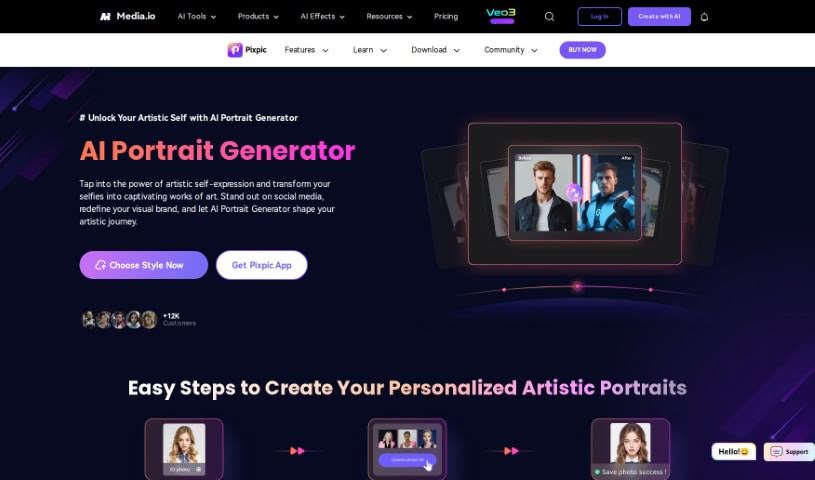
Screenshot of Media.io AI Portrait Generator

Media.io AI Portrait Generator

Discover what the Media.io AI Portrait Generator is all about and how you can use it effectively in 2025. We'll dive into its features and see how it stacks up against other AI portrait tools.

Screenshot

What Exactly is the Media.io AI Portrait Generator?

Media.io’s AI Portrait Generator is a really neat tool that’s changing how people create artistic portraits. Forget about booking time at a traditional studio; this generator lets you simply upload your own photos. You can then get high-quality, artistic portraits made right from wherever you are. It’s super fast, too, so you can get results you’re happy with pretty quickly – perfect if you need an update in a hurry. You’ve got a bunch of different art styles to pick from, like oil painting, cartoon, or watercolor, so there’s something for everyone. Plus, it’s great at making portraits that really look like you, based on your facial features and what styles you like. This means you get custom, high-quality artistic photos that feel professional and truly unique.

Who’s Behind Media.io AI Portrait Generator?

The specific founder of Media.io AI Portrait Generator isn’t something I found mentioned in the documents. However, Media.io itself is the organization that developed this AI Portrait Generator. Media.io offers a range of helpful tools, not just the Portrait Generator, but also things like an AI Headshot Generator and an AI Character Generator. If you’re looking for more details about the founder or the company itself, you might need to check out other sources.

Who Would Find Media.io AI Portrait Generator Useful?

This tool is a great fit for:

  • Graphic Designers
  • Digital Artists
  • Photographers
  • Social Media Managers
  • Marketing Professionals
  • Content Creators
  • Illustrators
  • Art Teachers
  • Branding Specialists
  • Web Designers

How Do I Use the Media.io AI Portrait Generator?

Using the Media.io AI Portrait Generator is pretty straightforward. Just follow these simple steps:

  1. Pick Your Style:
    • You can explore a variety of styles like ID Photo, Profile Picture, Headshot, Graduation Portrait, and even Sci-Fi Art. See which one you like best!
    • Just head over to the AI Portrait Generator page on the Media.io website to get started.
  2. Upload Your Photos:
    • Make sure to upload at least 5 clear photos that really show off your face and the features you want the AI to capture.
    • This part is really important for the AI to create personalized artistic portraits that look accurate.
  3. Get Your Artistic Portraits Instantly:
    • The generator works quickly to create eye-catching, personalized artistic portraits in just seconds.
    • Honestly, it’s much faster than many other AI portrait generators out there.

By following these steps, you can easily use the Media.io AI Portrait Generator to create your own unique artistic portraits without needing any special artistic skills. And don’t worry about your photos lingering; they aren’t stored on the platform for too long, so your privacy and security are well looked after.

Related AI Tools

Discover more tools in similar categories that might interest you

123RF AI Image Generator

Creative Image Generation
Learn More

Stay Updated with AI Tools

Get weekly updates on the latest AI tools, trends, and insights delivered to your inbox

Join 25,000+ AI enthusiasts. No spam, unsubscribe anytime.