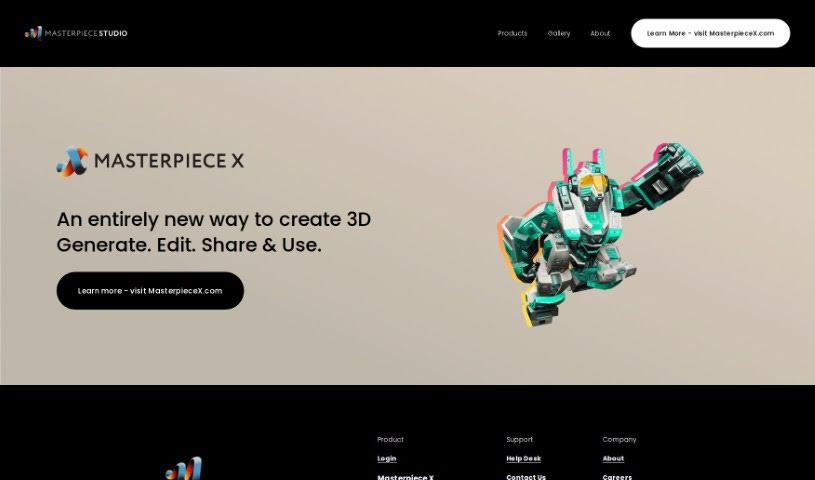
What is Masterpiece Studio?
Masterpiece Studio is a groundbreaking VR 3D creative suite that really simplifies making 3D designs. It uses Generative AI, which means both seasoned artists and folks just starting out can easily create, edit, and share amazing 3D content. This AI tech takes away a lot of the usual headaches with 3D design, letting you just focus on your ideas and bringing them to life. Since it’s fully integrated with VR, you can actually step inside your creations, play around with them in new ways, and tweak details right then and there. Plus, Masterpiece Studio makes editing and sharing your work a breeze. You get powerful tools to polish your designs, add textures, set up lighting, and then send your creations off to places like games or VR experiences. It’s a super versatile tool for independent creators in all sorts of fields, opening up tons of possibilities and a whole new way to be creative.
Who created Masterpiece Studio?
Masterpiece Studio was brought to life by a team of experts from different backgrounds who have been focused on pushing the boundaries of 3D creation for more than eight years. Their main goal? To make 3D design feel effortless. They’ve got a solid track record of innovation in this space. They regularly collaborate with leading organizations, have earned awards for their work, and are truly committed to helping people unlock their creative potential with their VR 3D creative suite.
What is Masterpiece Studio used for?
- It uses AI-powered generative technology to make creating, editing, and sharing 3D content simple.
- You can build detailed characters, immersive environments, and engaging animations.
- It offers full VR integration, letting you have truly immersive experiences and design interactively.
- The editing and deployment process is smooth, featuring an easy-to-use interface and robust editing tools.
- It’s a fantastic tool for independent creators in many industries, including game development, filmmaking, architecture, and general design.
- You can effortlessly generate, edit, and deploy stunning 3D content.
- It helps you create intricate characters, breathtaking environments, and captivating animations.
- Experience full VR integration for a truly immersive creative session.
- It’s an ideal tool for indie creators working in fields like game development, filmmaking, architecture, and design.
- You can explore new dimensions and really push the limits of your creativity.
- It allows for quick deployment of your creations to platforms like games and virtual reality experiences.
- It truly unlocks a whole new level of creative freedom.
- Masterpiece Studio makes 3D design accessible to everyone.
- It takes the hassle out of 3D design thanks to its AI-powered generative technology.
- You can create intricate characters, breathtaking environments, and captivating animations.
- The suite provides complete VR integration for an immersive experience.
- It encourages exploring new dimensions and pushing creative boundaries.
- With endless possibilities, it unlocks a whole new level of creativity.
- You get an interactive experience to fine-tune details and make adjustments in real-time.
- The AI-powered generative technology simplifies what used to be a complex 3D design process.
- You can quickly deploy your creations to various platforms, whether for gaming, VR experiences, or other projects.
- It’s a powerful tool for AI-powered generative technology in 3D design.
- It’s perfect for creating intricate characters, environments, and animations.
- The editing and deployment processes are designed to be seamless.
- You’ll find a user-friendly interface paired with powerful editing tools.
- It’s an ideal solution for indie creators across various industries.
- It offers endless possibilities for game developers, filmmakers, architects, and designers.
- You can explore new dimensions and create truly remarkable 3D masterpieces.
- The editing and deployment process is smooth and efficient.
- You can refine designs, add textures, and apply lighting effects with ease.
- It allows for deploying your creations to a wide range of platforms.
- This is an ideal tool for indie creators in gaming, filmmaking, architecture, and design.
- It helps you explore new dimensions and push creative boundaries.
- Effortlessly generate, edit, and deploy stunning 3D content using Generative AI.
- Create intricate characters, environments, and animations with remarkable ease.
- Experience complete VR integration for truly immersive interaction with your creations.
- Seamlessly edit and deploy your designs using a user-friendly interface and powerful tools.
- It’s an ideal tool for indie creators in many industries, including game development, filmmaking, architecture, and design.
- Explore new dimensions, push creative boundaries, and craft remarkable 3D masterpieces.
- Quickly deploy your creations to various platforms for gaming, virtual reality experiences, and other projects.
- Fine-tune details, make real-time adjustments, and bring your visions to life within VR.
- Add textures, apply lighting effects, and make necessary changes without any hassle.
- It makes 3D design accessible to everyone, whether you’re a professional artist or a hobbyist, by using AI-powered generative technology.
How to use Masterpiece Studio?
Getting started with Masterpiece Studio is straightforward. Just follow these simple steps:
- Access the Platform: First, log in to Masterpiece Studio to enter the creative suite.
- Generate 3D Content: Jump in and use the Generative AI. It makes creating 3D designs like characters, environments, and animations really easy, cutting out the usual complexity of 3D design.
- VR Integration: Make sure you’re wearing your VR headset to take full advantage of the complete VR integration. You can immerse yourself in your creations, interact with them, and fine-tune details as you go, in real-time.
- Editing and Refinement: Use the intuitive interface and the powerful editing tools available. You can refine your designs, add textures, apply lighting effects, and make any adjustments you need with great ease.
- Deployment Process: Once you’re happy with your creation, you can quickly deploy it. Send it to various platforms for gaming, VR experiences, or any other projects you have in mind.
- Versatility and Creativity: Feel free to explore new dimensions and really let your creativity flow across different industries, whether that’s game development, filmmaking, architecture, or design.
Masterpiece Studio truly changes the game for 3D design. It blends AI technology with an immersive VR experience, making it accessible for creators at every skill level. Plus, it offers a smooth process from the initial design all the way to deployment. Go ahead and unlock your creative potential with Masterpiece Studio!