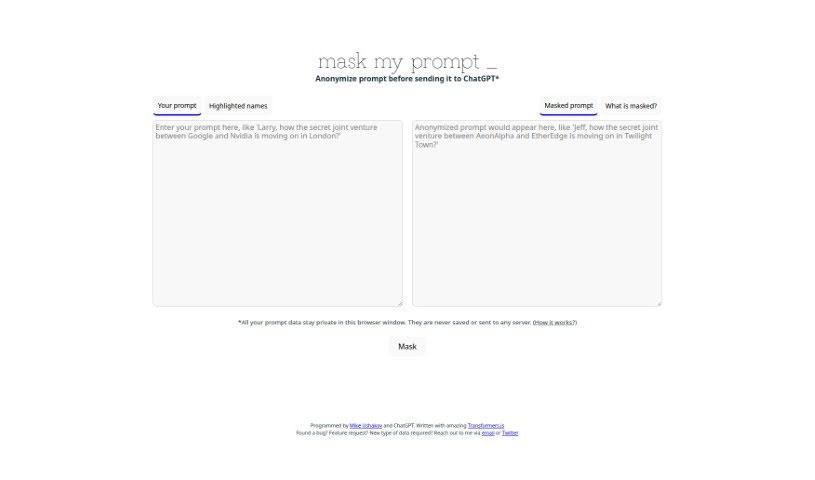
Screenshot of MaskMyPrompt

MaskMyPrompt

Discover what MaskMyPrompt is and how to use it effectively in 2025. We'll explore its features and see how it stacks up against other consultant tools.

Screenshot

What is MaskMyPrompt?

MaskMyPrompt is your privacy shield when chatting with ChatGPT. It’s a tool built to anonymize your prompts before they even get sent. Why is this a big deal? Well, it helps you keep sensitive stuff private. You know, like personal names, company details, or specific locations you don’t want to share. MaskMyPrompt swaps these out for made-up ones, keeping your real data safe. This is super handy if you’re a professional dealing with client secrets, a researcher protecting your data, or just someone who values their privacy. Using MaskMyPrompt means you can chat with ChatGPT securely and anonymously, keeping your confidential information just that – confidential.

Who created MaskMyPrompt?

Mike Ushakov is the mastermind behind MaskMyPrompt. He’s the founder of the company and actually built this tool himself using Transformers.js. He teamed up with ChatGPT to bring this user-friendly solution to life. The whole idea is to make it simple for you to anonymize your prompts before you talk to ChatGPT, ensuring your digital conversations stay private and secure.

How to use MaskMyPrompt?

MaskMyPrompt is a really useful tool for keeping things confidential when you’re interacting with ChatGPT. Here’s a simple breakdown of how to get the most out of it:

  1. Head over to the MaskMyPrompt website. You can find it at the link provided.
  2. Type in your prompt. This is where you’ll put all the information you want to keep private.
  3. Spot the sensitive bits. Look for any personal names, organizations, or locations in your prompt that need protecting.
  4. Let the tool do its magic. Use MaskMyPrompt to replace those details with fictional stand-ins. This is how you keep your anonymity.
  5. Give it a quick check. Review the anonymized prompt to make sure everything sensitive has been properly masked.
  6. Copy and paste. Grab the cleaned-up prompt and pop it into your chat with ChatGPT.
  7. Chat away confidently! You can now interact with ChatGPT knowing your private data is safe and sound.

By following these steps, you can easily use MaskMyPrompt to protect your sensitive information and keep your conversations with ChatGPT confidential.

Related AI Tools

Discover more tools in similar categories that might interest you

Stay Updated with AI Tools

Get weekly updates on the latest AI tools, trends, and insights delivered to your inbox

Join 25,000+ AI enthusiasts. No spam, unsubscribe anytime.