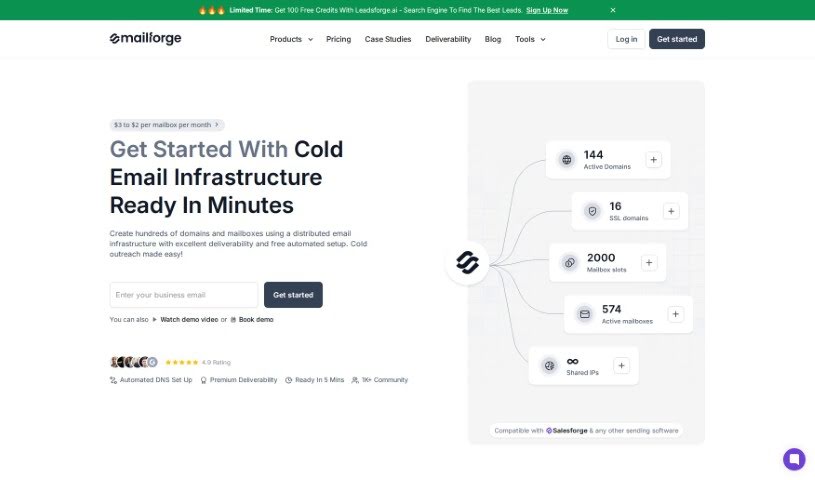
Screenshot of Mailforge

Mailforge

Discover what Mailforge is and how to use it effectively in 2025. We'll explore its features and see how it stacks up against other email marketing tools.

Screenshot

What is Mailforge?

Mailforge is a really handy tool for setting up your cold email campaigns smoothly. It lets you quickly create lots of email domains and mailboxes, which really helps your outreach efforts by making sure your emails actually get delivered. You can get started with automated setup for as little as $3, and the price can drop to $1.75 per mailbox, so it’s efficient and won’t break the bank. Mailforge is built for speed, meaning you can launch your email campaigns fast. Plus, it uses the latest Overdrive AI model to make sure everything runs as well as possible. If you want a quick look at how it works and its benefits, there’s a demo video available. It really makes managing your email campaigns straightforward with a setup that’s cost-effective, automated, and can grow with you.

Who created Mailforge?

Mailforge was actually created by one person, Rishit Patel. His company offers a solution that makes setting up cold email infrastructure super easy. It allows users to create many different email domains and mailboxes, which is great for boosting your outreach and ensuring your emails have premium deliverability. The platform is designed to be efficient, and it uses the latest Overdrive AI model to help optimize performance. Mailforge’s automated setup starts at just $3 and can go down to $1.75 per mailbox, making it a really cost-effective way to manage your email campaigns.

What is Mailforge used for?

  • Seamless cold email infrastructure: It makes setting up your cold email system a breeze.
  • Premium deliverability for cold email campaigns: Your emails are more likely to reach the inbox.
  • Automated setup of email domains and mailboxes: Get your email addresses and domains ready automatically.
  • Scalability for creating numerous mailboxes and domains: You can easily create hundreds or even thousands of mailboxes and domains when you need them.
  • Cost-effectiveness with pricing starting at $3: It’s an affordable option, with prices potentially dropping to $1.75 per mailbox.
  • Optimizing cold email infrastructure setup with Overdrive AI model: This advanced AI helps fine-tune how your cold email system is set up.
  • Premium Deliverability: This means your cold emails have a much better chance of landing in the inbox.
  • Automated Setup: It’s free and easy to automatically configure your domains and mailboxes.
  • Scalability: You can quickly create hundreds or thousands of mailboxes and domains.
  • Cost-Effectiveness: The pricing is competitive, starting at $3 and potentially going as low as $1.75 per mailbox.
  • Overdrive AI Model: This is a smart AI model that helps optimize the process of setting up your cold email infrastructure.

Who is Mailforge for?

Mailforge is a great tool for:

  • Sales Representatives
  • Digital marketers
  • Entrepreneurs
  • Business Development Managers
  • Recruiters
  • Real Estate Agents
  • Freelancers
  • Nonprofit Fundraisers
  • Customer Relationship Managers
  • Consultants

How to use Mailforge?

Here’s a simple, step-by-step guide to using Mailforge effectively:

  1. Sign Up: First, head over to the Mailforge website and create your account.
  2. Login: Once you’ve signed up, use your login details to access the Mailforge platform.
  3. Navigate Dashboard: Take a moment to get familiar with the dashboard. See where everything is and what features are available.
  4. Create Email Domains: Start by creating the email domains you’ll need for your campaigns right from the dashboard.
  5. Set Up Mailboxes: Next, generate multiple mailboxes linked to those domains. This helps you manage all your incoming and outgoing emails efficiently.
  6. Personalize Settings: You can customize things like your email signatures, set up autoresponders, and create filters to match exactly what your email campaigns need.
  7. Import Contacts: Upload your list of contacts so you can start reaching out to the right people.
  8. Compose Emails: Use the platform’s tools to draft emails that are engaging and tailored to your audience.
  9. Schedule Campaigns: Plan when you want your email campaigns to go out for the best engagement.
  10. Track Performance: Keep an eye on how your campaigns are doing using Mailforge’s analytics. You can check delivery rates and see how people are interacting with your emails.
  11. Optimize Strategies: Look at the analytics and adjust your email strategies to get even better results.
  12. Explore Advanced Features: Don’t forget to check out extra tools like the Overdrive AI for even better performance and scalability.
  13. Seek Support: If you ever need help or run into any issues, just reach out to Mailforge’s support team.

By following these steps, you’ll be able to use Mailforge really well to make your cold email campaigns smoother and boost your outreach efforts.

Related AI Tools

Discover more tools in similar categories that might interest you

Stay Updated with AI Tools

Get weekly updates on the latest AI tools, trends, and insights delivered to your inbox

Join 25,000+ AI enthusiasts. No spam, unsubscribe anytime.