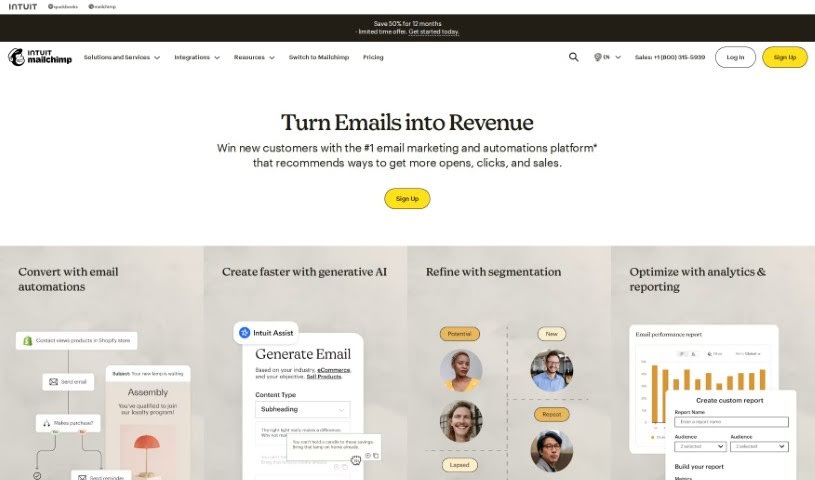
What is Mailchimp?
Mailchimp is a platform for email and marketing automation. It helps businesses get started and grow by providing top-notch marketing technology, great customer support, and engaging content. Mailchimp started back in 2001 in Atlanta. It was created as a more affordable option compared to the big, expensive email software that was common then. The goal was to give small businesses access to digital marketing tools that were usually only available to larger companies. Over time, Mailchimp grew and started offering more services for businesses and marketing teams of all sizes. Intuit acquired the company in 2021. Mailchimp really focuses on helping small businesses succeed and encourages a workplace that values collaboration, creativity, and inclusivity. They’re also committed to being good corporate citizens, investing in small and medium-sized organizations to help them grow.
Who created Mailchimp?
Ben Chestnut and Dan Kurzius founded Mailchimp. They actually began with a web design agency called the Rocket Science Group over twenty years ago. In 2001, they launched Mailchimp in Atlanta, aiming to provide affordable and effective email marketing services for small businesses. Mailchimp has since expanded to serve businesses of all sizes. Intuit acquired the company in 2021, and they continue to focus on empowering entrepreneurs and small businesses.
What is Mailchimp used for?
Mailchimp is a versatile tool used for a variety of marketing tasks:
- Email Marketing: Sending out newsletters, promotions, and updates.
- Marketing Automation: Setting up automated email sequences based on customer actions or specific triggers.
- Targeting Customers: Using advanced logic to reach specific customer groups based on their buying habits, how they engage with your content, or predicted customer profiles.
- Driving Sales: Generating more orders, often up to 7x more, by using Customer Journey Builder automations to bring in more traffic and boost sales.
- Personalization: Delivering emails tailored to individual customers based on their purchase history, survey responses, chat interactions, or support tickets, which helps build loyalty and encourage growth.
- Data-Backed Recommendations: Getting suggestions based on your data to help you find and connect with customers across different channels like email, social media, landing pages, and ads.
- Automated Triggers: Automatically sending emails when customers take specific actions, thanks to the Customer Journey Builder.
- Customer Segmentation: Creating groups of customers based on how much they’ve spent over time and how likely they are to make a purchase.
- Revenue Growth: Potentially generating up to 141% more revenue by using segments focused on Customer Lifetime Value and Likelihood to Purchase.
- Business Growth: Helping businesses start and grow with effective marketing technology and inspiring content.
- Customer Support: Offering award-winning customer support to clients worldwide.
- Data Security & Privacy: Assisting customers in meeting their data security and privacy standards.
- Engagement & Loyalty: Improving how customers interact with your brand and fostering loyalty.
- Campaign Management: Sending out email campaigns and creating automated customer journeys.
- Performance Analysis: Tracking campaign performance, including open rates and click-through rates, to refine marketing strategies.
- Integrations: Connecting with other platforms to enhance marketing efforts and data analysis.
- Optimization: Using data-driven tools to improve email campaigns based on best practices and platform suggestions.
- Customer Focus: Prioritizing loyal and valuable customers for targeted marketing.
- Predictive Targeting: Identifying customers who are likely to buy again.
- Customization: Tailoring messages to specific customer segments.
- Relationship Building: Cultivating customer relationships for repeat business.
- AI Integration: Using artificial intelligence to improve email marketing efforts.
- Behavioral Automation: Automating email marketing based on how customers behave.
- Personalized Delivery: Sending emails that are personalized based on customer interactions.
- Revenue Improvement: Boosting revenue by focusing on customer lifetime value and purchase likelihood.
- Cross-Channel Engagement: Connecting with customers through email, social media, landing pages, and advertising.
- Data-Driven Insights: Providing recommendations based on data to guide marketing decisions.
- AI Assistance: Offering AI-powered help for marketing tasks.
- Small Business Empowerment: Supporting small businesses in their growth.
- Scalability: Catering to companies and marketing teams of all sizes.
- Advanced Features: Providing advanced segmentation and reporting capabilities.
- Enhanced Automation: Offering more sophisticated automation options.
- Custom Templates: Creating email templates with custom code for unique brand identities.
- Targeted Messaging: Reaching specific customer segments with tailored messages and offers.
- Intelligent Predictions: Building customer relationships using smart predictions and encouraging repeat sales.
- Data Integration: Bringing together data from various sources to fuel growth.
- Journey Automation: Creating automated customer journeys to drive traffic and sales.
- Performance Comparison: Comparing email performance and getting data-driven suggestions for improvement.
- AI for Creativity: Using AI for creative designs and promoting brand identity.
- Customer Value Focus: Achieving up to 141% more revenue by focusing on Customer Lifetime Value and Likelihood to Purchase segments.
Who is Mailchimp for?
Mailchimp is a great tool for a wide range of users, including:
- Business owners
- Marketers
- E-Commerce Specialists
- Entrepreneurs
- Marketing professionals
- Sales professionals
- E-commerce professionals
- Designers
- AI enthusiasts
- Small Business Owners
- Marketing teams
How to use Mailchimp?
To get the most out of Mailchimp, here’s a straightforward guide:
- Sign Up: First, create your Mailchimp account. You’ll need to pick a plan that fits your needs and finish the registration. It’s pretty simple.
- Import Contacts: Next, upload your contact list into Mailchimp. This is how you start building your audience.
- Create Campaigns: Design engaging email campaigns using Mailchimp’s easy-to-use editor. You can customize templates, add your content, and even preview how your emails will look before sending.
- Segment Your Audience: Use Mailchimp’s tools to divide your audience into specific groups. You can segment based on things like customer behavior, demographics, or their preferences.
- Automate Campaigns: Set up automated emails with the Customer Journey Builder. This lets you send personalized messages automatically, triggered by what your customers do.
- Analyze Performance: Keep an eye on how your campaigns are doing with Mailchimp’s reporting tools. Track open rates, click-through rates, and other important metrics to help you improve your strategies.
- Integrate with Other Tools: Look into connecting Mailchimp with other platforms you use. This can boost your marketing efforts and give you more data to analyze.
- Optimize Campaigns: Use Mailchimp’s data-driven optimization features. They offer suggestions to make your campaigns better, based on industry best practices.
- Focus on Valuable Customers: Mailchimp has features that help you identify your most loyal and valuable customers. This allows for more targeted marketing and better customer retention.
- Get Expert Support: If you need more help, consider upgrading to premium plans. You can get expert guidance, help with migrating your data, and extra features to really boost your marketing.
By following these steps, you can use Mailchimp effectively to improve your email marketing and get better results for your business.