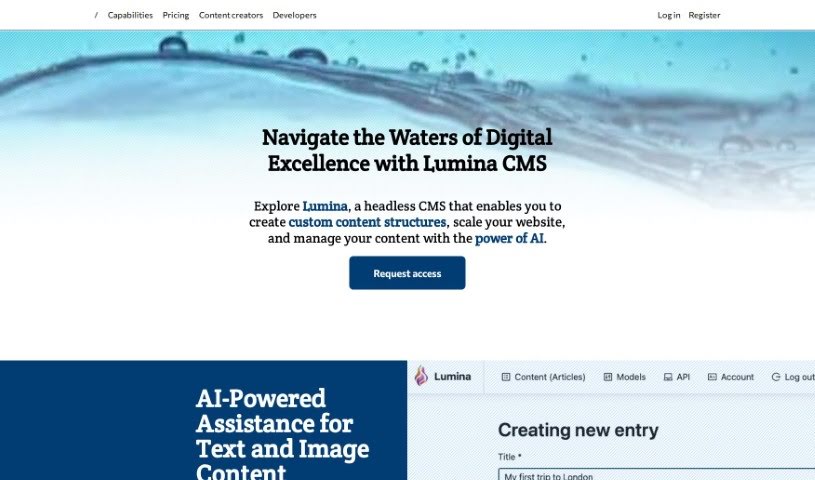
Screenshot of Lumina CMS

Lumina CMS

Discover what Lumina CMS is and how to make the most of it in 2025. We'll dive into its features, compare it to other content writing tools, and show you how to get started.

Screenshot

What is Lumina CMS?

Lumina CMS is a modern, headless Content Management System (CMS). What makes it stand out is its integration of AI-driven tools, designed specifically to boost your content creation process. You get custom content structures, a scalable API that works with MongoDB, and even AI image generation capabilities. Lumina was built with both content creators and developers in mind, offering a flexible platform where you can craft exactly the content structures you need. Plus, its built-in AI agent is a real game-changer, helping with both text and image content. It includes an AI chatbot for text assistance and tools to generate images. They offer a range of pricing plans, from a free option to premium packages, and even self-hosted alternatives if that’s more your style.

Who created Lumina CMS?

Lumina.tools was developed by a dedicated team who set out to create a modern, headless Content Management System (CMS) called Lumina. Their mission is to really reshape how digital content is handled. They’ve achieved this through an API-driven architecture and a built-in AI agent that helps with creating both text and image content. Lumina offers solutions that are flexible and can scale as your needs grow, perfect for content creators and developers alike. Key features include custom content structures, AI image generation, and a scalable API that uses MongoDB. You can choose from various pricing plans, starting with a free tier and going up to premium options, with self-hosted choices available too. Ultimately, the company wants to give users the power to create, manage, and deliver outstanding content experiences in a way that’s both efficient and effective.

What is Lumina CMS used for?

Lumina CMS is a pretty versatile tool, and here’s what you can do with it:

  • Boost your content creation: It really enhances both text and image content thanks to its AI-driven tools.
  • Build custom content structures: You can create your own content frameworks using different data types, custom fields, nested models, and even support for internationalization.
  • Leverage a scalable API: It offers a scalable API powered by MongoDB, which is great for more advanced content operations.
  • Generate visuals with AI: Get creative with your visual content using its AI image generation capabilities.
  • Flexible pricing: You have options, from a free plan to premium packages, and even self-hosted solutions if that fits your setup better.
  • Robust API for operations: It provides a strong, scalable API using MongoDB for handling advanced content tasks.
  • AI for visuals: It empowers creative visual content by using AI to generate images.
  • Various pricing tiers: You can pick from plans that are free, premium, or self-hosted.
  • More pricing choices: They offer a range of plans, including free, premium, and self-hosted options.

Who is Lumina CMS for?

Lumina CMS is designed for:

  • Content creators
  • Developers

How to use Lumina CMS?

Getting started with Lumina.tools is straightforward. Just follow these steps:

  1. Get to know Lumina: First off, understand that Lumina is a headless Content Management System. It’s built around an API-driven architecture and features an AI agent to really enhance your content creation process.
  2. Craft your content structures: Lumina makes it easy to create custom content structures. You can use various data types, custom fields, build nested models, and even set up internationalization.
  3. Tap into AI help: You’ll get AI-powered assistance for your content. There’s a built-in AI chatbot ready to help with text, and AI image generation tools for your visual needs.
  4. Use the scalable API: Lumina provides a scalable API that runs on MongoDB. This means you get robust query capabilities, which is super helpful for advanced data retrieval and manipulation.
  5. Explore pricing options: You can choose from different pricing plans. There’s a free tier, a basic plan at $25/month, a premium tier at $100/month, and a self-hosted option if you have specific requirements.
  6. Start your journey: Head over to Lumina’s website. Take a look at what it can do, check out the pricing, and then pick the plan that best matches your content management needs.

By following these steps, you’ll be well on your way to using Lumina.tools effectively for all your content management tasks, enjoying the perks of AI assistance and flexible pricing along the way.

Related AI Tools

Discover more tools in similar categories that might interest you

Stay Updated with AI Tools

Get weekly updates on the latest AI tools, trends, and insights delivered to your inbox

Join 25,000+ AI enthusiasts. No spam, unsubscribe anytime.