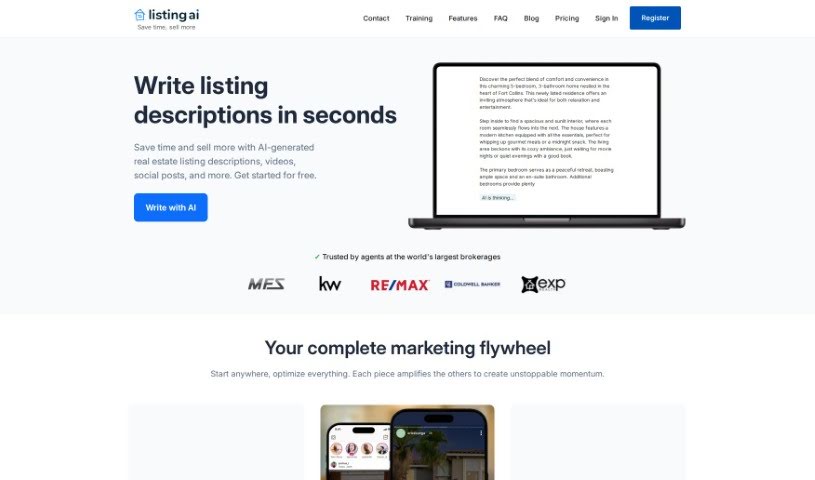
Screenshot of Listing AI

Listing AI

Discover what Listing AI is and how to make the most of it in 2025. We'll dive into its features and see how it stacks up against other digital marketing tools.

Screenshot

What Exactly is Listing AI?

Listing AI is a platform designed specifically for real estate marketing. It is a helpful assistant for agents and brokers. It offers a range of services, including a tool that automatically generates listing descriptions, social media assistance tailored for real estate professionals, and even AI that can create captions for your property photos. The main goal here is to make life easier for real estate agents by taking care of time-consuming tasks like writing descriptions and social media posts. This frees them up to concentrate on the really important stuff, like meeting clients face-to-face and, you know, closing those deals! Listing AI has a global reach, with over 15,000 customers worldwide, from individual agents to larger brokerage firms.

Who’s Behind Listing AI?

Listing AI is the company that created Listpro. They got started back in 2021 and, in 2023, became part of a larger group called MappedBy. Originally based in Calgary, Alberta, Listing AI has since moved its headquarters to Toronto, Ontario, to help them grow their operations. Their core mission remains focused on helping real estate agents and brokers simplify their daily tasks. They’re currently serving more than 15,000 customers across the globe, with a strong presence in the USA, Canada, Australia, and the UK.

What Can You Do with Listing AI?

Listing AI is pretty versatile. Here’s a breakdown of what it’s used for:

  • Social Media Posts & Ads: Craft engaging content for your social channels.
  • AI Generated Image Captions: Get smart captions for your property photos.
  • Landing Pages & Websites: Build dedicated pages to market your listings.
  • Unique Property Descriptions: Generate compelling descriptions for houses.
  • Condo Descriptions: Create appealing write-ups for condos.
  • Townhouse Descriptions: Get tailored descriptions for townhouses.
  • Social Media Content Creation: Generate posts and ads specifically for platforms like Instagram, Facebook, and TikTok.
  • AI-Powered Image Captions: Automatically create captions for your property images.
  • Marketing Websites: Build custom landing pages and websites to showcase properties.
  • Real Estate Listing Descriptions: Generate unique descriptions for various property types, including houses, condos, and townhouses.
  • Listing Description Generator: A dedicated tool for crafting listing descriptions.
  • Social Media Tools: Features to help manage your social media presence.
  • House Descriptions: Specific tools for writing about houses.

Who Should Use Listing AI?

Listing AI is designed for:

  • Real Estate Agents
  • Brokers

How to Get the Most Out of Listing AI?

To really make Listpro work for you, here’s a simple, step-by-step guide:

  1. Get Started: First things first, sign up for an account or log in if you already have one.
  2. Create Your List: Look for the “Create New List” button and click it. You’ll need to give your list a title and a brief description.
  3. Add Your Items: Now, start populating your list by clicking “Add Item.” Just enter the details for whatever you need to include.
  4. Organize It: Want things in a specific order? You can easily drag and drop items to rearrange them. You can also group items into different sections to keep things tidy.
  5. Set Reminders: Don’t miss a deadline! Use the reminder feature to keep track of important dates related to your list items.
  6. Team Up: Need to work with others? Share your list by inviting collaborators. It’s a great way to share the workload.
  7. Mark as Done: As you complete tasks, check them off. This helps you see your progress and keeps the list current.
  8. Make It Yours: Feel free to customize! You can change themes, fonts, or add tags to make your list look good and stay organized.
  9. Share or Export: You can export your list into different formats or share it directly with others using the sharing options Listpro provides.
  10. Keep It Fresh: It’s a good idea to look over your list now and then and update it. This makes sure it’s always relevant and accurate.

By following these steps, you’ll be able to use Listpro effectively for creating, managing, and collaborating on all sorts of lists.

Related AI Tools

Discover more tools in similar categories that might interest you

Stay Updated with AI Tools

Get weekly updates on the latest AI tools, trends, and insights delivered to your inbox

Join 25,000+ AI enthusiasts. No spam, unsubscribe anytime.