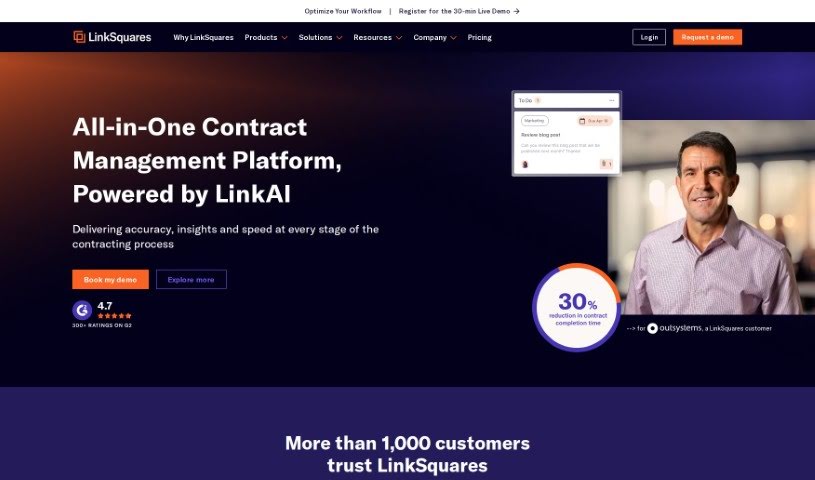
Screenshot of LinkSquares

LinkSquares

Discover what LinkSquares is and how to use it to its full potential in 2025. We'll explore its key features and see how it stacks up against other legal tools.

Screenshot

What is LinkSquares?

LinkSquares is a platform built specifically for the needs of in-house legal departments. It really shines when it comes to managing your contracts from start to finish (that’s Contract Lifecycle Management) and handling your legal projects efficiently (Legal Project Management). It is a central hub where you can create, review, manage, and sign contracts. Plus, its various products work together, making everything more scalable and efficient. It simplifies how you create contracts, lets you sign them electronically, gives you insights from contracts after they’re signed, and helps you keep track of your legal tasks. LinkSquares also includes AI tools designed just for in-house legal work, connects with other software you might use, and offers reporting and key performance indicators (KPIs) to help you do even better. All in all, LinkSquares is known for its thorough features that really help in-house legal teams manage their contracts and projects more smoothly.

Who created LinkSquares?

Vishal Sunak founded LinkSquares and is currently its CEO. He’s a well-known voice in legal technology and has received recognition like EY Entrepreneur Of The Year and Boston Business Journal’s 40 Under 40. Under Vishal’s guidance, LinkSquares has grown incredibly fast, even earning a spot on lists of America’s fastest-growing companies.

What is LinkSquares used for?

LinkSquares helps you with a lot of things, including:

  • Making the contract creation process much simpler.
  • Signing contracts electronically, which is super convenient.
  • Getting analytics after contracts are signed and keeping them in a central place so you can analyze contract data.
  • Bringing all your legal work together in one spot.
  • Managing your legal tasks effectively.
  • Using AI capabilities specifically designed for in-house legal tasks.
  • Connecting with other tools your team uses.
  • Setting up reporting and KPIs to see how well things are going and make improvements.
  • Integrating with third-party applications through its API.
  • Boosting scalability, efficiency, and how well everything connects.

Who is LinkSquares for?

This platform is a great fit for:

  • Contract Administrators
  • General Counsels
  • Associate General Counsels
  • Chief Legal Officers
  • Corporate Counsels
  • Legal Operations Managers
  • Legal Project Managers
  • Anyone working in an in-house legal team

How to use LinkSquares?

To get the most out of LinkSquares, here’s a simple guide:

  1. Access the Platform: First, log in to LinkSquares. Remember, it’s built to handle all your in-house legal needs, especially Contract Lifecycle Management and Legal Project Management.
  2. Manage Your Contracts: Use the Contract Lifecycle Management features to make creating contracts easier, finish them up quickly, sign them electronically, and then dive into post-signature analytics for deeper insights.
  3. Handle Legal Projects: With Legal Project Management, you can centralize all your tasks, keep projects moving smoothly, and manage, track, and report on your legal work all in one place.
  4. Tap into AI: Make sure to use the AI technology built into the platform. It offers advanced features specifically for in-house legal work, really boosting your legal processes.
  5. Connect Your Tools: Take advantage of easy integrations with other software your team relies on. This really helps improve overall efficiency. Plus, use reporting, KPIs, and API integration to fine-tune your performance.
  6. It’s a Unified Solution: LinkSquares offers a single, centralized way to create, review, manage, and sign contracts, alongside legal project management. This makes everything more scalable, efficient, and connected for your in-house legal team.

By following these steps, you’ll be able to use LinkSquares to its fullest, making contract management and legal project oversight much smoother. This will definitely improve efficiency and productivity for your entire legal team.

Related AI Tools

Discover more tools in similar categories that might interest you

Stay Updated with AI Tools

Get weekly updates on the latest AI tools, trends, and insights delivered to your inbox

Join 25,000+ AI enthusiasts. No spam, unsubscribe anytime.