123RF AI Image Generator
Creative Image Generation
Learn more
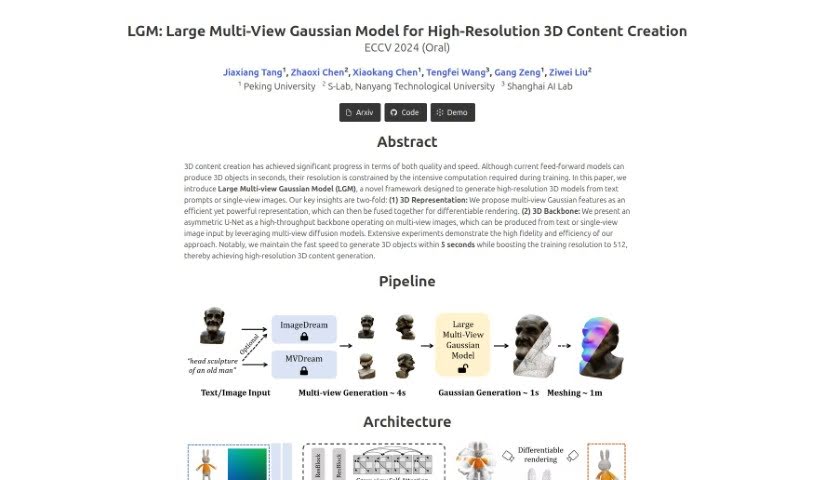
Discover LGM 3D, a framework that generates high-resolution 3D models from text prompts or single images in about five seconds.
LGM 3D (Large Multi-View Gaussian Model) is a framework for generating high-resolution 3D content from text prompts or a single image. It represents 3D objects using multi-view Gaussian features, which are efficient to render, and processes multiple views with an asymmetric U-Net backbone designed for high throughput. The result is high-fidelity 3D objects generated in under 5 seconds, with a training resolution of 512 — a balance of speed and quality.
LGM 3D was developed by a group of researchers: Jiaxiang Tang and Xiaokang Chen from Peking University, Zhaoxi Chen and Ziwei Liu from S-Lab at Nanyang Technological University, and Tengfei Wang from Shanghai AI Lab.
This pipeline makes LGM 3D a fast option for producing detailed, high-resolution 3D models from minimal input.
Related
Discover more tools in similar categories
Weekly picks of the best AI tools we've researched and added — no spam, unsubscribe anytime.
Join 25,000+ AI enthusiasts. No spam, unsubscribe anytime.