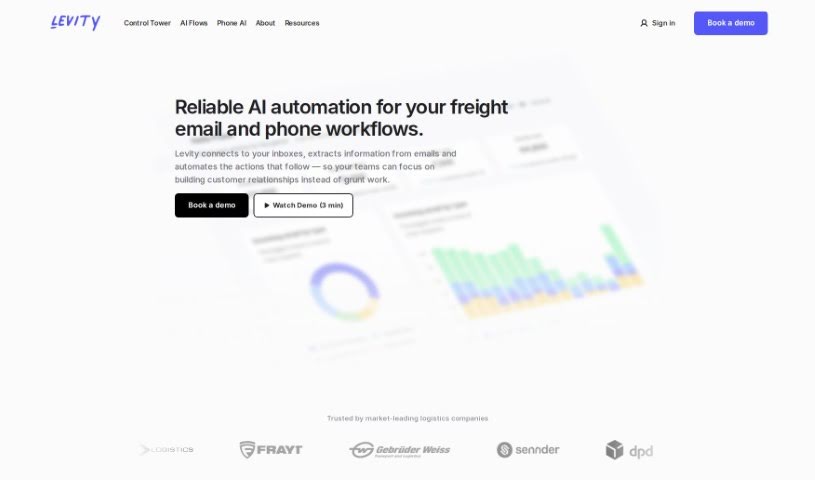
Screenshot of Levity AI

Levity AI

Discover what Levity AI is and how to use it effectively in 2025. We'll explore its features and see how it stacks up against other Email Marketing Tools.

Screenshot

What is Levity AI?

Levity AI is a platform that lets people without technical backgrounds build their own AI models. You can use it to classify text, images, and documents, which is a great way to automate tasks that you do over and over. It is a no-code way to build automated workflows that save you time and make your processes run much more smoothly. Levity also takes data privacy and security seriously. They only use your data for analysis, and they conduct annual audits to make sure they’re following all the privacy laws and keeping things super secure.

Plus, Levity makes it easy to connect with other tools you already use. They have pre-built connectors for popular services like Gmail, Outlook, and Hubspot. If you need to connect to something else, you can use Zapier or Make to access over 5,000 different tools. And if you have a really specific need, Levity offers custom solutions through their API or you can get help from their team to build a connector just for you.

Who created Levity AI?

Ken Apple is one of the co-founders behind Levity. The company was started because they saw a real need for automating workflows that usually require a human touch, focusing on making AI easy for everyone to use. Levity’s dedication to keeping your data private is clear – they do yearly audits to ensure they’re meeting privacy laws and maintaining strong security standards.

What is Levity AI used for?

  • Speed up email responses: You can reply to email-based spot quote requests up to 10 times faster.
  • Automate quote requests: Just connect your inbox to Levity. It can automatically spot incoming quote requests, pull out the important details about loads, send that info to your rating system, and then send a reply back in just seconds.
  • Directly to your TMS: Levity can even build loads automatically right in your Transportation Management System (TMS).
  • Update statuses without copy-pasting: Levity handles track & trace emails for you automatically.

How to use Levity AI?

Getting started with Levity is pretty straightforward. Here’s a quick rundown:

  1. Connect Your Apps: First, link up your apps and data sources. You can pick from lots of integrations, like Gmail or Outlook, and you don’t need to write any code.
  2. Teach AI Blocks: Train your AI Blocks to handle those repetitive tasks you want to automate. It’s like teaching a smart assistant.
  3. Set Up Workflow Steps: Use the Flow Builder, which has a simple drag-and-drop interface, to set up, change, and test automated workflows, no matter how complex they are.
  4. Publish Your Workflow: Decide where the results of each task should go, then turn on your workflow to start automating things smoothly.

Levity offers monthly pricing that starts at $79 per month for users who manage their own setup. There are additional costs depending on how many emails your workflow processes.

When it comes to data privacy and security, Levity makes sure they follow all privacy laws with their annual audits. They also keep security standards high with a yearly SOC 2 audit. Your data isn’t shared, and they provide clear details on how they handle it.

Connecting with other tools is easy thanks to pre-built connectors for platforms like Gmail, Outlook, and Hubspot. You can also connect through Zapier and Make, which gives you access to over 5,000 different tools. If you need something custom, Levity has an API you can use, or their team can help you build a connector specifically for your needs.

Levity’s main goal is to make building AI systems simpler by automating tasks that usually need human-like thinking. The tool lets you create AI models to classify text, images, and documents, which really cuts down on manual work. You can even start for free and use ready-made templates for different kinds of tasks.

Related AI Tools

Discover more tools in similar categories that might interest you

Stay Updated with AI Tools

Get weekly updates on the latest AI tools, trends, and insights delivered to your inbox

Join 25,000+ AI enthusiasts. No spam, unsubscribe anytime.