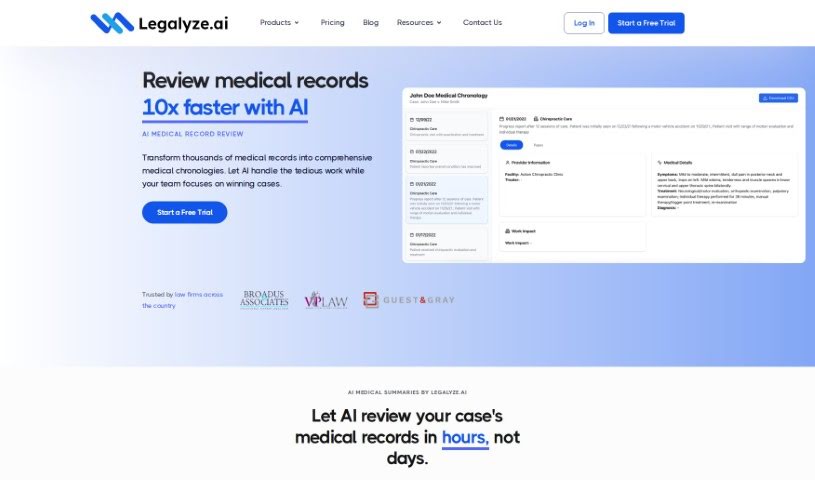
Screenshot of Legalyze

Legalyze

Discover what Legalyze is and how to use it effectively in 2025. We'll explore its features and see how it stacks up against other legal tools.

Screenshot

What is Legalyze?

Legalyze is an AI tool built to make data analysis much smoother for law firms. It is an AI assistant that can dig through your case files, give you quick summaries of legal documents, and even help draft new ones based on what’s already in your case files. It uses artificial intelligence to handle tasks like pulling out important information, condensing legal documents, and answering specific questions you might have about your cases. It’s pretty flexible too, handling file types like PDFs, images, .docx, .xls, and even scanned documents. Plus, they’ve got your data security covered with encryption and regular external security checks. Legalyze isn’t meant to replace people at law firms; instead, it’s designed to boost efficiency and productivity by summarizing documents, offering quick case reviews, and helping generate legal paperwork.

They offer a one-week free trial, and their pricing plans are set up for both individual users and larger firms with more than five people.

Who created Legalyze?

Chris Ford, the CEO and Founder, is the mind behind Legalyze. It officially launched on June 18, 2024, in Dallas, Texas. The idea for the platform actually came about when a lawyer needed help reviewing a massive 450,000 pages of documents during a discovery process. That experience spurred its development, aiming to help law firms securely adopt AI and stay competitive in the legal market.

What is Legalyze used for?

Legalyze helps with a bunch of things to make legal work easier:

  • Summarizing documents: Get the gist of lengthy legal texts quickly.
  • Generating documents: Create new legal documents based on your case context.
  • AI-assisted analysis: Use AI to help you understand your case data.
  • Fact finding: Efficiently locate specific information within your files.
  • Team integration: Helps your team work together more smoothly on document review.
  • Speeding up case reviews: Get through case documents much faster.
  • Answering specific questions: Ask direct questions about your case documents and get answers.
  • Boosting efficiency and productivity: Generally makes law firm operations more streamlined.
  • Reducing case review time: Saves valuable time spent on document analysis.
  • Aiding lawsuit preparation: Helps get your cases ready.
  • Supporting various file formats: Works with PDFs, images, .docx, .xls, and scanned files.
  • External security audits: Ensures your data is handled securely.
  • Legal document summaries: Provides concise overviews of legal texts.
  • Extracting key information: Pulls out the most important details.
  • Answering user queries: Directly addresses your questions about case documents.
  • Automating tasks: Handles things like information extraction and document summarization.
  • Producing answers: Generates responses to specific questions about your case documents.
  • Determining relevant context: Helps the AI understand what’s important in your files.
  • Providing answers: Offers insights into specific questions about your case documents.
  • Summarizing any legal document: Handles all types of legal texts.
  • Generating legal documents: Creates new paperwork based on case file context.
  • Fostering team integration: Improves how teams collaborate on document review.
  • Ensuring security: Protects your documents and data through encryption and audits.
  • Quick case document reviews: Get fast overviews of your case files.
  • Generating discovery questions: Helps draft specific types of legal documents.
  • Offering a free trial: Lets law firms and companies try it out first.

Who is Legalyze for?

  • Lawyers
  • Legal professionals
  • Law firms

How to use Legalyze?

Using Legalyze is pretty straightforward. Here’s a simple guide:

  1. Start a new case: First, create a case within Legalyze. Then, upload all your relevant files. It handles a variety of formats, including PDFs, images, .docx, .xls, and even scanned documents, so you’re covered.
  2. Ask away and generate: Once your files are in, you can use the AI to ask specific questions about the case. It can pull out key details, create summaries, and even draft new legal documents tailored to your case’s context.
  3. Explore the features: Make the most of its capabilities like document summarization, AI-assisted analysis, fact-finding, document generation, and team integration. These features are designed to really streamline your document review process.
  4. Trust your data’s security: You can feel confident about your data. Legalyze uses encryption and undergoes external security audits, ensuring your information stays private and confidential.
  5. Try it out: Legalyze offers a trial period, which is a great way for law firms and companies to experience what the tool can do before deciding on a subscription.
  6. Find facts faster: Use the AI for fact-finding across your entire case. This can significantly speed up how you locate specific information or confirm details within your files.
  7. Consider the pricing: They have a plan for $299 per user per month for AI Document Review, which includes unlimited case documents and queries. If your firm has more than five users, you can contact them for custom pricing, which includes custom AI Document Workflows and unlimited queries and case documents.

By following these steps, you can efficiently use Legalyze’s AI power to improve how you analyze and review legal documents.

Related AI Tools

Discover more tools in similar categories that might interest you

Stay Updated with AI Tools

Get weekly updates on the latest AI tools, trends, and insights delivered to your inbox

Join 25,000+ AI enthusiasts. No spam, unsubscribe anytime.