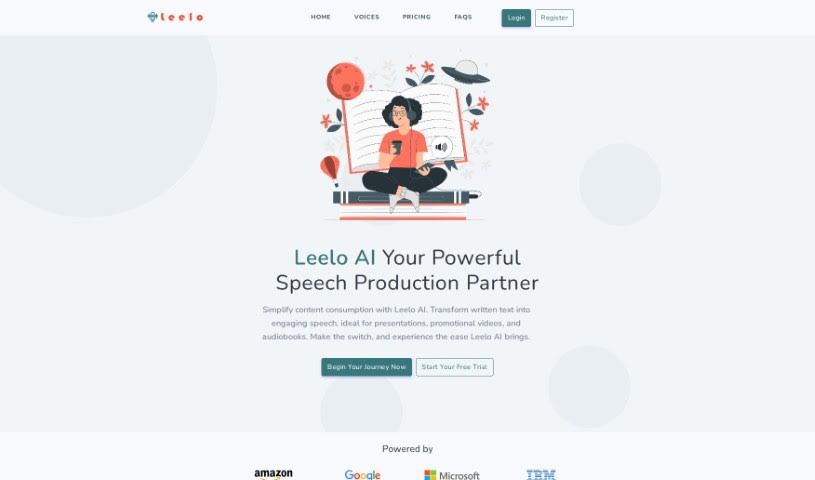
Screenshot of Leelo AI

Leelo AI

Discover what Leelo AI is and how to use it effectively in 2025. We'll explore its features and see how it stacks up against other voice generators.

Screenshot

What is Leelo AI?

Leelo AI is a text-to-speech service that really lets you turn written words into immersive audio. It supports 142 languages and accents, offering a huge library of 822 voices. You can pick from female, male, and even children’s voices, plus different speaking styles like a news anchor or a narrator. Leelo AI also gives you cloud storage for your audio files and handles multiple languages, which is super handy. It’s great for making video ads, documentaries, audiobooks, newscasts, podcasts, sales videos, and e-learning materials sound so much better. People seem to really like Leelo AI because the audio quality is top-notch, it’s flexible with all the language options, and it’s easy to integrate, which really helps with engaging your audience.

Who created Leelo AI?

Leelo was actually developed by a company called Medios. While they haven’t shared specific details about the founder, Medios is the team behind Leelo AI. They’ve built this text-to-speech technology to offer a really wide variety of voices and languages. This makes it much smoother for people creating content and looking to reach a global audience.

What is Leelo AI used for?

Leelo AI is incredibly versatile. You can use it for:

  • Creating audiobooks
  • Producing podcasts
  • Developing e-learning materials
  • Crafting presentations
  • Making video ads more engaging
  • Adding narration to documentaries
  • Generating newscasts
  • Producing sales videos
  • Creating promotional videos

Who is Leelo AI for?

If you’re involved in any of these areas, Leelo AI could be a great fit for you:

  • Podcasters
  • Video creators
  • Educators
  • News broadcasters
  • Sales professionals
  • E-learning content creators
  • Video advertisers
  • Documentary creators
  • Audiobook producers
  • Trainers and educators (again, it’s that useful!)
  • Documentary Producers (yes, we know, but it’s important!)
  • Audiobook Creators
  • E-Learning professionals
  • Newscasters
  • Video Producers
  • Documentary makers

How to use Leelo AI?

Using Leelo for text-to-speech is pretty straightforward. Here’s a quick rundown:

  1. Add Your Text: Just write or paste whatever text you want to convert into the Leelo editor.
  2. Select Language and Voice: Pick the language, the specific voice you like, and any speaking styles that suit your content best.
  3. Generate Speech: Hit the generate button. Leelo will then create and let you listen to the audio.
  4. Share Your Work: Once you’re happy with it, your audio is ready to go! You can share it on your website or use it in your podcast.
  5. Explore More: If you want to dig deeper, check out the FAQs section. It explains Leelo’s advanced text-to-speech technology in more detail.
  6. Free Trial: Good news – Leelo offers a free trial! You get 1000 free words to try out all the features, and you don’t even need a credit card to start.
  7. Voices and Styles: Keep in mind, not every voice supports all the different styles. Right now, 29 voices offer one or more styles across 5 languages.
  8. Voices Generation: The voices themselves are created using cloud-based AI algorithms and the very latest in machine learning technology.

Ready to give it a try? Start your journey with Leelo today and effortlessly transform your written text into captivating speech. Just click ‘Get Started’ and experience the power of AI-driven text-to-speech!

Related AI Tools

Discover more tools in similar categories that might interest you

Stay Updated with AI Tools

Get weekly updates on the latest AI tools, trends, and insights delivered to your inbox

Join 25,000+ AI enthusiasts. No spam, unsubscribe anytime.