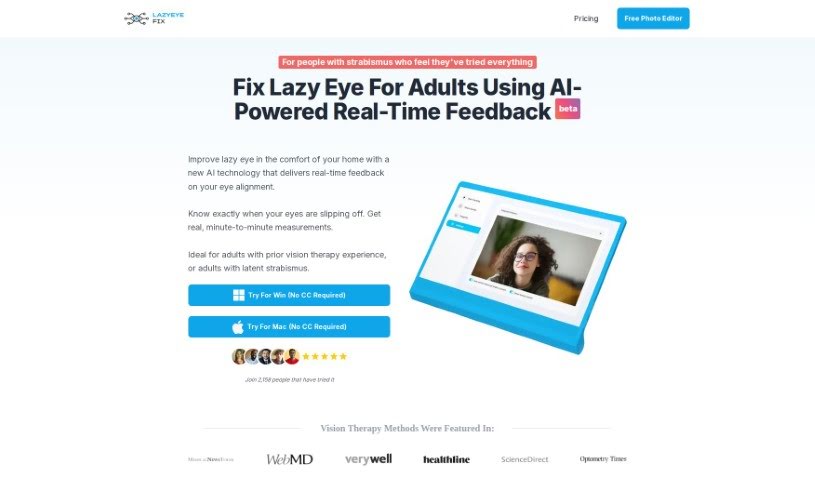
Screenshot of Lazyeyefix Photo Editor

Lazyeyefix Photo Editor

Discover what Lazyeyefix Photo Editor is and how to use it effectively in 2025. We'll walk through its features and see how it stacks up against other photo editors.

Screenshot

What is Lazyeyefix Photo Editor?

Lazyeyefix Photo Editor is a really neat tool designed to help people with strabismus, or “lazy eye,” fix how their eyes look in photos. It uses smart AI to automatically find and correct the eyes, so you get natural-looking results without much fuss. The folks who created it actually have personal experience with lazy eye, and they offer it for free. This means anyone who wants to make their photos look better can use it easily. Its main features are automatic lazy eye correction, AI that spots eyes, and it’s super simple to use – you don’t need any photo editing experience at all.

Who created Lazyeyefix Photo Editor?

Florian Wüest, who’s had a lazy eye since he was born, is the mastermind behind Lazyeyefix Photo Editor. He developed it himself after treatments didn’t quite do what he hoped. Florian’s goal with the company is to offer a genuinely helpful solution for lazy eye correction. He’s joined by AI Developer Lee Asher and Web Developer Abrar Ahmed. Their tool is specifically for people with strabismus. It uses AI to automatically fix how eyes appear in pictures, making sure the results look natural and are easy for anyone to achieve.

What is Lazyeyefix Photo Editor used for?

  • Fix lazy eye in photos automatically: You can correct a lazy eye in your pictures in just about 5 seconds.
  • AI Eye Detection: The AI is smart enough to find faces and eyes, even if they’re only partly visible.
  • Lazy Eye Identification: It figures out which eye is misaligned by looking at the sclera, the white part of the eye.
  • Eye Cloning: It copies the good eye, flips it, and uses it to replace the lazy eye, creating a more balanced look.
  • Easy to Use & Free: It’s designed so anyone can use it, no editing skills needed, and it costs nothing.
  • Fix lazy eye in photos automatically: You can correct a lazy eye in your pictures in just about 5 seconds.
  • AI Eye Detection: The AI is smart enough to find faces and eyes, even if they’re only partly visible.
  • Lazy Eye Identification: It figures out which eye is misaligned by looking at the sclera, the white part of the eye.
  • Eye Cloning: It copies the good eye, flips it, and uses it to replace the lazy eye, creating a more balanced look.
  • Easy to Use & Free: It’s designed so anyone can use it, no editing skills needed, and it costs nothing.

Who is Lazyeyefix Photo Editor for?

  • Photographers
  • Photo Editors
  • People with strabismus (lazy eye)
  • Graphic designers
  • People with strabismus
  • Content creators
  • Social media influencers
  • AI developers
  • Eye doctors
  • Vision therapists
  • Digital artists

How to use Lazyeyefix Photo Editor?

Using the Lazyeyefix Photo Editor is pretty straightforward. Just follow these simple steps:

  1. Head over to the Lazyeyefix Photo Editor website and hit the “Get Started” button.
  2. Upload the photo you’d like to edit.
  3. The editor will automatically find the lazy eye in your picture using its advanced AI.
  4. In about 5 seconds, it’ll fix the lazy eye. It does this by copying your non-misaligned eye, flipping it, and using it to replace the lazy one.
  5. You don’t need any special photo editing skills; it’s made to be super user-friendly for everyone.
  6. Once the correction is done, you can download your edited photo with the corrected eye appearance.
  7. For the best, lasting results, they suggest using the tool consistently over 8-12 months, with a quick re-calibration each year.

Remember, the Lazyeyefix Photo Editor’s main features include that automatic lazy eye correction, AI that can spot eyes even in tricky shots, identifying the misaligned eye by checking the sclera, cloning the good eye to make things look symmetrical, and it’s all super easy to use with no editing skills needed. This tool was actually built by people who understand strabismus, for others dealing with it, and it’s completely free. It’s all about helping you make your photos look great.

So, by following these easy steps, you can effortlessly make the lazy eye appearance in your photos look just right with the Lazyeyefix Photo Editor.

Related AI Tools

Discover more tools in similar categories that might interest you

123RF AI Image Generator

Creative Image Generation
Learn More

Stay Updated with AI Tools

Get weekly updates on the latest AI tools, trends, and insights delivered to your inbox

Join 25,000+ AI enthusiasts. No spam, unsubscribe anytime.