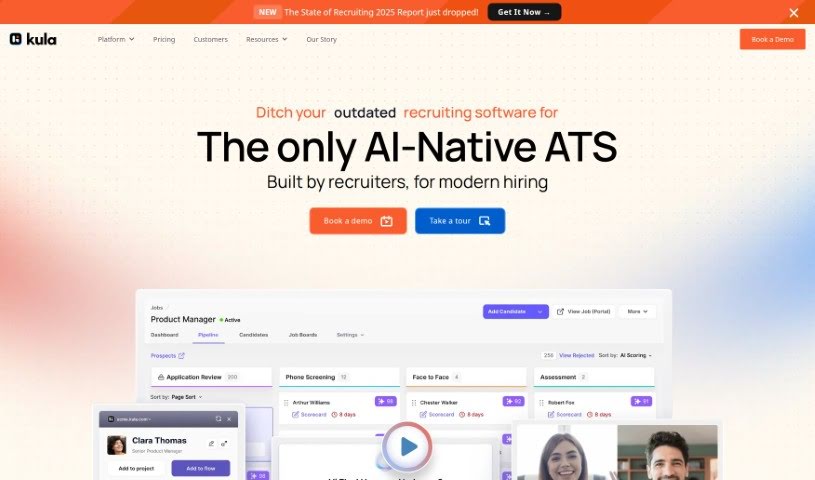
What is Kula AI?
Kula AI is a smart tool designed to help recruiters write personalized cold outreach emails much faster. It lets you create unique messages that really stand out from the competition. It is your AI assistant for recruitment outreach. Some of its main features include automatically engaging passive candidates, making employee referrals more proactive, and providing detailed analytics for your entire recruitment process. With Kula AI, you can whip up highly personalized emails with just a click, which usually means better response rates and more successful hires. The tool makes writing emails simple, offering a step-by-step guide and using AI to tailor messages to each candidate’s specific background and skills. Kula AI also takes data security seriously, making sure your information stays private and isn’t shared without your clear permission. All in all, Kula AI makes recruiting smoother, boosts engagement, and helps recruiters build real connections with potential hires.
Who created Kula AI?
Kula AI first launched on August 30, 2023. Inbal Horesh is the founder, and she’s led the development of this recruitment solution, which has been widely praised for being easy to use and very efficient. The company is really focused on helping its customers succeed and aims to offer a strong solution for today’s competitive talent market.
What is Kula AI used for?
Kula AI helps you with a lot of things in recruitment:
- Keep your data secure and private.
- Quickly and easily craft personalized, thoughtful cold outreach emails for recruitment.
- Automatically engage passive candidates who might not be actively looking.
- Make employee referrals a proactive part of your strategy.
- Analyze your entire recruitment funnel all at once to see the big picture.
- Generate highly personalized emails with just a single click.
- Automate the creation of hyper-personalized messages tailored to each candidate.
- Use AI Blocks to easily highlight a candidate’s experience, skills, or background.
- Boost your response rates and improve hiring success.
- Make your recruitment process more efficient.
- Build genuine relationships with the candidates you’re reaching out to.
- Analyze the entire recruitment funnel using its built-in analytics.
- Automate your recruitment workflow by creating those hyper-personalized messages.
- Seamlessly integrate with your existing tech stack, including tools like Gmail, Greenhouse, Google Sheets, Lever, GitHub, and Slack.
- Automate sourcing and follow-up messages to speed up how you find candidates.
- Centralize your employee networks to get warm referral introductions.
- Track your team’s performance and key metrics in outbound recruitment.
- Enhance candidate research efficiency with AI Blocks.
Who is Kula AI for?
Kula AI is a great tool for:
- Recruiters
- Talent Acquisition Specialists
- Corporate Recruiters
- HR Professionals
- Team builders
How to use Kula AI?
Here’s a straightforward guide to using Kula AI effectively:
- Get Started: First, sign up or log in to your Kula AI account on their official website. It’s a pretty simple process.
- Set Up Your Account: Once you’re in, take a moment to set up your account. You’ll enter some basic details and your preferences.
- Explore the Dashboard: Spend a little time getting to know the dashboard. This will help you find all the important features easily.
- Start a New Project: Ready to begin? Click the “Create Project” button. The platform will guide you through defining what your project is about.
- Upload Your Data: Now, upload the data you want Kula AI to work with. This could be candidate information or other relevant files.
- Pick Your Algorithms: Based on your project and what you want to achieve, choose the right machine learning algorithms. The tool offers guidance here.
- Train the Model: Kick off the model training. This means running the algorithms you selected on the data you uploaded.
- See How It Did: After training, check out the results. Kula AI provides evaluation metrics so you can see how accurate and effective the model is.
- Refine and Repeat: Based on those results, you might want to tweak your model. Make adjustments, retrain it if needed, and keep improving.
- Put it to Work: Once you’re happy with how the model performs, you can deploy it for real-world use and integrate it into your workflow.
- Keep an Eye On It: Regularly check how your model is doing. Retrain it when necessary and stay updated on any new features Kula AI releases.
Following these steps should help you use Kula AI confidently for your machine learning projects.