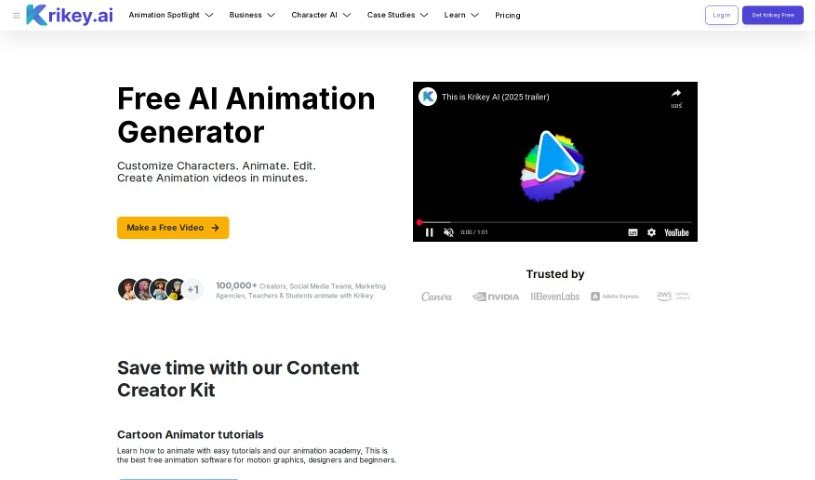
What is Krikey AI?
Krikey AI is a fantastic online tool you can use right in your browser to animate 3D characters. And the best part? It’s completely free! It comes with a whole library of ready-to-use assets and animations, which makes creating AI-powered animations super simple. You won’t need to download any software or know any coding. You can easily tweak all sorts of things like background images, camera angles, graphics, and even your own custom avatars. It’s really built to be easy for anyone, no matter their skill level, so you can whip up engaging animations in just minutes.
Who created Krikey AI?
Krikey AI’s 3D Animation Editor was developed by Krikey, a company focused on AI tools. Their platform is all about making 3D character animation quick and easy with AI. Krikey really empowers users to create animations in just minutes, no special animation skills or coding required. They also offer tools like AI Text to Animation and AI Video to Animation, which opens up animation creation to a much wider audience.
What is Krikey AI used for?
Krikey AI is incredibly versatile. Here’s a look at what you can do with it:
- Add custom dialogue to your 3D talking Avatars in just minutes.
- Animate Avatars using AI, just by using text or video prompts.
- Edit videos with 3D animations – no special skills needed at all.
- Share your creations directly to social media from Krikey AI, in any aspect ratio you need.
- Animate like a pro using AI Animation Tools with handy templates.
- Create engaging videos in minutes with the help of AI animation templates.
- Generate 3D character animations quickly based on text or video prompts.
- Make animated videos in minutes using either text or video inputs.
- Produce engaging videos with custom avatars, voiceovers, and even motion capture-style AI animations.
- Create animation videos for free using generative AI templates.
- Add personalized dialogue to your custom 3D talking Avatars.
- Edit videos featuring 3D animations without needing any special skills.
- Share your videos directly to social media from Krikey AI, in all aspect ratios.
- Create engaging videos in minutes using AI animation templates.
- Design lesson plans, work presentations, tutorials, or demos using templates and AI animation tools.
- Create animations in minutes using text or videos.
- Make free animation videos using generative AI templates.
- Use a motion capture style tool to turn text and video into 3D animations.
- Help animators in their workflows by using AI to improve motion capture and VFX processes.
- Edit videos with 3D animations without needing any skills.
- Share videos directly to social media from Krikey AI in all aspect ratios.
- Generate 3D character animations from text or video prompts.
- Make anime videos with AI-powered 3D characters.
- Craft engaging narratives with talking 3D avatars.
- Create funny gifs, birthday invitations, and engaging videos using AI Animation tools.
- Empower developers and creators to generate 3D animations in minutes.
- Add personalized dialogue to your custom 3D talking Avatars in minutes.
- Use AI to animate your Avatars with text or video prompts.
- Make animated videos in minutes using text or videos.
- Create animation videos for free with generative AI templates.
- Generate full-body animations with an AI motion capture style video tool.
- Create anime videos using Anime characters and AI tools.
- Make 3D Animation videos online with AI-powered tools.
- Craft 3D cartoon characters and animations with an AI Animation maker.
- Create funny gifs, birthday invitations, and engaging videos with AI Animation tools.
- Design lesson plans, work presentations, tutorials, or demos for websites with templates.
- Make cartoon animations using AI motion capture.
- Empower animators in current workflows and improve motion capture and VFX processes.
- Easily share edited videos directly to social media.
- Create anime with AI-powered 3D videos.
- Craft engaging narratives with talking 3D avatars using AI animation tools.
- Design custom character AI for AI-powered video editing and animation.
- Share directly to social media in all aspect ratios.
- Create engaging videos with AI animation templates.
- Make animation videos for free using generative AI templates.
- Animate talking Avatars without any experience.
- Create funny gifs, birthday invitations, and engaging videos with 3D animation tools.
- Animate Avatars with AI using text or video prompts.
- Edit videos with 3D animations without requiring special skills.
- Easily share edited videos directly to social media from Krikey AI.
- Use AI animation templates to bring your 3D Avatars to life.
- Create engaging videos with a library of assets and a 3D video editor.
- Animate anime characters with custom voiceovers and background images.
- Create AI-powered animations for free online.
- Empower developers and creators to generate 3D animations quickly with AI tools.
- Make 3D Avatar animation videos using text or videos.
- Produce AI-powered 3D videos with custom Avatars and voiceovers.
- Create anime videos using AI for free.
- Design character AI for AI-powered video editing and animation.
- Make anime videos using AI-powered 3D videos with custom voiceovers, backgrounds, and text.
- Create funny gifs, birthday invitations, and engaging videos using AI-powered tools.
- Craft AI-powered animated videos for marketing, tutorials, games, films, social media, and lesson plans.
- Design your own character AI for AI-powered video editing and animation.
- Create aesthetic designs with simple animation tools for individuals, teachers, students, social media & marketing managers.
- Animate talking avatars with no experience required.
- Create engaging videos with a library of assets and a 3D video editor.
- Convert text or video to 3D Avatar animation videos.
- Create AI-powered 3D videos with custom voiceovers, backgrounds, and text.
- Empower anyone to animate a 3D character in minutes.
- No skills needed to edit your videos with 3D animations.
- Use AI animation templates to bring your 3D Avatars to life.
- Empower anyone to animate a 3D character in minutes for free.
- Create funny gifs, birthday invitations, engaging videos, and more with an AI Animation maker.
- Effortlessly create engaging lesson plans, eye-catching digital invitations, and unforgettable social media content with Krikey Character AI.
Who is Krikey AI for?
Krikey AI is a great tool for:
- Individuals looking to create animated content.
- Teachers who want to make engaging lesson plans or presentations.
- Students working on projects or assignments.
- Social media managers aiming to create eye-catching posts.
- Marketing managers needing to produce promotional videos.
How to use Krikey AI?
Using the Krikey AI 3D Animation Editor is straightforward. Just follow these simple steps:
- First, open up the Krikey AI video editor right in your browser.
- Next, pick out a custom Avatar and the 3D Animation you want for your video.
- Then, type in the dialogue you want your character to speak in the video.
- You can choose from over 20 different languages for the voiceover.
- Hit “generate,” and in just a few minutes, you’ll have your very own 3D Animated video.
- After that, you can customize your video further by changing camera shot types, background images, and other elements.
- Make sure to use the browser-based video editor to really polish your video with voiceovers, different camera shots, and backgrounds.
- Don’t forget to experiment with the templates provided to get started quickly and efficiently.
- Finally, explore the wide variety of assets available, such as camera shots, backgrounds, AI Animations, custom Avatars, text, and voiceovers. These will help enhance your creations and make your workflow much smoother.
With these easy steps, you can create really engaging animated videos using the Krikey AI 3D Animation Editor without any hassle. You don’t need any prior coding, programming, or animation skills to jump in and let your creativity flow. Just enjoy the process of bringing your ideas to life through 3D animations with this super user-friendly tool.