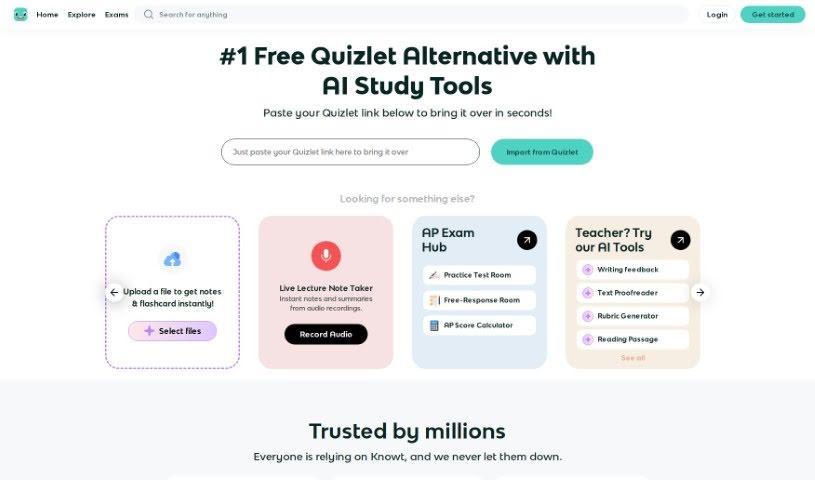
Screenshot of Knowt

Knowt

Discover Knowt in 2025! Learn what this popular study platform is all about, how to use its features effectively, and how it stacks up against other student tools.

Screenshot

What is Knowt?

Knowt is a really popular study platform that gives you a bunch of tools for making and studying flashcards. It is a free alternative to Quizlet, but with some cool extras. You get unlimited access to its “Learn Mode,” you can take practice tests, use spaced repetition to help you remember things over time, and easily create or import flashcards. Students seem to really like Knowt because it’s easy to use and has unique features, like its AI flashcard creator. Plus, you can import your old Quizlet sets for free study, which is super convenient. Millions of students and teachers around the world trust Knowt, and many have shared positive feedback, especially about how it helps them prepare for tough exams like APUSH and other AP tests. It’s a valuable tool for all sorts of subjects and exams because it offers so many different ways to study and is so straightforward to use.

Who created Knowt?

Abheek Pandoh and Abhishek Patel are the minds behind Knowt. They launched the platform on September 7, 2023. The team also includes some key players like Ramya Ravuri, who heads up marketing as CMO, and Hadi El Yakhni, who leads the web development. They’re supported by a great web engineering team, including Bruno Zampirom, Muhammad al hafidz razali, Hanna Obeid, Raas Arim, and Karim El Samarji.

Who is Knowt for?

  • Students
  • Teachers

How to use Knowt?

To get the most out of Knowt, here’s a simple guide:

  1. Creating Flashcards:

    • Option 1: You can upload your lecture videos and notes, and Knowt’s AI will instantly create flashcards for you. It’s a real time-saver!
    • Option 2: If you’ve already got flashcard sets on Quizlet, you can easily transfer them over to Knowt. This lets you use all the free study modes and fun games Knowt offers.
    • Option 3: Of course, you can always create your own custom flashcards by adding terms, definitions, and even images. The AI Smart Flashcard maker is also there to help if you want to speed things up.
  2. Study Modes:

    • Learn Mode: This is perfect for those last-minute cram sessions. You can customize the types of questions you get, keeping you constantly tested.
    • Spaced Repetition Mode: This mode is great for long-term memory. It automatically sets up a revision schedule for you and tells you exactly how many flashcards to study each day.
    • Practice Test Mode: Once you feel like you’ve pretty much mastered your flashcards, you can take a practice test and have it graded automatically.
    • Matching Game Mode: Here, you race against the clock to match terms with their correct definitions, which really helps with visual recall and speed.
  3. Knowt Match Mode:

    • You can jump into a free match game on Knowt. It’s a quick way to pair up flashcard terms and definitions, boosting your visual memory and how fast you can recall information.
  4. Using Learn Mode:

    • To start, just head to the study modes menu on the left side of your flashcard set and select “Learn Mode.”
    • You can tweak the question types using the “Options” button. You can even switch to a written mode if that works better for your learning style.

By following these steps, you can really make your learning experience on Knowt as effective as possible. It’s a versatile platform that millions trust for efficient studying and getting ready for exams.

Related AI Tools

Discover more tools in similar categories that might interest you

Academic Help Free Essay Generator

Education Academic Writing
Learn More

Stay Updated with AI Tools

Get weekly updates on the latest AI tools, trends, and insights delivered to your inbox

Join 25,000+ AI enthusiasts. No spam, unsubscribe anytime.