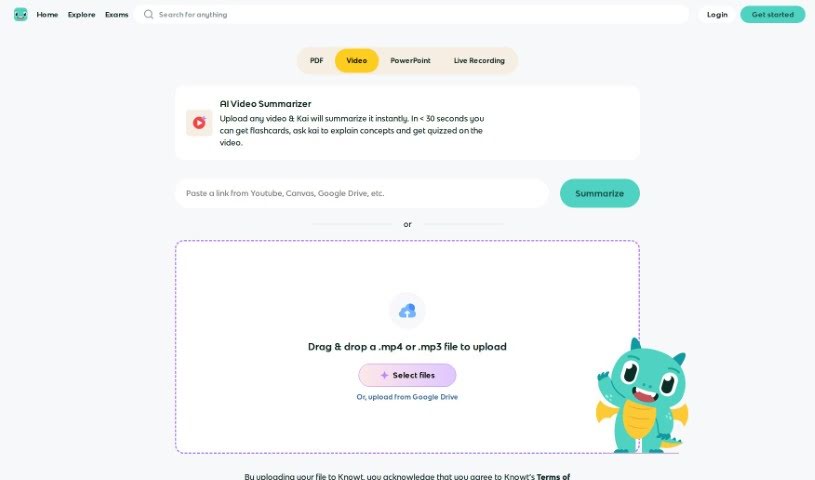
Screenshot of Knowt AI Video Summarizer

Knowt AI Video Summarizer

Discover what the Knowt AI Video Summarizer is and learn how to use it effectively in 2025. We'll explore its features and see how it stacks up against other video summarization tools.

Screenshot

What is Knowt AI Video Summarizer?

The Knowt AI Video Summarizer is a smart assistant that can take long videos and boil them down into shorter, easy-to-understand summaries. It uses advanced AI, specifically machine learning, to pinpoint the most important moments, main ideas, and key information within any video. This means you can get the gist of a video really quickly. It works by analyzing everything – the audio, what you see on screen, and any text – to pull out the essential details. This makes it a fantastic tool for anyone who works with videos, like content creators, researchers, or businesses, because it saves so much time and effort. The process itself involves spotting the crucial parts, writing up a brief summary, and then putting it all together in a way that makes sense. Essentially, it makes understanding videos much simpler, letting you grasp the main points without having to sit through the whole thing.

Who created Knowt AI Video Summarizer?

The Knowt AI Video Summarizer was developed by the team at Knowt. Knowt is a company that focuses on creating AI-powered tools specifically for education. The AI Video Summarizer is one of their really neat innovations. Their main goal is to offer solutions that help people pull out the most important information from videos efficiently, which really helps with learning and remembering things.

How to use Knowt AI Video Summarizer?

Want to get the most out of a video summarizer tool? It’s pretty straightforward. Just follow these simple steps:

  1. Upload Your Video: First things first, upload the video you want summarized into the tool. Just make sure it’s in a file format the tool supports.
  2. Pick Your Settings: Next, you’ll want to choose how you want the summary to be. You can usually pick things like how long you want the summary to be, what main topics it should focus on, or even specific words or phrases you want it to include or leave out.
  3. Start the Magic: Hit the button to begin the summarization process. The AI will then get to work, analyzing the video’s content to create a concise summary for you.
  4. Check the Summary: Once it’s done, take a look at the summary it generated. Does it accurately capture the main points from the video? Does it match what you were looking for?
  5. Tweak if Needed: If you notice anything that’s not quite right or could be better, you might be able to edit the summary yourself. This is a great way to make sure the final version is exactly what you need.
  6. Download Your Summary: When you’re happy with it, download the summarized version. You can usually pick the file format and quality you prefer.
  7. Use or Share It: Now you can use it however you like! Share it with colleagues, pop it into reports or presentations, or just keep it for your own notes.
  8. Give Feedback: If you have any thoughts on how the process went or any ideas for making it even better, let the developers know. Your feedback really helps them improve the tool for everyone.

By following these steps, you can really make the most of a video summarizer tool, getting the key information from videos quickly and efficiently.

Related AI Tools

Discover more tools in similar categories that might interest you

Academic Help Free Essay Generator

Education Academic Writing
Learn More

Stay Updated with AI Tools

Get weekly updates on the latest AI tools, trends, and insights delivered to your inbox

Join 25,000+ AI enthusiasts. No spam, unsubscribe anytime.