What is Kits AI?
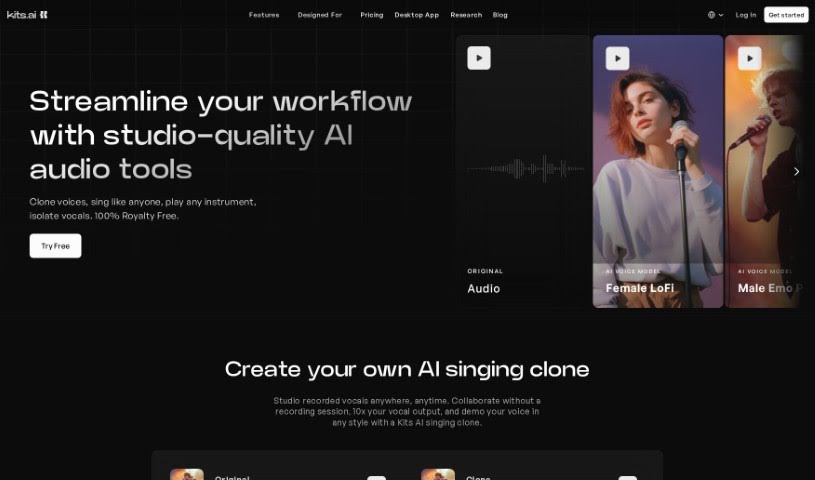
Kits AI is a special AI voice platform built just for musicians. It lets you play around with vocals using AI technology. Think voice cloning, making AI sound like musical instruments, and picking from a huge library of over 50 AI-generated singing voices. You can even create your own unique voice models, team up with other artists, and use their desktop app to make your workflow much smoother. The platform also works with .pth files, which means you can get high-quality results and share your models easily. Plus, Kits AI offers voices from artists who’ve officially licensed them, a policy that means your music creations are completely royalty-free, and tools like file organization features to simplify your music production process.
Who created Kits AI?
Kits AI was developed by a team focused on creating an AI voice platform specifically for musicians. It first launched on June 20, 2024. This platform empowers users to transform vocals using AI, clone voices, mimic instruments, and access a collection of more than 50 AI-generated singing voices. While the founders remain anonymous, Kits AI provides features such as custom voice model creation, officially licensed artist voices, and a desktop application designed to boost work efficiency.
What is Kits AI used for?
- Voice Cloning & Personalization: Create your own AI voice models and build a unique voice library.
- Instrument Mimicry: Make AI voices sound like different musical instruments.
- One-Click Mastering: Improve your music’s sound quality instantly.
- Licensed Artist Voices: Use voices from artists who have officially given permission.
- Custom Voice Models: Build and train your own unique AI voices.
- .pth File Support: Work with .pth files for high-quality AI voice generation.
- Royalty-Free Music: Create and release music without worrying about royalties.
- Desktop App: Get faster access and a smoother workflow with the dedicated desktop application.
- File Organization: Keep your audio conversions tidy and easy to manage.
- API Access: Build your own applications on top of Kits AI’s audio models.
Who is Kits AI for?
- Musicians
- Audio Engineers
- Music Producers
How to use Kits AI?
Here’s a straightforward guide to using Kits AI effectively:
- Voice Cloning: Start by uploading your own vocals to Kits AI. Then, use the built-in training tool to create AI voice models that sound just like you.
- Explore the Voice Library: You’ve got over 50 AI-generated singing voices to choose from, including those from licensed artists and royalty-free options. Feel free to create your own custom voices to build a truly personalized collection.
- Master Your Music: Give your tracks a professional polish with a single click, enhancing the overall audio quality.
- Use the Desktop App: For a quicker and more streamlined workflow, download and use the Kits AI desktop app.
- Organize Your Files: The platform helps you manage your audio conversions efficiently, keeping everything organized.
- Integrate with the API: If you’re a developer, you can use Kits AI’s API to add features like voice conversion, cloning, and text-to-speech directly into your own software.
- Blend Voices: Get creative by combining two different AI voices to invent unique AI singers, perfect for a wide range of music projects.
- Remove Vocals: Need to isolate vocals? The Vocal Remover tool can extract clean, production-ready vocals from any audio file.
- Share Your Models: You can share the custom voice models you create on Kits AI directly through the platform, or even distribute them on your own.
- Enjoy Royalty-Free Creation: Kits AI offers a 100% royalty-free policy for all the music you produce using their tools.
By following these steps and exploring the many features Kits AI offers, you can really boost your music production, clone your voice, access a vast array of singing voices, and manage all your audio projects with ease.