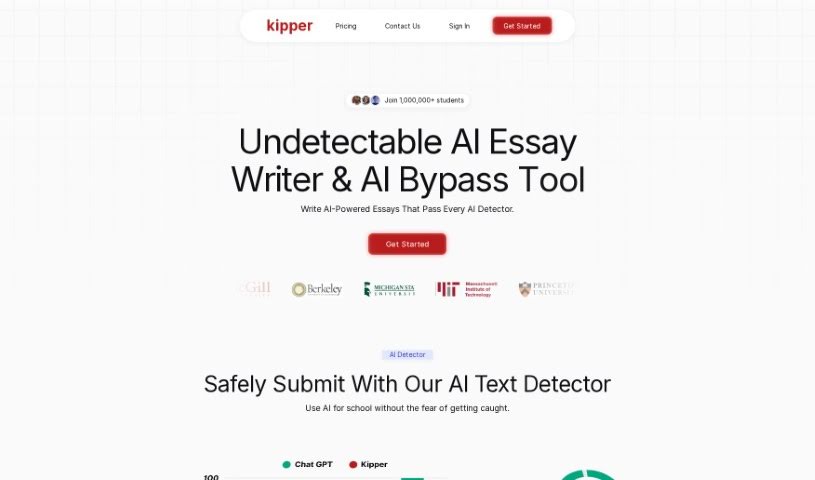
Screenshot of Kipper AI

Kipper AI

Discover what Kipper AI is and how to use it effectively in 2025. We'll explore its features, how it helps with schoolwork, and how it stacks up against other summarizers.

Screenshot

What is Kipper AI?

Kipper AI is your personal AI assistant for schoolwork. It’s designed to make your academic life easier and boost your productivity. What’s really neat is that it offers a bunch of helpful tools all in one place. You’ve got an Essay Writer that can whip up essays for you, and get this – it’s plagiarism-free and even has built-in checks to make sure teachers won’t flag it as AI-generated. Plus, there’s a Summarizer that can take those super long articles or texts and boil them down into easy-to-digest summaries. Need to polish up your writing? The Text Enhancer is there to improve your grammar and fix any mistakes. And if you’re stuck on a question, the AI Teacher feature can help answer it. The whole point is to let students use AI for their school tasks without worrying about getting caught.

Who created Kipper AI?

Kipper AI was actually created by a company called Climb Down LLC. They launched it back on January 24, 2023. Climb Down LLC is the team behind this AI writing tool, and their main goal is to simplify schoolwork and help students be more productive. As we mentioned, the tool comes packed with features like an Essay Writer for those plagiarism-free essays, an AI Teacher to answer your questions, a handy Summarizer for condensing content, and a Text Enhancer to improve your grammar. What’s a big selling point for Kipper is that it’s designed to be undetectable by teachers, meaning students can use this AI technology for their assignments without the usual risk of detection.

What is Kipper AI used for?

Here’s a rundown of what you can do with Kipper AI:

  • Generate essays: You can create plagiarism-free essays with just one click using the Essay Writer.
  • Summarize content: Turn long articles or documents into short, easy-to-understand summaries with the Summarizer tool.
  • Improve your writing: Use the Text Enhancer to fix grammar mistakes and make your writing sound better.
  • Get answers: Ask questions and get helpful responses from the AI Teacher feature.
  • Learn from various formats: It supports different file types like PDFs and YouTube videos, making learning more flexible.
  • Stay undetected: The tool is designed to be undetectable by teachers, so you can use AI for school tasks safely.
  • Automate tasks: Streamline your schoolwork writing to be more productive.
  • Ensure authenticity: Built-in anti-AI detectors help make sure your content is original.
  • Simplify schoolwork: It’s all about making your school tasks easier.
  • Understand information better: The Summarizer helps you grasp information more efficiently.
  • Write essays easily: Get plagiarism-free essays with a single click.
  • Polish your grammar: Enhance grammar and fix mistakes using AI.
  • Condense long text: Transform lengthy content into concise summaries for quicker understanding.
  • AI Teacher support: Get answers to your questions, and it works with various file formats.
  • Teacher-undetectable: Use AI for school tasks without worry.
  • Authenticity checks: Built-in anti-AI detectors ensure your content is genuine.
  • Versatile file support: Works with various file formats for comprehensive learning.
  • Work smarter: It’s designed to help students be more efficient.
  • Access: You can access the tool by signing up; no free trial is mentioned.
  • Boost productivity: It helps simplify schoolwork and improve academic productivity.
  • Effortless essays: Generate plagiarism-free essays with just one click.
  • AI-powered automation: Automate schoolwork tasks using AI.
  • Quick summaries: Summarize long content into concise summaries.
  • Grammar help: Enhance grammar and fix mistakes in your writing.
  • Question answering: Receive answers to questions with the AI Teacher feature.
  • Learning support: Supports various file formats for comprehensive learning.
  • Undetectable use: Work undetectably by teachers to leverage AI for schoolwork.
  • Content assurance: Assure authenticity with built-in anti-AI detectors for essays.
  • Smarter work: Enables students to work smarter and more effectively.
  • Authenticity assurance: Use built-in anti-AI detectors to ensure content authenticity.
  • Format flexibility: Supports various file formats for comprehensive learning (like PDFs and YouTube videos).
  • Efficient summarization: Transform lengthy content into concise summaries with the Summarizer.
  • Writing enhancement: Enhance grammar and fix mistakes using the Text Enhancer feature.
  • Undetectable AI use: Work undetectably by teachers to leverage AI technology for school tasks.
  • Sign up and agree: Access the tool by signing up and agreeing to the terms of service, refund policy, and privacy policy.

Who is Kipper AI for?

Kipper AI is a great tool for:

  • Students: To help with essays, summaries, and general schoolwork.
  • Academic writers: For assistance in producing polished, original work.
  • Teachers: Potentially to understand how students might be using AI, or to check authenticity (though the tool is designed to be undetectable).

How to use Kipper AI?

Using Kipper AI is pretty straightforward. Just follow these simple steps:

  1. Sign up: Head over to their official website and sign up. You’ll need to agree to their terms of service, refund policy, and privacy policy.
  2. Access the tool: Once you’re signed up, you can access the AI-based tool. Remember, it’s designed to simplify schoolwork and boost your academic productivity.
  3. Generate essays: Use the Essay Writer feature to create plagiarism-free essays with just a single click. Don’t forget to use the built-in anti-AI detectors to ensure authenticity.
  4. Get answers: Explore the AI Teacher feature to get answers to your questions. It also supports learning with various file formats like PDFs and YouTube videos.
  5. Summarize content: Make use of the Summarizer to transform lengthy content into concise summaries, which really helps with comprehension.
  6. Enhance your writing: Use the Text Enhancer feature to improve your written work. It offers grammar corrections and other enhancements.
  7. Work without worry: Benefit from the fact that Kipper is undetectable by teachers, allowing you to use AI for your school tasks without any concerns.
  8. Give it a try: Consider trying Kipper today to see firsthand how it can help with your academic tasks.

By following these steps, you’ll be able to effectively use Kipper to make your academic writing tasks smoother and boost your overall productivity.

Related AI Tools

Discover more tools in similar categories that might interest you

Academic Help Free Essay Generator

Education Academic Writing
Learn More

Stay Updated with AI Tools

Get weekly updates on the latest AI tools, trends, and insights delivered to your inbox

Join 25,000+ AI enthusiasts. No spam, unsubscribe anytime.