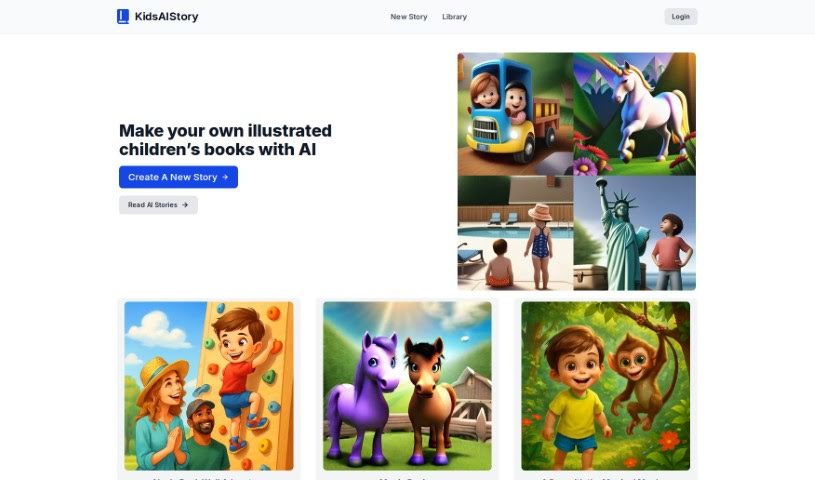
Screenshot of KidsAIStory

KidsAIStory

Discover KidsAIStory in 2025! Learn what this AI-powered platform is, how to use its features to create illustrated children's stories, and how it stacks up against other Text-to-Image tools.

Screenshot

What is KidsAIStory?

KidsAIStory is an online platform that uses AI technology to help you create illustrated children’s stories. It’s designed to be really easy to use, letting you craft personalized stories and also read stories that the AI has already created. The AI generates illustrations that go perfectly with the stories, making the whole experience more engaging for young readers. If you’re a parent, teacher, or just someone who loves nurturing a child’s imagination and literacy, this tool is for you. KidsAIStory aims to spark creativity by letting kids write their own stories, offering AI-generated tales as a jumping-off point, and helping them create beautiful illustrations. To start creating your own story, you’ll need to sign up. You can also find all your past creations in your ‘Story History’ section, where you can revisit and even tweak them.

Who created KidsAIStory?

KidsAIStory first launched on August 2, 2023. It was developed by an unnamed founder as part of a company focused on using AI to help people create illustrated children’s stories. The platform offers a simple interface for writing personalized stories and reading AI-generated ones, making it a great resource for educators, parents, and anyone looking to create their own illustrated children’s books.

What is KidsAIStory used for?

  • It helps boost creativity.
  • You can create a brand new story.
  • You can read stories generated by AI.
  • It provides example illustrations.
  • You can create a free book using AI.
  • It offers interactive storytelling for children.
  • It serves as a source of inspiration.
  • It’s a great tool for educators and parents.
  • It supports the development of imagination.

Who is KidsAIStory for?

  • Parents
  • Teachers
  • Anyone interested in creating illustrated children’s books

How to use KidsAIStory?

Here’s how you can get started with KidsAIStory:

  1. Creating a New Story:
    • Just click on the ‘New Story’ option in the main menu.
    • Then, use the AI’s capabilities to write your own unique story.
    • Make sure to save your story so you can find it later in the ‘Story History’ section.
  2. Reading AI-Generated Stories:
    • Take a look at the different stories the AI has created; they’re a great source of inspiration!
  3. Target Users:
    • KidsAIStory is really designed for parents, teachers, and anyone who enjoys creating illustrated children’s books.
  4. Encouraging Creativity:
    • This platform lets children create their own stories, get ideas from AI-generated tales, and even design their own illustrations.
  5. Data Protection:
    • KidsAIStory takes user privacy seriously and protects your data, as detailed in their ‘Privacy’ section.
  6. Terms of Service:
    • You can find the full terms of service at the bottom of the website footer.
  7. Technical Support:
    • If you need any help with the platform, just use the ‘Contact’ option on their website to get in touch.

Just a reminder, you do need to sign up before you can create stories. The platform is really user-friendly and designed to help kids get creative with storytelling. For all the specifics, be sure to check out the ‘Privacy’ and ‘Terms of Service’ sections on the website.

Related AI Tools

Discover more tools in similar categories that might interest you

123RF AI Image Generator

Creative Image Generation
Learn More

Stay Updated with AI Tools

Get weekly updates on the latest AI tools, trends, and insights delivered to your inbox

Join 25,000+ AI enthusiasts. No spam, unsubscribe anytime.