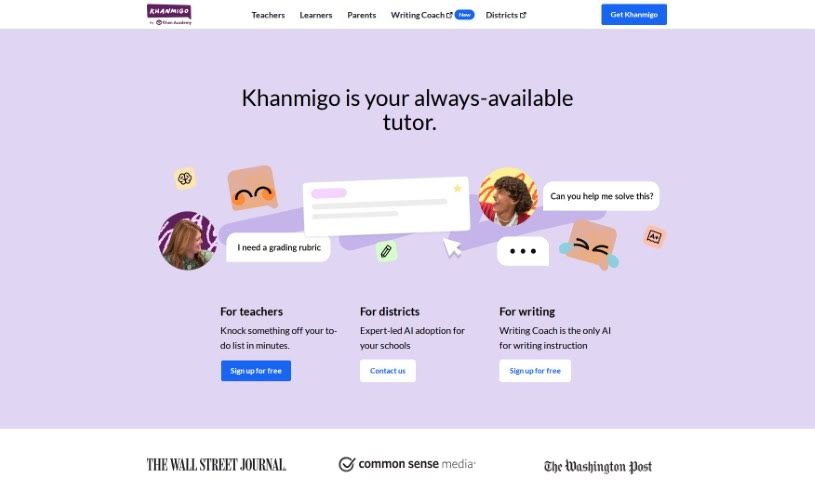
Screenshot of Khan Academy Khan Labs

Khan Academy Khan Labs

Discover what Khan Academy Khan Labs is and learn how to use it effectively in 2025. We'll explore its features and see how it stacks up against other teacher tools.

Screenshot

What is Khan Academy Khan Labs?

Khan Labs is your personal AI tutor and teaching assistant, brought to you by the folks at Khan Academy, that well-known nonprofit dedicated to education. What makes Khan Labs different from tools like ChatGPT? Well, instead of just giving you the answer, it’s designed to guide you toward finding it yourself. They’ve really prioritized safety and learning, and it’s all tied into Khan Academy’s massive library of content. You’ll find everything from math and coding to humanities and social studies. It even got a great 4-star rating from Common Sense Media, which is pretty impressive when you look at other AI tools in the education space. For teachers, this tool is a real game-changer. It can help simplify things like tailoring lessons for different students, planning classes, creating quizzes, and even grouping students. Basically, it cuts down on the time you spend on administrative tasks, freeing you up to do what you do best: teach.

Who created Khan Academy Khan Labs?

Khan Labs comes from Khan Academy, a nonprofit that’s all about providing free, world-class education to anyone, anywhere. The person behind Khan Academy is Salman Khan, who used to be a hedge fund analyst but found his real passion in teaching. Khan Academy offers a huge variety of subjects and resources for learners of all ages. Khan Labs is one of their projects, specifically looking at how AI can make the learning experience even better for both students and educators.

How to use Khan Academy Khan Labs?

Getting started with Khan Labs is pretty straightforward. Here’s a quick rundown:

  1. Create an Account: First, head over to the Khan Labs website and hit the “Sign up” button. You’ll need to fill in some basic info and follow the steps to get your account set up.
  2. Log In: Once your account is ready, just click “Log in” on the website and enter your details.
  3. Access Courses and Skills: After you’re logged in, you can easily find courses and skills. Just click the search icon on the site and type in what you’re looking for.
  4. Explore Features: Take some time to check out all the different things Khan Labs offers, like its AI tools specifically for teachers, options for donating, and more.

By following these simple steps, you’ll be all set to start using Khan Labs to explore its courses, skills, and all the other great features available on the platform.

Related AI Tools

Discover more tools in similar categories that might interest you

Academic Help Free Essay Generator

Education Academic Writing
Learn More

Stay Updated with AI Tools

Get weekly updates on the latest AI tools, trends, and insights delivered to your inbox

Join 25,000+ AI enthusiasts. No spam, unsubscribe anytime.