What is KardsAI?
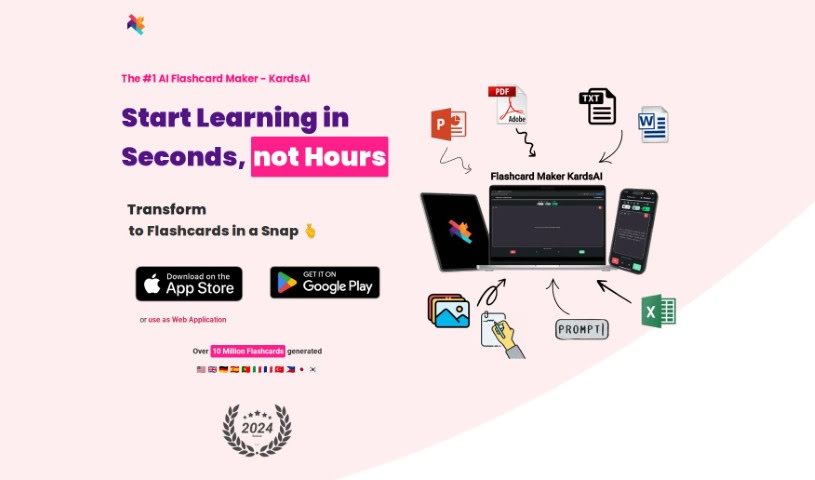
KardsAI is a really neat mobile app that uses artificial intelligence to help you create interactive flashcards from your study materials. Think notes, text files, PDFs, or even just talking through a prompt – KardsAI can turn them into flashcards quickly and easily. It’s designed to help you remember things better over time, thanks to a smart spaced repetition system. This makes it a fantastic tool for anyone who studies, whether you’re a student, a professional picking up new skills, or just someone who loves learning. Basically, KardsAI streamlines how you make flashcards, helping you pull information together fast and build long-term memory. You can grab it for both Android and iOS, and there’s a free version as well as a Pro option if you need more.
Who created KardsAI?
KardsAI was developed by a team that really leaned into artificial intelligence to build this innovative mobile app. Their goal was to make turning study materials into interactive flashcards feel effortless. The company offers both free and Pro versions, so there’s something for everyone, whether you’re a student needing study aids, a professional sharpening your skills, or a lifelong learner always looking to pick up something new. It’s a great companion for anyone wanting to study smarter, not harder.
What is KardsAI used for?
KardsAI is super versatile! Here’s a breakdown of what you can do with it:
- Turn anything into flashcards: Use its advanced AI to convert your notes, texts, PDFs, or even spoken prompts into interactive flashcards.
- Learn any topic: Just type in a prompt about any subject, and KardsAI will generate flashcards to help you learn.
- Stay motivated: Keep an eye on your learning progress with helpful notifications and performance tracking.
- Fun with trivia: Create trivia decks using prompts – perfect for playing with friends, family, or just to pass the time.
- Language learning made easy: Craft custom flashcards for any language, from everyday vocabulary to essential survival phrases, right from your phone.
- Handle big documents: Upload large files and get rid of ads for a smoother experience.
- Ace your exams: Study for tests or dive into new subjects with KardsAI’s built-in spaced repetition algorithm, which is great for memory.
- Import your old cards: If you already have flashcards in Excel, KardsAI has a template to make importing them a breeze.
- Boost memory retention: Its sophisticated spaced repetition algorithm is designed to help you remember information for the long haul.
- Track your success: See how you’re doing with progress and success tracking features that keep you motivated.
- Get more with Pro: Consider upgrading to the Pro version for features like larger decks, text-to-speech, and an ad-free experience.
- Available everywhere: It works on both Android and iOS devices.
- Save time: Let the AI quickly synthesize information, helping you build long-term memory without the manual effort.
- Language practice: Create custom flashcards specifically for learning new languages.
- Study smarter: Import your existing Excel flashcards to make studying even more efficient.
- Long-term learning: The spaced repetition algorithm is key to enhancing knowledge retention over extended periods.
- Quick synthesis: Say goodbye to making flashcards by hand; the AI handles quick information synthesis.
- For everyone: It’s ideal for students, professionals, and anyone who enjoys learning and wants an effective way to study.
- Stay on track: Progress and success tracking, along with motivating notifications, keep you engaged.
- Text to Flashcards: Handle up to 20,000 words.
- Prompt to Flashcards: Create up to 100 Kards from prompts.
- Offline access: Enjoy unlimited learning even without an internet connection.
- Share with friends: Easily share and add decks with your friends.
- Read aloud: Have your flashcards read out loud.
- PDF to Flashcards: Convert up to 50 pages from PDFs.
- Import: Bring your existing flashcards into the app.
- AI-Powered Learning: Transform notes, texts, PDFs, or prompts into flashcards using advanced AI.
- Spaced Repetition: Better memory retention over time with scientifically-backed learning methods.
- Transform study materials: Convert notes, texts, PDFs, or verbal prompts into interactive flashcards.
- Enhance memory: Improve long-term retention with a spaced repetition algorithm.
- Generate from prompts: Create flashcards from any topic using free text prompts.
- Track your learning: Monitor progress and outcomes with motivating notifications and performance tracking.
- Import existing cards: Make studying more efficient by importing flashcards from Excel.
- Efficient studying: Convert study materials into interactive flashcards for effective learning.
- Custom language cards: Create specific flashcards for language topics.
- Fun trivia: Craft trivia decks using prompts for games or leisure.
- Save time: Use AI to create flashcards quickly.
- For all learners: A platform for students, professionals, and lifelong learners to build long-term memory.
- Transform study materials: Convert notes, texts, PDFs, and verbal prompts into interactive flashcards.
- Enhance knowledge retention: Use a spaced repetition algorithm.
- Generate from prompts: Create flashcards from any topic using free text prompts.
- Track progress: Monitor and track your learning success.
- Import flashcards: Make studying more efficient by importing existing ones.
- AI flashcard creation: Save time using AI to create flashcards quickly.
- Ideal for everyone: Great for students, professionals, and lifelong learners.
- Progress tracking: Monitor your progress and success with motivating notifications.
Who is KardsAI for?
KardsAI is designed for a wide range of users who want to study more effectively:
- Students: Perfect for preparing for exams and mastering course material.
- Professionals: Great for acquiring new skills or staying up-to-date in your field.
- Lifelong learners: Anyone who enjoys learning new things and wants a smart way to retain information.
How to use KardsAI?
KardsAI is a really smart mobile app that uses artificial intelligence to make creating interactive flashcards super easy. Whether you’re working with notes, texts, PDFs, or even just talking through a prompt, KardsAI can handle it. Here’s a simple guide to get you started:
- Get the App: First, download KardsAI from your device’s app store – it’s available for both Android and iOS.
- Sign Up or Log In: If you’re new, create an account. If you already have one, just log in.
- Pick Your Material: Decide what you want to turn into flashcards. You can choose notes, text files, PDFs, or even verbal prompts.
- Let the AI Work: This is where the magic happens! KardsAI’s advanced AI will transform your chosen material into flashcards for you.
- Boost Your Memory: Make sure to use the spaced repetition algorithm. It’s built right in and really helps you remember things better over time, making your study sessions much more effective.
- Watch Your Progress: Keep an eye on how you’re doing with the app’s tracking features. Seeing your progress and success can be a great motivator.
- Import Your Own Cards: If you’ve got flashcards already in an Excel file, KardsAI makes it easy to import them using a special template, saving you even more time.
- Explore Pro Features: Think about upgrading to the Pro version. You’ll get access to cool extras like bigger flashcard decks, text-to-speech capabilities, and an ad-free experience.
- Check the FAQs: If you have questions, the app has an FAQ section that can help answer common queries about using KardsAI.
- Stay Connected: Use the community features to connect with other users, share your decks, and make learning a more shared and enjoyable experience.
By following these steps, you can really make the most of KardsAI’s AI-powered features to simplify your studying and improve how well you remember things.