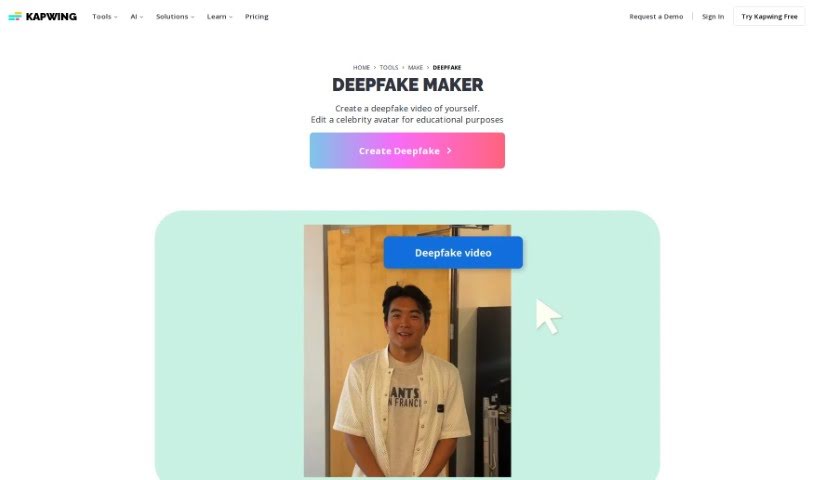
Screenshot of Kapwing AI Deepfake

Kapwing AI Deepfake

Curious about Kapwing's AI Deepfake tool? We'll walk you through what it is, how to use it in 2025, its key features, and how it stacks up against other deepfake makers.

Screenshot

What is Kapwing AI Deepfake?

Kapwing offers a neat online tool called AI Deepfake, which lets you create your own AI-generated deepfake videos right in your browser. It’s a really accessible way to play around with this technology. You can swap celebrity faces, get a feel for how AI works in video, or even make a deepfake of yourself! Kapwing’s Deepfake Video Maker + Generator is designed to be super user-friendly, meaning you don’t need to install any special software. This makes it a great option for anyone curious about deepfakes, whether for learning, fun, or creative projects.

Who created Kapwing AI Deepfake?

Julia Enthoven, one of Kapwing’s co-founders, is the mind behind the AI Deepfake tool. Kapwing itself is a browser-based video editing platform, and its whole point is to make content creation easy without needing to download and install software. Julia’s innovative vision has really helped Kapwing become a go-to spot for people creating videos online.

Who is Kapwing AI Deepfake for?

This tool is fantastic for a wide range of creative professionals and enthusiasts, including:

  • Content creators
  • Film editors
  • Marketing professionals
  • Educators
  • Game developers
  • Social media managers
  • Visual effects artists
  • Researchers
  • Entertainers
  • Journalists

How to use Kapwing AI Deepfake?

Ready to dive in? Here’s a simple, step-by-step guide to using Kapwing AI Deepfake:

  1. Upload Your Video: First things first, upload the video clip you want to transform.
  2. Pick a Deepfake Model: Browse through the available deepfake models or templates Kapwing AI Deepfake offers and choose the one that fits your project.
  3. Tweak the Settings: Now, you can customize the deepfake effect. Play around with settings like how intense the effect is, or specific face replacement options to get it just right.
  4. Preview Your Creation: Take a moment to preview the deepfake effect on your video. This helps ensure it looks exactly how you imagined.
  5. Let it Process: The platform will then process your video to apply the deepfake effect. Depending on your video’s length and the effect’s complexity, this might take a little while.
  6. Download Your Video: Once it’s done processing, you can download the finished deepfake video straight to your device.
  7. Share or Edit Further: You can share your new deepfake video directly from Kapwing to your social media, or if you’re feeling creative, you can keep editing it!

Following these steps should make it really easy for you to create some cool and engaging deepfake videos.

Related AI Tools

Discover more tools in similar categories that might interest you

123RF AI Image Generator

Creative Image Generation
Learn More

Stay Updated with AI Tools

Get weekly updates on the latest AI tools, trends, and insights delivered to your inbox

Join 25,000+ AI enthusiasts. No spam, unsubscribe anytime.