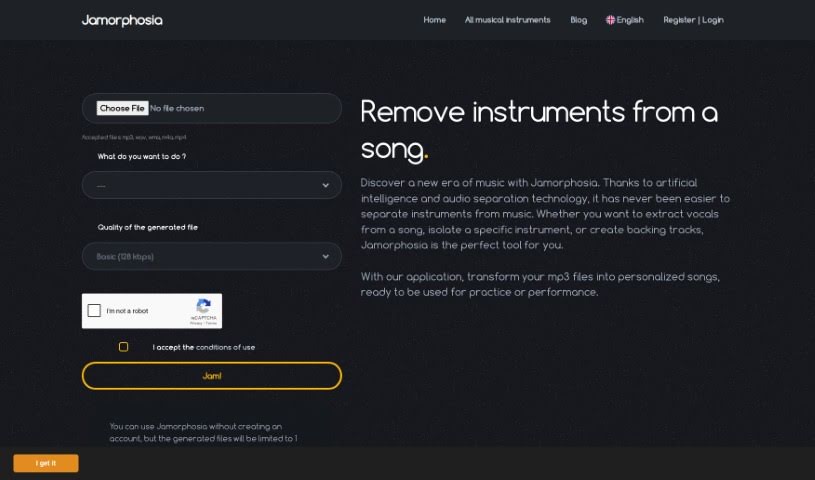
Screenshot of Jamorphosia

Jamorphosia

Discover Jamorphosia, an AI-powered tool for splitting audio files. Learn how to use its features in 2025 to remove instruments, isolate vocals, and create custom backing tracks. See how it stacks up against other music generators.

Screenshot

What is Jamorphosia?

Jamorphosia is a really neat tool that uses artificial intelligence to break down audio files. Basically, it looks at your mp3s and creates a separate track for each instrument. This means you can do some pretty cool things, like pull instruments right out of a song, get rid of vocals so you can sing along, or just focus on a specific instrument. You can even build your own custom backing tracks. Plus, all your creations are saved in a personal library, so you can easily grab them later. The whole idea is to make music practice and enjoyment even better for musicians.

Who created Jamorphosia?

Daniel Durand is the person behind Jamorphosia. He launched it on May 6, 2021. It’s a pretty innovative tool, using AI to analyze mp3s and split music tracks into individual instruments. This lets musicians remove instruments, vocals, or isolate specific ones for practice or just to take a closer listen. It really offers a unique way to interact with music.

What is Jamorphosia used for?

Here’s a rundown of what you can do with Jamorphosia:

  • Take instruments out of a song.
  • Remove vocals to make it easier to sing along.
  • Focus in on just one musical instrument.
  • Find songs you’ve already worked on in your library so you can play them again.
  • Create your own backing tracks.
  • Build a custom library of your work.
  • Listen to how your processed track sounds before you finalize it.

How to use Jamorphosia?

Using Jamorphosia is pretty straightforward. Just follow these steps:

  1. Upload Your Music: First things first, upload your audio file to Jamorphosia. The tool’s AI will then get to work analyzing it and splitting it into different tracks, with each one representing a specific instrument.

  2. Select Processing Options: Once it’s analyzed, you can choose what you want to do:

    • Remove Instruments: Pick out and remove specific instruments from the song.
    • Remove Vocals: Want to sing along? This option gets rid of the vocal track, creating a karaoke-style version.
    • Isolate Instruments: Need to really focus on, say, the guitar or drums? You can isolate individual instruments for detailed analysis or practice.
    • Create Backing Tracks: You can customize backing tracks by removing elements like guitar, bass, drums, or vocals.
  3. Store Your Creations: Don’t lose your work! Save your processed tracks in your personal library so you can easily access and use them again later.

  4. Preview Before Confirmation: Before you commit, you can listen to the first minute of your processed track. This lets you check if it sounds just right and meets your expectations.

  5. Experiment and Enjoy: Go ahead and play around with all the different options. They’re designed to really boost your music practice sessions. Whether you play guitar, bass, drums, or sing, Jamorphosia gives you an immersive way to experience music.

By following these steps, you’ll be able to get the most out of Jamorphosia’s features for both music processing and your practice sessions. Why not start exploring what’s possible today?

Related AI Tools

Discover more tools in similar categories that might interest you

Stay Updated with AI Tools

Get weekly updates on the latest AI tools, trends, and insights delivered to your inbox

Join 25,000+ AI enthusiasts. No spam, unsubscribe anytime.