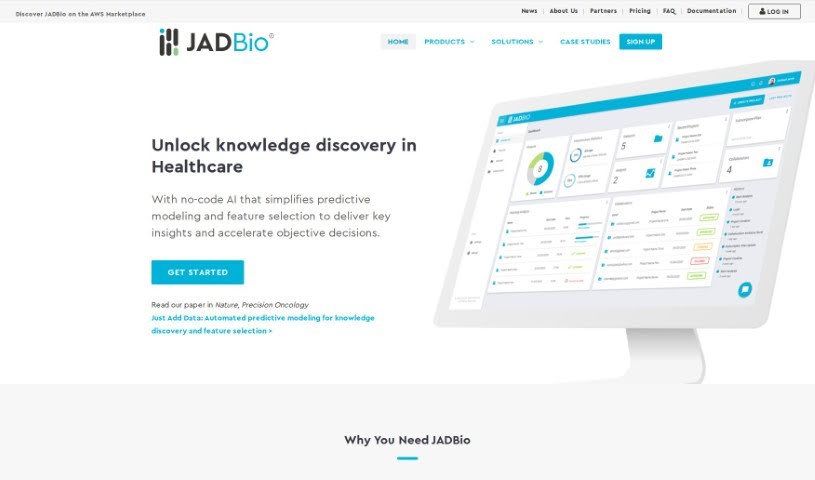
Screenshot of JADBio

JADBio

Discover what JADBio is and how to use it effectively in 2025. Explore its powerful features for biomarker discovery and see how it stacks up against other tools for doctors.

Screenshot

What is JADBio?

JADBio is a really smart platform that’s changing how we find biomarkers. It uses something called AutoML, which basically means it automates the machine learning process. You don’t need to know how to code at all! It’s designed to be super user-friendly, making complex research much simpler for scientists and researchers.

What’s great is that JADBio is built to handle all sorts of multi-omics data. Think Genomics, Transcriptomics, Proteomics, Metabolomics – you name it. This means you can do really thorough analysis for whatever your research needs are. It’s particularly focused on precision health, offering specific solutions for things like cancer, metabolic issues, long-term diseases, and even mental health. If you’re working in Oncology, studying Immune Systems, Chronic Diseases, Infectious Diseases, or Mental Health, JADBio can seriously speed things up for you.

Plus, it’s available on the AWS Marketplace, which makes it easier for more people to access and integrate into their existing work. It’s a clear way to understand what JADBio brings to the table for finding those crucial biomarkers.

Who created JADBio?

JADBio came about because a group of forward-thinking people wanted to really shake up how we discover biomarkers in precision health. They set out to build a company that offered an easy-to-use AutoML platform. Their goal was to let researchers and scientists find biomarkers faster, without needing any coding skills. The platform is designed to work with all kinds of omics data, like genomics and transcriptomics, helping to speed up insights and drug discovery.

What is JADBio used for?

  • Finding biomarkers early on
  • Figuring out different disease subtypes
  • Repurposing existing drugs
  • Keeping an eye on clinical trials
  • Monitoring clinical trials (yes, this is important enough to mention twice!)

Who is JADBio for?

JADBio is a fantastic tool for anyone working in these areas:

  • Oncology researchers
  • Those studying Immune Systems
  • Researchers focused on Chronic Diseases
  • Experts in Infectious Diseases
  • Mental Health researchers
  • Basically, any researcher or scientist involved in:
    • Oncology
    • Immune Systems
    • Chronic Diseases
    • Infectious Diseases
    • Mental Health

How to use JADBio?

Getting started with JADBio is pretty straightforward. Here’s a breakdown of the steps:

  1. Sign Up: First, you’ll need to create an account on the JADBio website. It’s a simple process.
  2. Upload Data: Once you’re in, you can upload your research data directly to the platform for analysis.
  3. Data Wrangling: This is where you tell JADBio what you’re looking for. You’ll define the metrics you want to optimize, like selecting specific biomarkers, defining data clusters, and adjusting the analysis tuning.
  4. Data Analysis: Next, you choose the type of analysis you need. JADBio supports Classification (for binary or multiclass problems), Regression, and Survival Analysis.
  5. Review Results: After the analysis runs, you get to dive into the results. This includes all sorts of useful information like performance metrics, ROC curves, Precision-Recall curves, how classification thresholds were optimized, confusion matrices, feature interpretation, feature importance, risk stratification, supervised dimensionality reduction, out-of-sample predicted probabilities, and comprehensive analysis reports.
  6. Model Application: You can then take your findings further. Explore external validation, use online calculators based on your models, and even download the models themselves.
  7. Collaborate: JADBio makes teamwork easy. You can invite your colleagues to join your projects and share your results with them.
  8. Advanced Features: For those who need more, JADBio offers advanced capabilities. This includes using their API, running batch analyses, performing advanced analysis on images, signals, and single-cell data, and even running custom analyses if you want to use your own code and algorithms.

Just follow these steps, and you’ll be well on your way to using JADBio effectively for all your data analysis needs.

Related AI Tools

Discover more tools in similar categories that might interest you

Stay Updated with AI Tools

Get weekly updates on the latest AI tools, trends, and insights delivered to your inbox

Join 25,000+ AI enthusiasts. No spam, unsubscribe anytime.