777ccc.com
Education Summarizers
Learn more
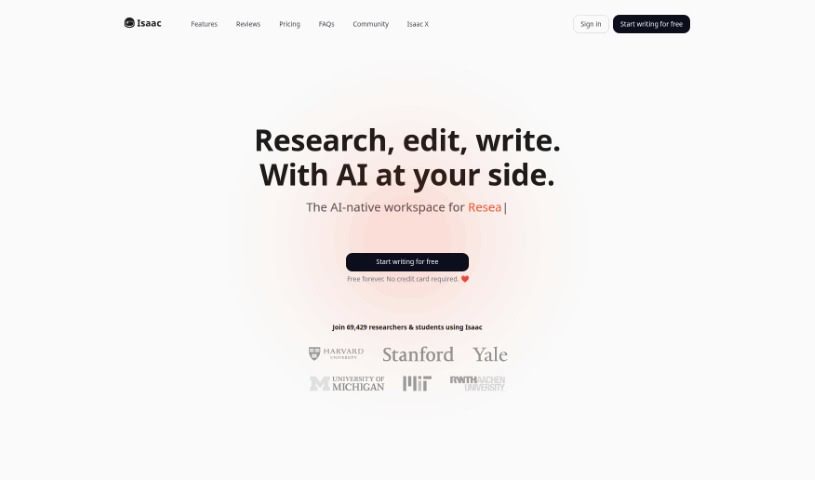
Discover what Isaac Editor is and how it supports academic writing with AI grammar checks, citation generation, and literature search. A free plan is
Isaac Editor is a text editor built with AI at its core, designed specifically for academic writing. It helps students, researchers, and academics polish their work by automating grammar checks, generating citations, and providing a personalized writing environment. The company offers a free plan, and no credit card is required to get started. Their focus is on using AI to assist with academic writing tasks such as drafting, editing, and organizing references efficiently. It is particularly useful for non-native English speakers who need extra support while writing in English. The tool aims to streamline the entire writing process, from initial research to final revisions, within a single platform. By combining these features, Isaac Editor reduces the need to switch between multiple applications during academic work. Its design reflects a deep understanding of the challenges faced by academic writers today. Overall, it serves as a comprehensive solution for anyone looking to improve the quality and efficiency of their scholarly writing. The editor continues to evolve with updates based on user feedback and advancements in AI technology. Its community of users spans various disciplines and institutions worldwide. Whether you are writing a short essay or a lengthy dissertation, Isaac Editor provides the tools necessary to manage your project effectively. The integration of AI ensures that suggestions are contextually relevant and tailored to academic standards. This makes it a valuable asset for both novice writers and seasoned researchers alike. With its intuitive interface, getting started requires minimal learning curve. Users can quickly familiarize themselves with the layout and begin producing high-quality academic content. The platform also emphasizes data security and privacy, ensuring that users’ research and personal information remain protected. This commitment to safety is crucial for academic institutions and individual researchers handling sensitive data. Furthermore, the editor supports various file formats, making it easy to import and export documents as needed. This flexibility allows users to work seamlessly with other tools and collaborators who may use different software. The development team actively engages with its user base to gather insights and prioritize new features. This collaborative approach to product development ensures that the tool remains aligned with the real needs of the academic community. As a result, Isaac Editor has built a loyal following among students and faculty who appreciate its dedication to improving the writing experience. The tool’s impact on academic productivity is evident in the positive feedback from its growing user base. Many users report significant time savings and improved writing quality after incorporating the editor into their workflow. These testimonials highlight the practical benefits of having an integrated AI assistant throughout the writing process. In summary, Isaac Editor represents a significant step forward in academic writing technology, offering a robust set of features designed to meet the diverse needs of the academic community. Its combination of AI-powered assistance, user-friendly design, and commitment to continuous improvement makes it a standout choice for anyone serious about their academic writing.
Related
Discover more tools in similar categories
Weekly picks of the best AI tools we've researched and added — no spam, unsubscribe anytime.
Join 25,000+ AI enthusiasts. No spam, unsubscribe anytime.