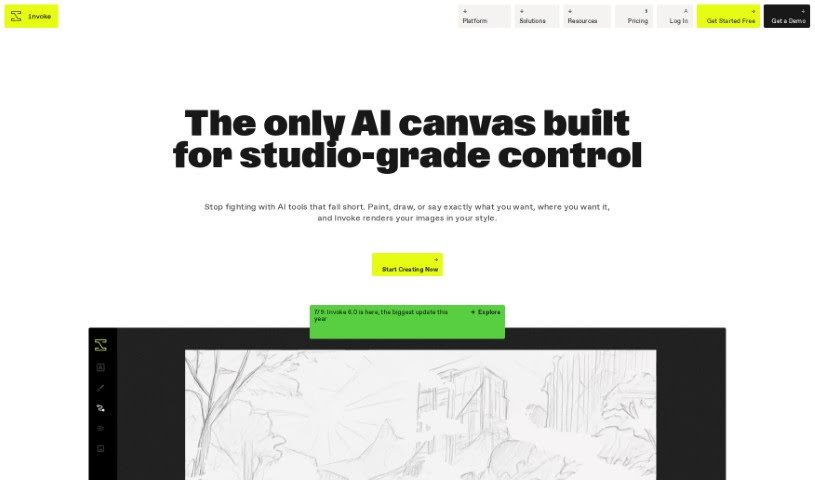
Screenshot of Invoke AI

Invoke AI

Discover what Invoke AI is and how to use it effectively in 2025. We'll explore its features and see how it stacks up against other image generators.

Screenshot

What is Invoke AI?

Invoke AI is a platform built for creating images with real precision and control. It’s especially helpful for professional visual creatives who often find current generative AI tools a bit limiting. What makes Invoke AI stand out?

  • It gives you full control over your creative vision and artistic style.
  • Crucially, your work won’t be used to train anyone else’s models.
  • You can set up invite-only spaces for your team to explore generative AI together.
  • It offers completely separate environments and top-notch security for organizations.

Invoke AI actually started as an open-source project. They offer a free Community Edition for anyone who wants to self-host and install the software using their own compatible hardware. Beyond that, Invoke AI has paid versions like Indie, Premier, and Enterprise. These are for individuals, teams, and organizations who prefer hosted solutions, wanting dedicated support and extra features. These extras can include custom model and workflow development, single-tenant hosting, and better security and compliance.

Who created Invoke AI?

Kent Keirsey is the person behind Invoke AI; he’s also the CEO of the company. Invoke offers a range of products – Invoke Indie, Premier, and Enterprise – all designed for individuals, teams, and organizations that want to use generative AI for creating images with precision and control. Kent Keirsey and the Invoke team are really focused on empowering creatives, helping them bring their unique visions to life through innovative AI technology.

Who is Invoke AI for?

  • Professional artists
  • Designers
  • Visual creatives working in arts and media

How to use Invoke AI?

Want to get the most out of Invoke? Here’s a straightforward guide:

  1. Sign Up: First, create an account on Invoke’s platform. You can find the signup link in the tool’s documentation. Just pick the edition – Indie, Premier, or Enterprise – that best fits what you need.
  2. Choose Your Features: Decide which edition suits your needs best. The Indie version, for example, gives you 5 hours of processing time each month, one Studio space for a single user, and lets you queue up to 3 batched jobs. Premier and Enterprise editions offer more advanced features and significantly more processing hours.
  3. Select Your Model: You can use Invoke’s standard set of models, or you can upload your own custom models to generate images that perfectly match what you’re looking for.
  4. Collaborate with Your Team: Set up dedicated workspaces for your team. You can create separate Studio spaces for different projects, manage permissions, and share images easily, which really boosts team collaboration.
  5. Get Professional Support: Depending on the edition you choose, you can access expert support, consulting services, and tailored assistance to help you make the absolute most of the tool.
  6. Download and Install (Self-Hosted): If you prefer a self-hosted solution, you can download the Invoke Community Edition from Github. This lets you run the core studio locally on your own compatible hardware.
  7. Training and Development: You can develop your own custom models, fine-tune existing base models, and create specialized models tailored for specific image generation needs within your organization.

By following these steps, you’ll be able to effectively use Invoke to create amazing images and seamlessly streamline your collaborative workflows.

Related AI Tools

Discover more tools in similar categories that might interest you

123RF AI Image Generator

Creative Image Generation
Learn More

Stay Updated with AI Tools

Get weekly updates on the latest AI tools, trends, and insights delivered to your inbox

Join 25,000+ AI enthusiasts. No spam, unsubscribe anytime.