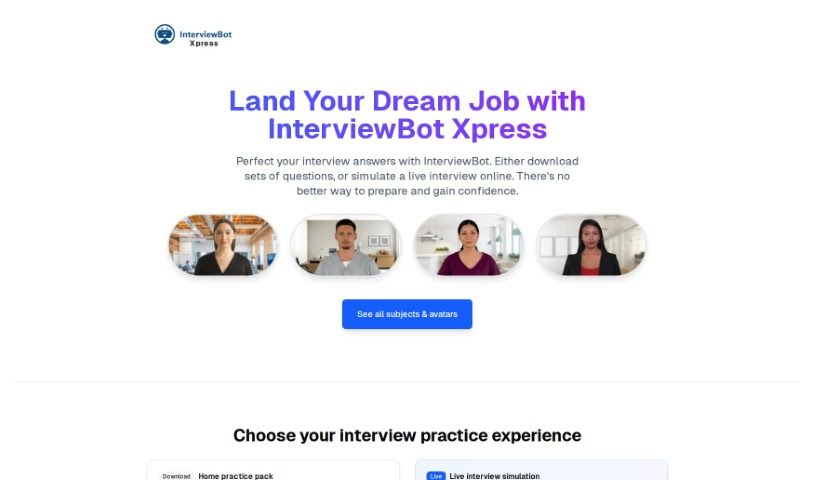
Screenshot of InterviewBot

InterviewBot

Discover what InterviewBot is and how to use it effectively in 2025. We'll explore its features and see how it stacks up against other recruitment tools.

Screenshot

What is InterviewBot?

InterviewBot is an AI-powered platform designed to help you get better at job interviews. It is your personal AI coach! It offers a huge collection of interview questions, gives you instant feedback as you practice, lets you record and watch yourself, and even times your answers to help you get used to pressure. While it’s a fantastic tool for practice, it’s not meant to replace the real thing – a human interviewer. Instead, it focuses on polishing up your communication, how you deliver your answers, your language, your public speaking, and your overall presentation. The best part? It’s completely free and you can use it as much as you want to practice and improve.

Who created InterviewBot?

Mike Baker-Munton is the person behind InterviewBot, serving as its Co-Founder and CEO. The platform officially launched on June 18, 2024. He’s joined by a talented team, including Dzu, who handles the full-stack development and is a certified Amazon community builder. They also have a group of expert advisors who bring a wealth of experience from the student and recruitment worlds.

What is InterviewBot used for?

InterviewBot is packed with features to help you nail your interviews:

  • It’s super easy to use with a friendly interface.
  • It uses sentiment analysis to understand the tone of your responses.
  • You can improve your communication skills.
  • It helps enhance your presentation skills.
  • Practice with scripted interviews.
  • Get instant feedback from an AI coach.
  • Analyze your response tone and language.
  • Prepare thoroughly for job interviews.
  • Boost your public speaking abilities.
  • Practice performing well under time limits.
  • Record and review your interview sessions anytime.
  • Develop a more effective way to deliver your answers.
  • Enjoy unlimited access to practice.
  • It helps improve your overall communication.
  • It enhances your general presentation.
  • Analyze your facial expressions.
  • It further refines your interview responses.
  • It simulates a complete interview experience.
  • Get real-time performance evaluations.
  • Practice without limits thanks to unlimited AI feedback.
  • It provides objective and unbiased feedback.
  • It’s web-based, making it easy to access from anywhere.
  • Timed responses help you practice for real-life scenarios.
  • It’s a free online platform.
  • Access a vast library of interview questions.
  • Record and play back your practice sessions whenever you like.
  • It really boosts your overall presentation skills.
  • It helps you refine your interview responses.
  • It’s great for brushing up on your skills.
  • It aids in practicing under timed conditions.
  • It offers instant feedback delivery.
  • It’s particularly valuable for entry-level job seekers.
  • It’s effective for improving how you deliver your responses.
  • It enhances your public speaking abilities.
  • It aids in improving your language use.
  • It offers eye contact analysis.
  • Evaluate your word speed.
  • Assess your smile count.
  • Detect ‘umms’ and ‘errs’.
  • Analyze your composure.
  • See your performance on a dashboard that displays norms.
  • Get personal coaching tips.
  • Receive detailed analysis of all your answers.

Who is InterviewBot for?

InterviewBot is a great resource for a wide range of people:

  • Entry-level job seekers
  • Experienced Professionals
  • Learners
  • Students preparing for academic interviews
  • Students in general
  • Entry-level job seekers
  • Experienced professionals
  • Learners of all kinds

How to use InterviewBot?

Using InterviewBot is pretty straightforward. Just follow these steps:

  1. Sign Up: First, register on the platform to get started.
  2. Pick Your Interview: Choose from 20 different subjects, whether it’s a general interview or one for school leavers.
  3. Select an Avatar: Pick a virtual character to conduct your practice interview.
  4. Prep Time: Decide how much time you want to prepare before the interview starts.
  5. Start the Interview: Begin your free 10-minute interview, which will have up to 20 questions.
  6. Consider Subscribing: If you want more practice time, you can explore the subscription options.
  7. Upgrade for Coaching: You can also choose to upgrade for AI coaching tips to help you prepare even better.
  8. Practice Makes Perfect: Keep interviewing to refine your skills. Use features like recording, playback, and re-recording to improve your performance.
  9. Get Feedback: Benefit from real-time performance evaluations and unbiased feedback from the AI coach.
  10. Work on Improvements: Focus on areas the AI highlights, like your tone, delivery, and language.
  11. Boost Your Skills: Practice your communication, public speaking, and time management under pressure.
  12. Use the Resources: Replay interviews, check out the question libraries, and use the detailed feedback to really polish your performance.

Remember, while InterviewBot offers fantastic feedback and practice, it’s not a complete replacement for human interviewers. Real human insights are super important when it comes to interview assessments. Also, make sure to look over the platform’s policies on data security, privacy, and intellectual property rights to ensure your experience is safe and secure.

Related AI Tools

Discover more tools in similar categories that might interest you

Adaface AI Resume Parser

Human Resource Recruitment
Learn More

Stay Updated with AI Tools

Get weekly updates on the latest AI tools, trends, and insights delivered to your inbox

Join 25,000+ AI enthusiasts. No spam, unsubscribe anytime.