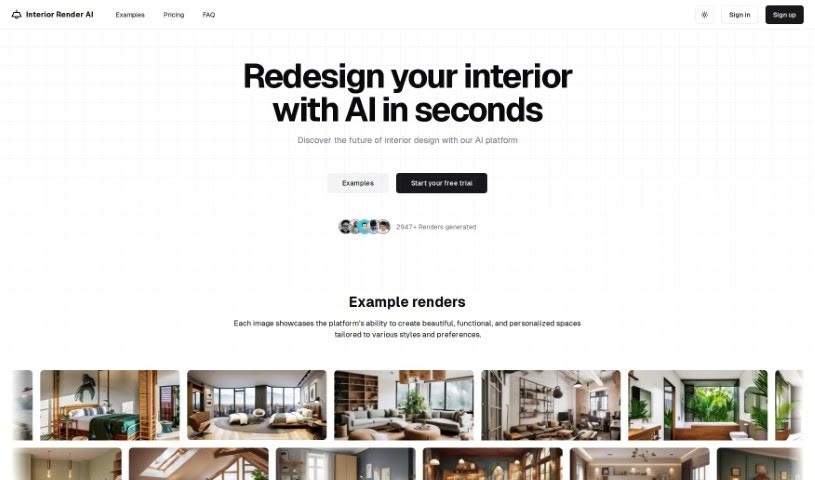
Screenshot of Interior Render Ai

Interior Render Ai

Discover what Interior Render AI is and how to use it effectively in 2025. We'll explore its features and see how it stacks up against other interior design tools.

Screenshot

What is Interior Render AI?

Interior Render AI is a smart tool designed to make interior redesign much simpler. You can upload a picture of your room, pick a style you like, and the AI quickly creates professional-looking design results without costing a fortune. It’s pretty amazing – you get high-quality renders in about 10 seconds! Plus, there are over 70 different styles and room types to choose from, so you’re sure to find something that fits your taste. You can even start with a blank slate or refresh an existing design. If you sign up for a subscription plan, you can download your renders and use them for commercial projects, which is a nice bonus.

Oh, and they also make sure your data is safe. You can keep your uploaded images and the renders you create completely private.

Who created Interior Render Ai?

We don’t actually have specific details about who created Interior Render AI. It seems like an unknown individual or team is behind it. The AI tool first launched on December 18, 2023. They offer different subscription plans that come with some great perks, like unlimited renders, keeping your data private, and access to over 70 styles and room types. The company’s main goal is to make interior redesign easy and affordable using artificial intelligence, helping people get professional design results fast.

What is Interior Render Ai used for?

  • Making the interior redesign process much smoother.
  • Getting professional design results quickly and affordably.
  • Giving existing interior designs a fresh look or starting completely new ones.
  • Creating high-quality renders in roughly 10 seconds.
  • Providing over 70 styles and room types to match different design tastes.
  • Keeping your uploaded images and the final designs private for security.
  • Offering subscription plans that include unlimited renders and a commercial use license.
  • Providing email support to help users with any questions or issues they might run into.
  • Allowing you to use the AI-generated renders for your business projects.
  • Making sure your privacy is protected for all uploaded images and the designs you create.

Who is Interior Render Ai for?

  • Interior Designers
  • Architects
  • Real Estate Agents
  • Home Stagers
  • Furniture Retailers
  • Property Developers

How to use Interior Render Ai?

Using Interior Render AI is pretty straightforward. Here’s how you can get started:

  1. Upload Your Picture: First, upload a photo of the interior space you want to redesign onto the Interior Render AI platform.
  2. Pick Your Design Mode: Decide if you want to restyle the current design or start fresh with a new concept.
  3. Choose a Render Style: Browse through the platform’s various design aesthetics and select the render style you like best.
  4. Let the AI Work: The AI algorithm will then process your image and create the interior design based on your chosen style.
  5. Download Your Render: Once the AI finishes generating the render, which usually takes about 10 seconds, you can download it. It’s great for future reference or immediate use.
  6. Consider Subscription Plans: Interior Render AI has monthly and yearly plans. These plans offer benefits like unlimited renders, protection for your data, and a commercial license.
  7. Need Help? Check Support and FAQ: If you have questions, email support is available for all subscription plans. You can also find answers to common questions on their website.
  8. Using for Commercial Projects: You can use the renders created by Interior Render AI for commercial purposes, thanks to the included commercial usage license.
  9. Your Privacy Matters: You have the option to keep your designs and the images you upload private, ensuring your data is secure and confidential.
  10. Lots of Options: The tool gives you over 70 different styles and room types, so you can really cater to all sorts of design preferences and needs.
  11. Explore Creative Features: Don’t forget to check out the ‘imagine’ mode for even more creative and abstract ways to visualize your designs.
  12. Ready to Go?: Just sign up on the Interior Render AI website, pick a subscription plan that works for you, upload your image, select a style, and let the AI do its magic!

By following these simple steps, you can easily use Interior Render AI to bring your interior design ideas to life without any hassle.

Related AI Tools

Discover more tools in similar categories that might interest you

123RF AI Image Generator

Creative Image Generation
Learn More

Stay Updated with AI Tools

Get weekly updates on the latest AI tools, trends, and insights delivered to your inbox

Join 25,000+ AI enthusiasts. No spam, unsubscribe anytime.