What is Inbox Zero?
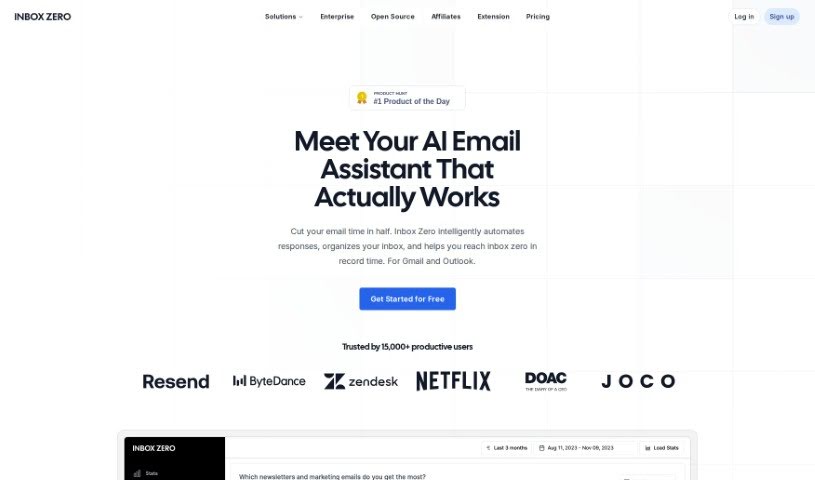
Inbox Zero is a really handy tool designed to help you manage your email inbox more efficiently. It offers a bunch of features to simplify how you deal with your emails, including a newsletter cleaner, AI automation, a way to block cold emails, and email analytics. Basically, it helps you unsubscribe from emails you don’t want, automatically archive messages you don’t need to see right away, and keep your inbox nice and tidy. It’s built to work smoothly with your current email setup, aiming to boost your productivity by cutting down on distractions and making your email interactions better. Plus, Inbox Zero really cares about your privacy and security – it’s open-source, approved by Google, and you can even host it yourself if you want.
Who created Inbox Zero?
Nate Kadlac is the person behind Inbox Zero. The company that developed it is really focused on privacy, making sure your data is secure. They’ve got Google’s approval, and they offer their code as open-source so you can see exactly how it works. The main goal of this tool is to help you manage and declutter your inbox effectively. It does this with features like a newsletter cleaner, AI automation to help with tasks, a cold email blocker, and analytics to understand your email habits.
What is Inbox Zero used for?
- Taming a cluttered inbox: It’s great for managing an inbox that’s overflowing with messages.
- Transforming email management: You can really change how you handle emails with its powerful tools.
- Easy unsubscribing and archiving: Quickly get rid of unwanted subscriptions or set up auto-archiving for newsletters you don’t need to read immediately.
- Smart subscription management: It helps you figure out which marketing emails to unsubscribe from based on how often you get them and how many there are.
- Seamless Gmail integration: You can easily set up Gmail filters to work with Inbox Zero.
- Boosting productivity: By cutting down on distractions, you can focus better on what’s important.
- Automated email handling: Use AI to help with things like replying to emails or forwarding messages.
- Blocking unwanted emails: Keep those unsolicited cold emails out of your main inbox.
- Keeping your inbox focused: Make sure your inbox is primarily for the emails that truly matter.
- Improving email interactions: Get more control over your email communications and make them more effective.
Who is Inbox Zero for?
This tool is perfect for professionals in any industry who get a lot of emails and want to get better at managing them, ultimately boosting their productivity.
How to use Inbox Zero?
Here’s a simple, step-by-step guide to using Inbox Zero effectively for better email management:
- Sign Up and Log In: First, create your account on the Inbox Zero platform and then log in to start using the tools.
- Set Your Preferences: Take a moment to customize your settings. You can adjust email notification preferences, list important contacts, and set criteria for how your emails are sorted.
- Use the Newsletter Cleaner: This is a great place to start. Use the Newsletter Cleaner feature to easily unsubscribe from newsletters you no longer want and set up auto-archiving for unwanted ones.
- Leverage AI Automation: Make the most of the AI automation. It can help with tasks like replying to emails, forwarding important messages, or archiving less critical ones for you.
- Activate the Cold Email Blocker: Turn on the Cold Email Blocker to filter out unsolicited emails. This really helps reduce clutter and keeps your focus on the communications that matter.
- Explore Email Analytics: Check out the analytics Inbox Zero provides. You can see sender frequency and other useful data, giving you more control over your inbox.
- Maintain Privacy: Since Inbox Zero is designed with privacy in mind, you might want to look at the open-source code. You can also explore self-hosting options if you want even more control over your data security.
- Integrate with Gmail: Make sure to use the smooth integration with Gmail. You can set up filters within Inbox Zero to really improve how you manage your emails.
- Provide Feedback: We love hearing from users! Share your feedback, suggest new features, or let us know if you run into any issues.
- Enhance Productivity: Once you have full control over your email interactions, you’ll notice fewer distractions and better productivity. Let the AI agent handle those repetitive tasks for you.
By following these steps, you can really improve how you manage your emails and get that clutter-free inbox you’re looking for, all efficiently with Inbox Zero.
Why not start today? Experience a smoother, more productive way to handle your emails with Inbox Zero.