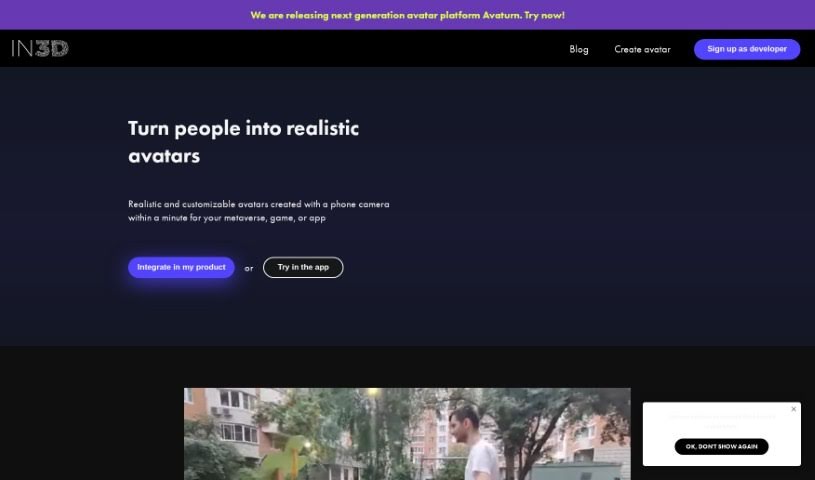
Screenshot of in3D

in3D

Discover what in3D (Avaturn) is and how to use it effectively in 2025. We'll dive into its features, explore how it compares to other avatar makers, and guide you through creating your own realistic digital self.

Screenshot

What is in3D?

In3D, also known as Avaturn, is a really cool platform that lets you create lifelike, customizable avatars. What’s neat is you can do it using just your phone camera, and it only takes about a minute! This platform makes it super easy to bring your in3D avatars into your own projects. You can check out how good the scans look and then export your 3D models in different formats like FBX, GLB, or USDZ. Plus, they offer SDKs for Unreal Engine and Unity, so you can pop your avatars into whatever environment you’re working with. They’ve really focused on making it personal and easy to use, with a stylish interface, a design that works on any device, simple navigation, and a modern feel. It’s all about creating avatars that truly reflect who you are.

Who created in3D?

An individual developed in3D, which is the next-generation avatar platform called Avaturn. This platform is designed to let people create realistic, customizable avatars quickly using their phone cameras. The company behind it really values style and functionality, offering a user-friendly interface with a bright, appealing color scheme. Avaturn aims for a smooth experience for everyone. You’ll find a stylish interface, a design that adapts well to different devices, easy navigation, and a modern layout. The whole point is to help you create personalized avatars that really capture your unique digital identity. So, if you want to make a digital version of yourself, Avaturn is the place to be.

How to use in3D?

Ready to create your own realistic and personalized avatars with in3D? It’s pretty straightforward. Here’s how you do it:

  1. Scan Yourself: Just open the in3D app. Grab your phone, use the camera to scan yourself, and within about a minute, you’ll have a personalized avatar ready to go.
  2. Check the Quality: Take a good look at your avatar. See how detailed it is and make sure it looks just how you want it.
  3. Export Your 3D Model: Once you’re happy, you can export your avatar. Choose from formats like FBX, GLB, or USDZ, which work with lots of different applications.
  4. Integrate It: Want to use your avatar in a game or another project? Use the SDKs they provide for Unreal Engine and Unity to easily add your avatar to your chosen environment.

Beyond these steps, you can keep customizing your avatar, join the in3D community to connect with others, and stay in the loop with all the latest updates and news from the platform. The whole process is designed to be smooth and enjoyable, thanks to the user-friendly interface, responsive design, and modern layout that in3D offers.

Related AI Tools

Discover more tools in similar categories that might interest you

123RF AI Image Generator

Creative Image Generation
Learn More

Stay Updated with AI Tools

Get weekly updates on the latest AI tools, trends, and insights delivered to your inbox

Join 25,000+ AI enthusiasts. No spam, unsubscribe anytime.