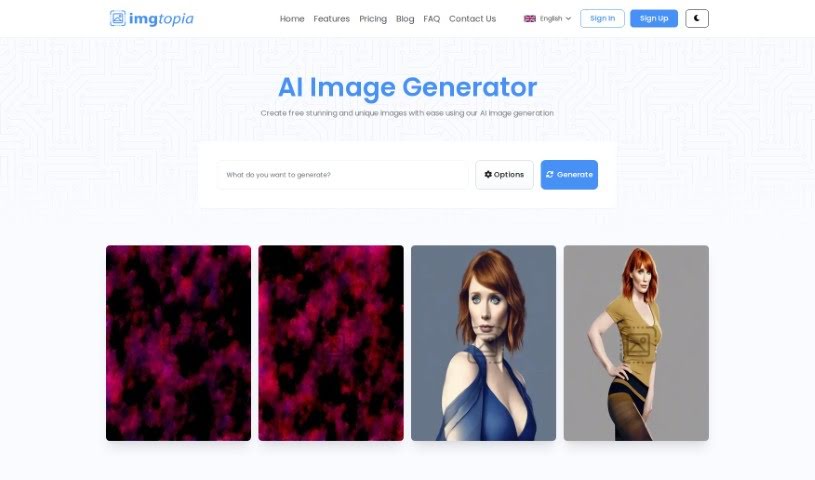
Screenshot of imgtopia

imgtopia

Discover what imgtopia is and how to use it effectively in 2025. We'll explore its features and compare it to other AI image generators.

Screenshot

What is imgtopia?

Imgtopia is a really neat AI tool that helps you create all sorts of unique, custom images. You just tell it what you want, and it uses some pretty advanced machine learning – think computer vision, natural language processing, and deep learning – to bring your ideas to life. You can generate all sorts of images, from abstract art and beautiful landscapes to realistic portraits and animal pictures. It’s quite flexible, letting you pick image sizes like 256x256 or 512x512, and you can choose if your creations are public or private. The interface is super user-friendly and available in several languages, which is a big plus. If you sign up, you unlock even more features, like saving your images and seeing pricing details. It’s great for lots of different industries and people, but it’s worth noting there’s no free option, the image sizes are a bit limited, and you do need to sign in for some of the cooler stuff.

Who created imgtopia?

Imgtopia, this AI-powered image creation tool, first appeared on February 26, 2023. The person or group behind it hasn’t been publicly revealed. What it does offer is the ability to generate custom images, let you decide if they’re public or private, and create images in all sorts of styles and themes, all thanks to those advanced machine learning algorithms.

What is imgtopia used for?

  • It’s got a really easy-to-use interface.
  • You can create your own custom images.
  • You get to choose if your images are public or private.
  • It’s great for generating images just from keywords.
  • There’s an account feature to keep things organized.
  • You can save your images for later.
  • It’s fantastic for generating abstract art.
  • Need a landscape? It can do that too.
  • It’s capable of creating portraits.
  • You can even generate animal images.
  • It also generates geometric images.
  • Looking for something a bit eerie? It can create unnerving scenes.
  • It’s also good for generating comic characters.
  • You can get village scenes made.
  • It can create dreamlike settings.
  • It’s also great for generating business logos.

Who is imgtopia for?

  • Digital marketers looking for unique visuals.
  • Graphic designers needing quick concept art or assets.
  • Content creators who need eye-catching images for their posts.
  • Social media managers wanting to boost engagement with custom graphics.
  • Digital Marketing Professionals who need diverse visual content.
  • Anyone in industries that rely heavily on digital graphics.

How to use imgtopia?

Using Imgtopia is pretty straightforward. Here’s how you can get started:

  1. First, head over to the Imgtopia website. You’ll need to sign up for an account – just look for the ‘Sign Up’ button on the homepage and click it.
  2. Next, think about the kind of image you’re hoping to create. Are you going for abstract art, a scenic landscape, a portrait, or something else entirely custom?
  3. Now, tell Imgtopia what you want! You can input your requirements using specific keywords or a descriptive phrase about the image you have in mind.
  4. You’ll need to pick the size for your image. Your options are 256x256 or 512x512 pixels.
  5. Then, decide if you want your generated image to be seen by everyone (public) or kept just for you (private).
  6. Just wait a moment while Imgtopia works its magic, using its computer vision, natural language processing, and deep learning algorithms to create your image.
  7. Once your image is ready, you can easily download it using the ‘download’ option that appears.
  8. If you want to access more features, like saving your creations or checking out the pricing, make sure you’re logged into your account.

Imgtopia really is a versatile tool that works well for all sorts of industries and users. It offers a super user-friendly interface, lets you create custom images easily, and even has a multilanguage website to make it accessible to more people. Whether you’re a seasoned professional designer or someone who just needs a unique digital image without a steep learning curve, Imgtopia can help you effortlessly craft exactly what you need.

Related AI Tools

Discover more tools in similar categories that might interest you

123RF AI Image Generator

Creative Image Generation
Learn More

Stay Updated with AI Tools

Get weekly updates on the latest AI tools, trends, and insights delivered to your inbox

Join 25,000+ AI enthusiasts. No spam, unsubscribe anytime.