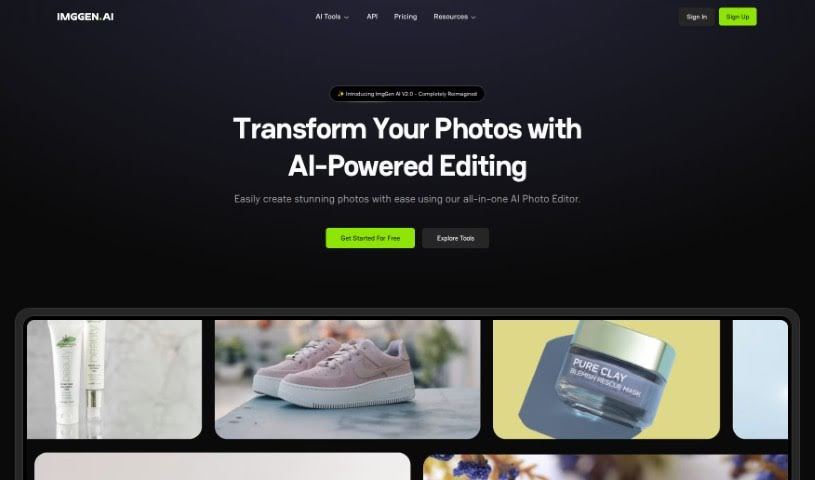
Screenshot of ImgGen AI

ImgGen AI

Discover what ImgGen AI is and how to use it effectively in 2025. We'll explore its features and see how it stacks up against other AI image generators.

Screenshot

What is ImgGen AI?

ImgGen AI is a tool that uses artificial intelligence to create images. Ramandeep Singh launched it in 2023 with a simple goal: to make image creation easy, fast, and accessible for everyone. Basically, you give it a text description, and the AI, which has learned from millions of images, generates a unique picture based on your words. It’s pretty good at this, too, getting over 85% accuracy when translating text into visuals.

Who created ImgGen AI?

Ramandeep Singh, a software engineer from India, founded ImgGen AI in 2023. He’s really passionate about making image generation available to more people for creative projects. His vision for ImgGen AI is to offer a straightforward, user-friendly platform where anyone can bring their visual ideas to life using AI that’s been trained on a massive library of images. The company focuses on using the latest machine learning advancements to ensure the images generated from text prompts are accurate and high-quality.

What is ImgGen AI used for?

  • Creating custom avatars
  • Editing photos
  • Removing backgrounds from images
  • Generating new images from text
  • Removing text from pictures
  • Making blurry images clearer
  • Increasing image resolution (upscaling)
  • Generating AI headshots
  • Creating unique digital art

Who is ImgGen AI for?

  • Creative professionals looking for new tools
  • Graphic designers needing quick visuals
  • Marketing teams wanting engaging content
  • App developers needing custom graphics
  • Artists exploring new mediums

How to use ImgGen AI?

Getting started with ImgGen AI is pretty straightforward. Here’s a quick rundown:

  1. Head over to the ImgGen AI Tool: First, visit the ImgGen AI website. You’ll find their free AI image generator and enhancement tools right there.
  2. Check Out the Features: ImgGen AI offers a bunch of cool features. You can generate images, remove backgrounds, take out text, unblur photos, upscale them, and a lot more. Plus, you can even create professional AI headshots for free.
  3. Need More Help? Read the Docs: If you want to dive deeper, the official ImgGen AI documentation is your best bet. It’ll give you all the detailed instructions you need to really get the most out of the AI generative art tool and the avatar generators.
  4. Try the Photo Editing: Don’t forget to play around with the photo editing capabilities. ImgGen AI’s AI-powered tools make it easy to enhance and edit your photos.
  5. Stay in the Loop: Keep an eye on ImgGen AI for any new launches or updates. That way, you’ll always know about the latest features or improvements they’ve added.

By following these steps, you’ll be able to effectively use ImgGen AI to create and improve your images with its advanced AI technology.

Related AI Tools

Discover more tools in similar categories that might interest you

123RF AI Image Generator

Creative Image Generation
Learn More

Stay Updated with AI Tools

Get weekly updates on the latest AI tools, trends, and insights delivered to your inbox

Join 25,000+ AI enthusiasts. No spam, unsubscribe anytime.