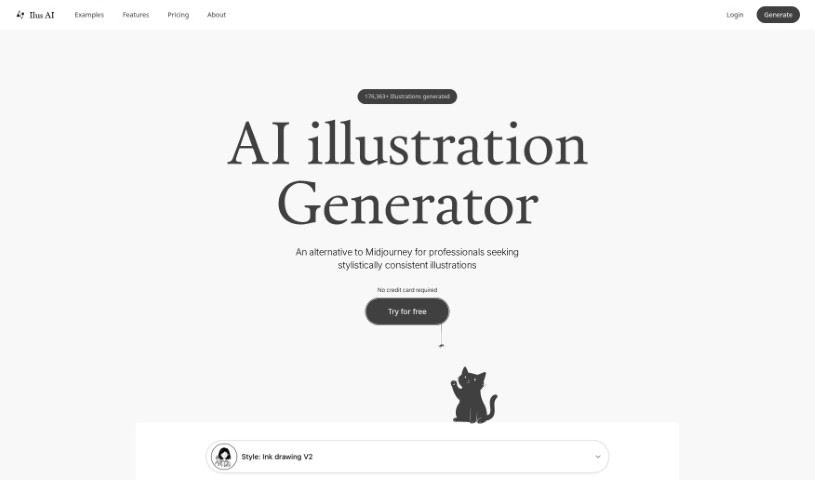
Screenshot of Ilus AI

Ilus AI

Discover what Ilus AI is and learn how to use it effectively in 2025. We'll explore its features and see how it stacks up against other AI image generators.

Screenshot

What is Ilus AI?

Ilus AI is a tool designed to generate consistent AI illustrations, and it’s all thanks to Kristjan, who created and maintains it. Kristjan’s goal with Ilus AI was to provide really high-quality illustrations, especially for professionals who might not have the skills or resources to create them themselves. He developed it because he noticed that most AI models produced images in all sorts of different styles, and he really wanted a way to get consistent illustrations for his own websites. If you have any questions or want to share your thoughts, you can easily reach out to Kristjan on Twitter, LinkedIn, or via email. Basically, Ilus AI is all about making it simple and effective for you to create the illustrations you need.

Who created Ilus AI?

Kristjan Retter is the mind behind Ilus AI. He explained that he needed illustrations for his websites but wasn’t an artist himself. He found that existing AI models were too varied in their output, so he decided to build his own solution. That’s how Ilus AI came to be – a way to generate consistent AI illustrations specifically for professionals.

Who is Ilus AI for?

Ilus AI is a great tool for a variety of professionals, including:

  • Web designers
  • Graphic designers
  • Content creators
  • Marketing professionals
  • Bloggers
  • Social media managers
  • Educators
  • Developers
  • Authors
  • Business owners

How to use Ilus AI?

Using Ilus AI is pretty straightforward. Here’s a quick rundown of how to get started:

  1. Train Your Style: Head over to the Ilus AI website and look for the “Fine-tuning” section. Here, you can upload between 5 and 35 example images to teach Ilus AI your preferred illustration style.
  2. Export Your Creations: Once you’ve generated your illustrations, you can use the “Export” feature to download them all in both SVG and PNG formats.
  3. Generate with Prompts: You can create unique illustrations by simply describing what you want using text prompts, all while keeping your chosen style consistent.
  4. Enjoy the Simplicity: Ilus AI is designed to be really easy to use, so you can quickly whip up beautiful illustrations for whatever projects you’re working on.

If you find Ilus AI helpful, please spread the word! And remember, if you have any feedback or questions, don’t hesitate to contact Kristjan through Twitter, LinkedIn, or Email, just like he mentions on the website.

Related AI Tools

Discover more tools in similar categories that might interest you

123RF AI Image Generator

Creative Image Generation
Learn More

Stay Updated with AI Tools

Get weekly updates on the latest AI tools, trends, and insights delivered to your inbox

Join 25,000+ AI enthusiasts. No spam, unsubscribe anytime.