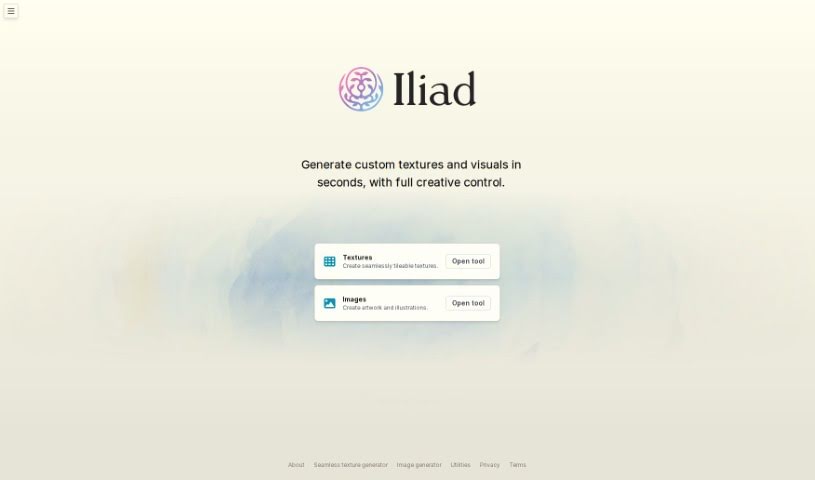
Screenshot of Iliad AI

Iliad AI

Discover what Iliad AI is and how to use it effectively in 2025. We'll explore its features and see how it stacks up against other 3D model generators.

Screenshot

What is Iliad AI?

Iliad AI is a really versatile tool that offers a bunch of different features for anyone working on visual art or game design. It’s known for some pretty strong capabilities, like turning 2D images into 3D models, creating voxel art, making textures, and helping with character development. What’s cool is that you can actually edit your artwork while it’s being generated, letting you make real-time tweaks and improvements. Plus, Iliad AI acts as a co-creation platform, which is fantastic for game designers. It includes things like expressive controls, tools for developing concept art, and an easy way to create textures.

Who created Iliad AI?

“Iliad” was developed by a company that launched the platform on June 17, 2024. This system is designed as a co-creation platform specifically for game designers. It offers features such as voxel art generation, texture authoring, and image editing using expressive controls like brushstrokes. It also handles 2D to 3D image conversion. The platform aims to provide quick solutions for concept art, allow for customization in character development, and give users full control over their art’s final output. However, it’s still in early access, meaning some features, like detailed documentation and collaborative tools, are not yet fully available.

What is Iliad AI used for?

  • You can create visual art assets using brushstrokes, prompts, and other expressive controls.
  • It converts 2D images into 3D voxel art in under a minute.
  • You can instantly create seamless textures with its texture authoring feature.
  • It helps with concept art development, making it easy to iterate on characters and environments.
  • You get full control over your artistic output, including the ability to edit images while they’re being generated.
  • It supports game designers with extensive customization options.
  • You can edit images mid-generation for real-time adjustments.
  • There’s an inpainting feature perfect for touch-ups or final edits.
  • It’s packed with optimized features for game design, like character development customization.
  • You get quick concept art solutions with unique texture generation.
  • It’s great for creating seamless textures.
  • It handles 2D to 3D conversion of images.
  • It’s used for voxel art generation.
  • Texture authoring is a key function.
  • Concept art development is well-supported.
  • Character development is a major use case.
  • You can edit images mid-generation.
  • The inpainting feature is useful for touch-ups and final edits.
  • It offers expressive controls like brushstrokes and prompts.
  • It’s a quick solution for concept art.
  • Iliad helps you generate visual art assets and refine designs through its character development features.
  • For game design, Iliad is quite powerful. It offers robust features like 2D to 3D image conversion, voxel art generation, texture authoring, concept art tools, character development, and the ability to edit images mid-generation for precise control over the final art.
  • You can edit images as they’re being generated, giving you full control over the final output. This is especially valuable for making real-time adjustments and refinements to your artwork.
  • Iliad includes an inpainting feature that fills in parts of an image with believable details, which is handy for touch-ups or finishing touches.
  • It helps generate visual art assets by providing expressive controls for creating and composing images. This includes brushstrokes, inpainting for controlling image color, voxel art for turning 2D images into 3D, and texture authoring for instant, unique texture creation.
  • Iliad lets you create unique textures instantly thanks to its texture authoring feature.
  • The platform offers extensive customization. You can translate 2D images into 3D voxel art, generate unique textures, control transformation strength, and iterate on characters and environments. This really opens up a lot of possibilities for customization.
  • Iliad is a good fit for game designers because it offers fast 2D to 3D conversion, unique texture creation, easy concept art development with iteration, and gives users full control over the final art.
  • In under a minute, Iliad can convert your 2D images into 3D voxel art.
  • Iliad has features specifically optimized for game designers. This includes quick 2D to 3D conversion, unique texture creation, concept art development with easy iteration, and full user control over the final art output.

Who is Iliad AI for?

  • Game Designers
  • Concept Artists

How to use Iliad AI?

To get the most out of Iliad, just follow these simple steps:

  1. Log In: First, log into the Iliad platform.
  2. Generate Visual Art Assets: Use brushstrokes, prompts, and other expressive controls to create visually appealing art assets.
  3. Voxel Art Creation: Turn your 2D images into impressive 3D voxel art in just a few minutes.
  4. Texture Authoring: Instantly create unique and seamless textures using Iliad’s dedicated texture authoring feature.
  5. Image Editing: You can use expressive controls like brushstrokes and prompts to adjust colors and compositions. Plus, the inpainting technique and transformation strength controls are great for precise final edits.
  6. Character and Concept Art Development: Take advantage of Iliad’s features to iterate on characters and environments, make edits while generating, and maintain complete control over the final art output.
  7. Early Access Sign-Up: If you want early access, just sign up on the Iliad webpage.
  8. Utilize for Game Design: Iliad is really built for game designers. It offers quick 2D to 3D conversion, texture authoring, concept art development, and customization for characters and environments.
  9. Customization: You’ll find extensive customization options in Iliad, covering everything from 2D to 3D conversion and texture creation to controlling transformation strength and iterating on characters and environments.

By following these steps, you can really harness Iliad’s powerful and intuitive features to create stunning visual art assets that are perfectly tailored to what you need.

Related AI Tools

Discover more tools in similar categories that might interest you

123RF AI Image Generator

Creative Image Generation
Learn More

Stay Updated with AI Tools

Get weekly updates on the latest AI tools, trends, and insights delivered to your inbox

Join 25,000+ AI enthusiasts. No spam, unsubscribe anytime.