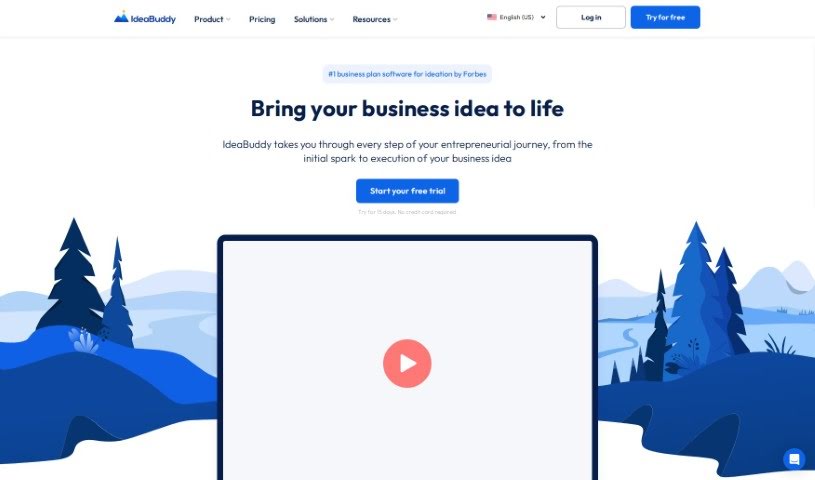
Screenshot of IdeaBuddy

IdeaBuddy

Discover what IdeaBuddy is and how to use it effectively in 2025. We'll walk through its features, compare it to other entrepreneur tools, and show you how it helps validate and launch your business ideas.

Screenshot

What is IdeaBuddy?

IdeaBuddy is a really thorough business planning software. It’s built to help entrepreneurs, new startups, and even business schools as they develop, test, and get their business ideas off the ground. It is your all-in-one guide. It offers a bunch of helpful features, like step-by-step guides for building your business, tools to project your finances, business plans you can tweak, and even whiteboard tools for collaborating. Plus, it has tests to help you see if your idea is actually viable. IdeaBuddy wants to be there for you through the whole process, and it even offers resources in different languages, which is pretty neat for a global audience.

Who created IdeaBuddy?

Jonathan C. is the founder behind Ideabuddy. He created this all-in-one business planning software because he saw a need for a single platform where entrepreneurs, startups, and business schools could really nail down their plans, validate their ideas, and get a handle on their financial projections. The software itself is packed with essential tools, including a digital whiteboard for brainstorming, features specifically for validating your ideas, and support for multiple languages. Ideabuddy’s goal is to guide users from that very first spark of an idea all the way through to its successful launch, with a clear focus on helping fellow entrepreneurs find their path to success.

What is IdeaBuddy used for?

Here’s a rundown of what you can do with IdeaBuddy:

  • Work together with other people on your ideas.
  • Easily share your plans and export them as PDFs or Word documents.
  • Figure out if your business idea is actually going to work.
  • Really dig into your assumptions and challenge them.
  • Spot exactly where your idea could be stronger.
  • It’s an all-in-one business planning software, and it’s powered by AI to make things smoother.
  • You can follow guides that are tailored step-by-step for your specific industry.
  • Getting started is a breeze, thanks to pre-built templates.
  • Get a complete, 360-degree view of your entire business idea.
  • Take a special test to get a score for your idea.
  • Validation: Yep, there’s a test to score your idea’s potential.
  • You can map out your entire business model on a single page.
  • Brainstorm ideas collaboratively with your team.
  • Check how viable your idea is and pinpoint exactly where it needs improvement.

Who is IdeaBuddy for?

  • Anyone who’s an entrepreneur.
  • Startups looking to grow.
  • Incubators supporting new businesses.
  • Business schools teaching the next generation.

How to use IdeaBuddy?

Using Ideabuddy is pretty straightforward. Just follow these steps:

  1. Develop Your Business Idea: Start by sketching out your concept. Then, research your market, figure out your initial setup costs, and create financial forecasts. You can use the handy pre-built templates available in the Business Guide section for all of this.
  2. Financial Plan: Making financial projections is simple here. You can easily forecast your cash flow and calculate profit and loss projections using the dedicated Financial Plan section.
  3. Business Plan: IdeaBuddy is smart enough to automatically generate a modern business plan for you. It bases this on all the steps you’ve already completed in the Business Guide. You can then customize how it looks, adjust the sections, and export it to PDF or Word.
  4. Whiteboard: This is where collaboration really shines. You and your team can brainstorm ideas, visualize prototypes, add images and videos, and keep all your important information neatly organized in one central spot.
  5. Idea Plan: You can design your entire business model on a single page. It uses editable templates, making it easy to collaborate with others and then share or export your plan.
  6. Validation: This is crucial for checking your idea’s feasibility. You can challenge your own assumptions, pinpoint areas that need improvement, and make sure your venture is set up to be profitable by using the Idea Score feature.
  7. Additional Features: Make the most of this all-in-one business planning software. It comes with guides, financial tools, that great whiteboard functionality, and multi-language support. You can even try it out for free for 15 days and explore all the resources Ideabuddy offers.

This guide really covers the main steps you’ll need to effectively use Ideabuddy to develop and launch your business idea. It’s designed to be a comprehensive resource for you.

Related AI Tools

Discover more tools in similar categories that might interest you

Stay Updated with AI Tools

Get weekly updates on the latest AI tools, trends, and insights delivered to your inbox

Join 25,000+ AI enthusiasts. No spam, unsubscribe anytime.