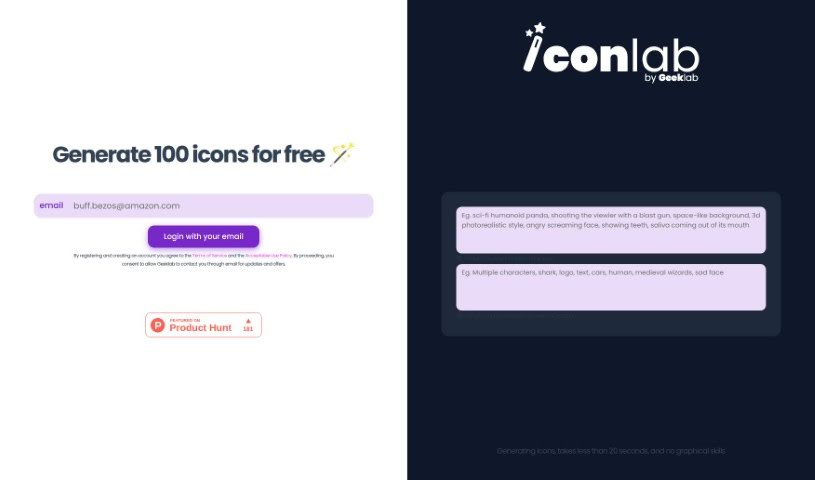
Screenshot of Iconlab

Iconlab

Discover what Iconlab is and how to use it effectively in 2025. We'll explore its features and see how it stacks up against other image generators.

Screenshot

What is Iconlab?

Iconlab is a handy tool that uses AI to help you create icons for your applications. It really simplifies the whole process of making visual assets. You just tell it what you want in an icon and what you’d rather not see, and the AI whips up something for you in under 20 seconds. You don’t need to be a graphic design whiz to use it, and guess what? The first 100 icons are totally free! It’s super user-friendly, even supports 3D designs, and it’s a great, budget-friendly option, especially for smaller teams and startups.

Who created Iconlab?

Iconlab comes from Geeklab, and they launched it back on November 21, 2023. Geeklab is the company behind Iconlab, and their whole thing is providing this AI-powered tool for making icons. It makes creating visual assets so much easier because you can generate icons in less than 20 seconds, and you don’t need any fancy graphic design skills. You can get icons made just for you, it handles 3D designs, and you can even tell it exactly what elements to include or leave out. Plus, Iconlab gives you your first 100 icons free, which is a real money-saver for small teams and startups.

What is Iconlab used for?

  • Customized output: Get exactly what you envision.
  • Supporting startup needs: Perfect for new businesses getting off the ground.
  • Aids non-graphic designers: Makes professional-looking icons accessible to everyone.
  • Beneficial for individual developers: Streamlines asset creation for solo projects.
  • Creates high-quality app visuals: Elevate your application’s look and feel.
  • Unique digital art creation: Explore creative possibilities beyond typical app icons.
  • Cost-effective for small teams: Save money without sacrificing quality.
  • Can exclude specific design elements: Ensure unwanted items don’t appear.
  • Can specify unwanted elements: Gives you precise control over the final design.
  • Fast icon generation: Get your icons in seconds, not hours.

Who is Iconlab for?

  • App developers
  • Graphic designers
  • Small Teams
  • Start-ups
  • Individual Developers

How to use Iconlab?

Using Iconlab is pretty straightforward. Just follow these simple steps:

  1. Register and Create an Account: First things first, you’ll need to sign up for an account on the Iconlab platform. This is how you get access to everything the tool offers.
  2. Input Icon Specifications: Now, tell Iconlab what you want in your icon. You can ask for specific characters, moods, styles, and lots more. It’s also important to mention anything you definitely don’t want in the icon.
  3. AI-Powered Icon Generation: Iconlab’s smart AI will take your instructions and create the icon. The best part? It usually takes less than 20 seconds, so it’s super quick and efficient.
  4. Customization: You can really fine-tune the icons. Just specify different elements like characters, emotions, or styles to make sure the icon is exactly how you want it.
  5. Free Initial Icons: As a new user, you get to generate your first 100 icons for free. It’s a great way to test out the tool and see what it can do without any cost.
  6. Graphic Design Skills Not Required: Seriously, you don’t need to be a design expert. Iconlab is built to be easy for anyone to use.
  7. Agree to Terms: Before you dive in, make sure to read and agree to the terms of service and usage policies. By continuing, you’re also giving Geeklab permission to email you about updates and special offers.
  8. Cost-Effective for Small Teams: Iconlab is a really smart choice for startups and small teams, especially with that generous offer of 100 free icons to start.

By following these steps, you’ll be able to use Iconlab to create custom icons for your projects quickly and easily.

Related AI Tools

Discover more tools in similar categories that might interest you

123RF AI Image Generator

Creative Image Generation
Learn More

Stay Updated with AI Tools

Get weekly updates on the latest AI tools, trends, and insights delivered to your inbox

Join 25,000+ AI enthusiasts. No spam, unsubscribe anytime.