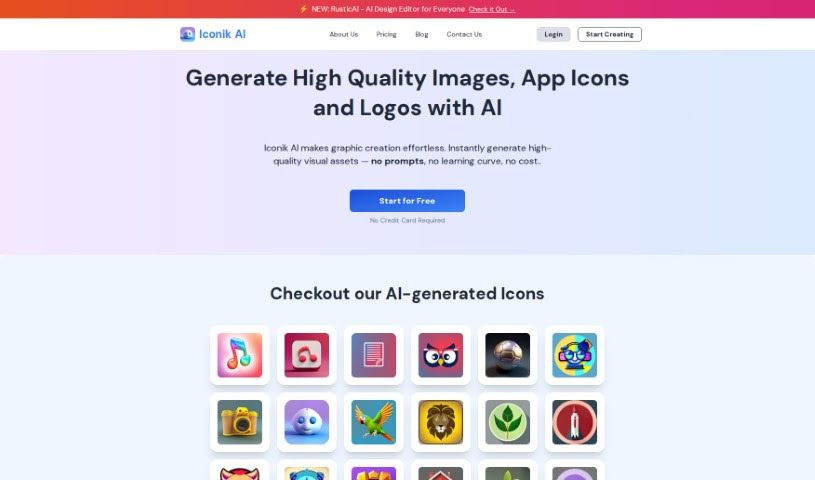
Screenshot of Iconik AI

Iconik AI

Discover what Iconik AI is and how to use it effectively in 2025. Explore its features, design styles, and how it stacks up against other AI design tools.

Screenshot

What is Iconik AI?

Iconik AI is a really neat tool that helps you design and create custom icons for your Android, iOS, and web applications. The best part? You don’t need any fancy design skills to use it! It offers a whole bunch of different icon styles, so you can get exactly the look you’re going for. Think minimalist, clay-like textures, shiny metallic finishes, cool retro vibes, fun cartoon styles, soft watercolor looks, or even designs inspired by 2D games. You can create as many icons as you want with their ‘Free Forever’ plan – you only pay for the icons you actually download. Plus, they take security seriously, so your user data is protected, and all the icons you create will fit right in with Apple and Google’s design standards.

Who created Iconik AI?

Iconik AI was developed by a company that goes by the name “Iconik AI.” They launched this AI-powered icon generator on May 21, 2023. The whole idea behind it is to make it super easy for anyone to design custom icons for Android, iOS, and web apps, even if they’ve never designed anything before. The company offers a wide variety of design options, letting you choose from styles like minimalist, clay, metallic, retro, cartoon, watercolor, and even those inspired by 2D games. They also have a ‘Free Forever’ plan, which is pretty generous – you can generate unlimited icons without charge and only pay when you decide to download them. Iconik AI is committed to keeping your personal information private and secure, and they make sure the icons they provide meet the design guidelines set by Apple and Google.

What is Iconik AI used for?

  • Making professional icon creation easy: It simplifies the process significantly.
  • Keeping your data safe: The platform is designed with security in mind.
  • Perfect for app developers and graphic designers: It’s a great tool for professionals in these fields.
  • Generating diverse app icons: You can create a wide range of icons for different needs.
  • Designing for multiple platforms: It specifically creates icons for Android, iOS, and web applications.
  • Matching your app’s look: Icons can be tailored to fit your app’s unique style and branding.
  • Adding a nostalgic touch: You can achieve that classic, retro feel.
  • Opting for a clean look: Sleek and minimal designs are readily available.
  • Creating vibrant visuals: It allows for the generation of colorful and lively icons.
  • Achieving tactile aesthetics: You can even create icons with a more physical, textured appearance.

Who is Iconik AI for?

  • App developers
  • Graphic designers

How to use Iconik AI?

Getting started with Iconik is pretty straightforward. Here’s a quick rundown:

  1. First, head over to the Iconik AI platform. It’s where you’ll create those custom icons for your Android, iOS, or web apps.
  2. You can jump right in and use the AI-powered icon generator – no design background needed!
  3. Explore the different icon styles available. You’ll find options like minimalist, clay, metallic, retro, cartoon, watercolor, and even some game-inspired designs.
  4. Take advantage of the ‘Free Forever’ plan. This lets you create unlimited icons without any upfront cost. You’ll only pay for the ones you decide to download.
  5. Rest assured, your personal information is kept secure thanks to industry-standard security measures.
  6. Once you’re happy with your icon, you can download it in various formats like PNG or ICO, and in different sizes, perfect for all sorts of platforms and devices.
  7. If you ever need help or have feedback, don’t hesitate to reach out to their support team via [email protected].
  8. When you’re ready to download, you can purchase credits. It’s $2 for 1 credit (Basic), $5 for 5 credits (Standard), or $15 for 20 credits (Premium).

Related AI Tools

Discover more tools in similar categories that might interest you

123RF AI Image Generator

Creative Image Generation
Learn More

Stay Updated with AI Tools

Get weekly updates on the latest AI tools, trends, and insights delivered to your inbox

Join 25,000+ AI enthusiasts. No spam, unsubscribe anytime.