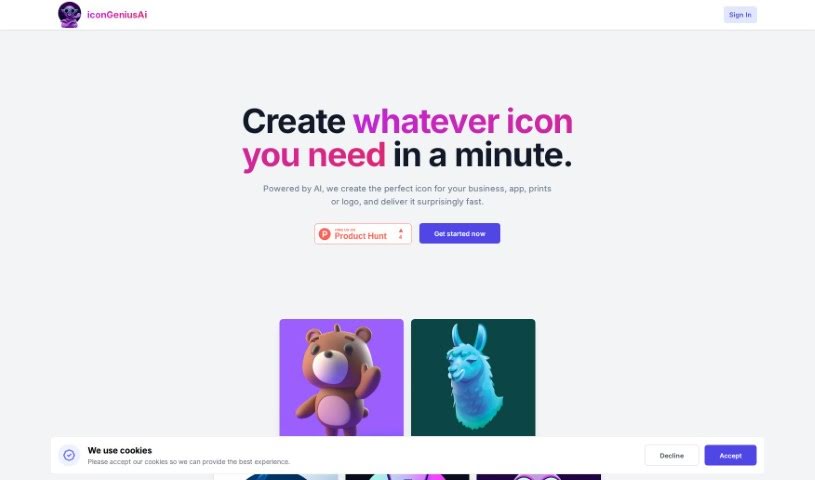
Screenshot of Icongeniusai

Icongeniusai

Discover what Icongeniusai is and how to use it effectively in 2025. We'll explore its features, compare it to other AI image generators, and show you how to get custom icons in a snap.

Screenshot

What is Icongeniusai?

Icongeniusai

IcongeniusAi is a smart tool that uses artificial intelligence to help you create custom icons really quickly. You just tell it what you’re looking for – like the main color, the style you prefer, and a short description of the icon. Then, the tool whips up and delivers your unique icon in less than a minute. What’s great about this is you get your icon instantly, you can customize it fully, create and save different sets of icons, and the output is high-resolution. Plus, it uses a simple pay-as-you-go credit system, so there are no monthly subscriptions. This makes it a really cost-effective and time-saving alternative to hiring traditional designers.

Who created Icongeniusai?

An unknown founder developed IconGeniusAI. This AI tool first launched on July 19, 2023, giving people a fast and easy way to create their own custom icons. The company focuses on a user-friendly experience, offering features like immediate icon generation and delivery, complete customization, high-resolution results, and a credit-based payment model that doesn’t require any subscriptions.

What is Icongeniusai used for?

Here’s what you can do with Icongeniusai:

  • Get custom icons made and delivered instantly.
  • Customize icons exactly how you want them.
  • Create and keep multiple collections of your icons.
  • Receive high-resolution icon files.
  • Use a simple, flexible credit system for pricing.
  • Avoid subscription commitments altogether.
  • Receive your custom icons very quickly, often within just a minute.
  • Tailor icons by picking a primary color, a specific style, and writing a description.
  • Save icons you create for any future projects.
  • Improve how AI models work by using carefully crafted prompts.

Who is Icongeniusai for?

This tool is perfect for:

  • Graphic designers
  • App developers
  • Print designers
  • Logo designers

How to use Icongeniusai?

Using Icongeniusai is straightforward. Just follow these steps:

  1. Get Started: Head over to the Icongeniusai website or platform.
  2. Personalize: Choose your preferred settings, like the main color and style, and then write a detailed description of the icon you need.
  3. Submit Your Request: Send off your order and let the AI do its thing.
  4. Icon Creation: The tool will quickly generate your custom icon, usually in about a minute.
  5. Download Your Icon: Once it’s ready, you can download the high-resolution file (it’s 1024x1024 pixels).
  6. Keep Them Safe: Save your icons for later use by organizing them into collections right within the tool.
  7. Understand the Pricing: Icongeniusai uses credits, with different packages like Starter, Explorer, and Advanced, each offering a set number of credits and downloads.
  8. No Subscriptions Needed: You don’t have to sign up for a subscription. You just pay for the credits you use when you need them.
  9. Enable JavaScript: Make sure JavaScript is turned on in your browser so the tool runs smoothly.
  10. See the Benefits: Enjoy getting your icons instantly, customizing them fully, and having the flexibility to save many different collections.
  11. Accept Cookies: Accepting cookies helps ensure you have the best possible experience on the Icongeniusai site.

By following these simple steps, you can easily use Icongeniusai to create the custom icons you need for all sorts of projects.

Related AI Tools

Discover more tools in similar categories that might interest you

123RF AI Image Generator

Creative Image Generation
Learn More

Stay Updated with AI Tools

Get weekly updates on the latest AI tools, trends, and insights delivered to your inbox

Join 25,000+ AI enthusiasts. No spam, unsubscribe anytime.