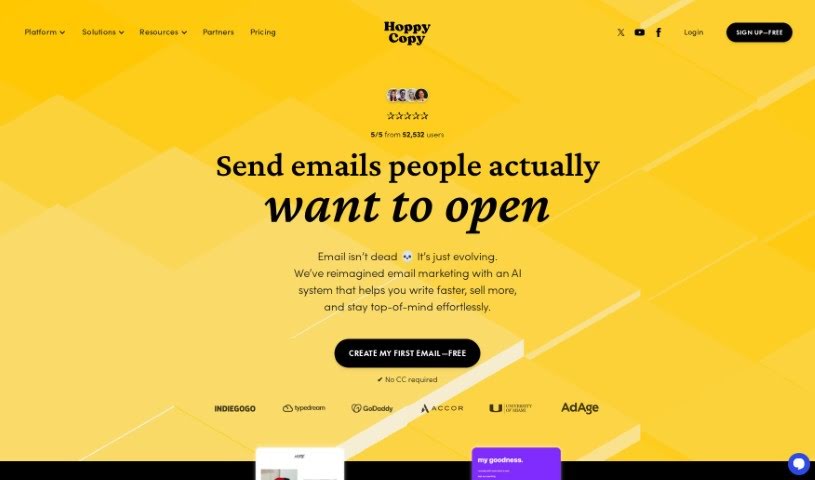
Screenshot of Hoppy Copy

Hoppy Copy

Discover what Hoppy Copy is and how to use it effectively in 2025. We'll explore its features and see how it stacks up against other Email Marketing Tools.

Screenshot

What is Hoppy Copy?

Hoppy Copy is an AI-powered platform built specifically for marketers. It helps you create really engaging email campaigns quickly and easily. You get access to over 50 Email AI Templates, all based on proven formulas designed to get your emails converting. Whether you’re launching a product, reaching out to new contacts, or nurturing leads, there’s a template for it. Plus, Hoppy Copy offers an Advanced Editor to fine-tune your text, a Content Converter to easily repurpose what you’ve already written, and a Spam Checker to help make sure your emails actually land in inboxes. It’s pretty versatile too – you can even use it to whip up Facebook ads and website copy.

Who created Hoppy Copy?

Hoppy Copy was founded by Diana Jakubcova. It’s an AI tool designed to help marketers create compelling email campaigns efficiently. With Hoppy Copy, you can use over 50 Email AI Templates, refine your content with Advanced Editor Tools, and repurpose existing material using the Content Converter. It also includes a Spam Checker to boost your email open rates and offers a way to peek at your competitors’ email strategies.

What is Hoppy Copy used for?

Hoppy Copy is a versatile tool that can help with a wide range of marketing tasks:

  • Email Campaigns: Crafting all sorts of emails, from newsletters and drip campaigns to outreach initiatives and multi-day sequences for events or promotions.
  • Product Launches: Creating high-converting emails specifically for new product announcements.
  • Content Repurposing: Easily transforming existing content, like turning blog posts into emails or tweets, or emails into tweets.
  • Facebook Ads & Website Copy: Writing marketing content for platforms beyond email, including ads and optimized website copy.
  • Brand Management: Handling multiple brands and domains from a single account.
  • Audience Personalization: Creating custom audiences to tailor your messaging.
  • Mobile & Dark Mode Optimization: Ensuring your content looks great on all devices by default.
  • Competitor Analysis: Getting insights into what your competitors are doing with their email strategies.
  • Idea Generation: Quickly spinning up new copy ideas for emails, websites, blogs, and more.
  • Time-Saving for Writers: Generating fresh ideas on the fly to help even experienced writers save time.
  • Lead Nurturing: Developing sequences to guide potential customers.
  • Visual Enhancement: Generating creative AI images and GIFs to make your emails more engaging.
  • Content Refinement: Using AI tools to improve content ideas, headlines, and preview texts.
  • Deliverability Optimization: Using the Spam Checker to identify and fix keywords that might hurt your email open rates.

Who is Hoppy Copy for?

Hoppy Copy is a great tool for:

  • Marketers of all kinds
  • Email Marketers specifically
  • Writers
  • Content creators
  • Individual creators
  • Growing creators and marketers
  • Growing teams
  • Creators looking to scale

How to use Hoppy Copy?

Here’s a simple guide to getting the most out of Hoppy Copy:

  1. Sign Up: Start by grabbing a free trial on the Hoppy Copy platform.
  2. Create or Edit: Begin a new document or work on an existing one within the AI Text Editor.
  3. Choose Your Formula: Pick from the various writing formulas and templates available to generate content that matches your brand voice.
  4. Get Instant Ideas: Use the AI Chat feature whenever you need new ideas or alternative copy options right away.
  5. Train Your Brand: Make Hoppy Copy remember your unique brand tone and style by using the Brand Library.
  6. Repurpose with Ease: Effortlessly convert content, like turning blog posts into emails or emails into tweets, using the Content Converter tool.
  7. Boost Open Rates: Run your emails through the Spam Checker to help ensure they get opened.
  8. Add Visuals: Enhance your content by incorporating creative AI images and GIFs.
  9. Design Your Content: Explore the Designer Templates to turn your text documents into visually appealing designs.
  10. Publish or Export: Use the Publishing feature to send, automate, or export your emails to various platforms.

By following these steps, you can really use Hoppy Copy’s AI tools to make your content creation process smoother and your marketing campaigns more impactful. Why not sign up for that free trial and see how you can write engaging content more efficiently?

Related AI Tools

Discover more tools in similar categories that might interest you

Stay Updated with AI Tools

Get weekly updates on the latest AI tools, trends, and insights delivered to your inbox

Join 25,000+ AI enthusiasts. No spam, unsubscribe anytime.