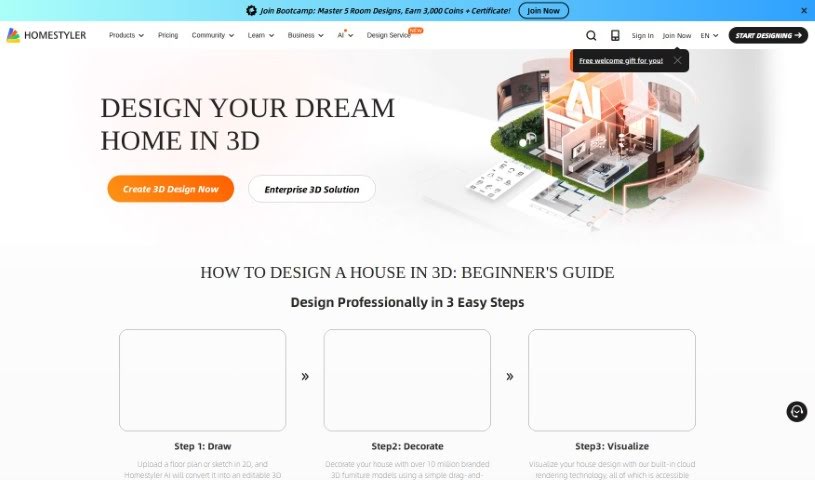
Screenshot of Homestyler

Homestyler

Discover what Homestyler is and how to use it effectively in 2025. We'll walk you through its features, compare it to other interior design tools, and show you how to get started.

Screenshot

What is Homestyler?

Homestyler is a really versatile design software. It’s built for everyone, whether you’re just starting out with interior design or you’re a seasoned pro. It gives you the tools to create high-quality projects. You can get personalized design ideas, plan out floor layouts, design specific areas like kitchens and bathrooms, work with others on projects, and even use it on your phone. Plus, it has this neat AI feature that helps you create interior designs tailored to what you like and the styles you prefer.

There’s a free Basic plan that’s great for getting started with designing and rendering. If you need more, they also offer paid plans with extra features and capabilities.

Who created Homestyler?

Homestyler was actually developed by ć±…ç„¶èźŸèźĄćź¶(䞊攷)ç§‘æŠ€æœ‰é™ć…Źćž. They first launched it on June 27, 2024. The company offers a few different pricing options to suit various users. You can choose from plans like Basic, Individual, Team, and Enterprise. Depending on the plan you pick, you might get things like unlimited rendering, access to a huge library of models and textures, and even AI credits.

What is Homestyler used for?

Here’s a quick rundown of what you can do with Homestyler:

  • Work together on designs with others
  • Get custom design ideas generated for you
  • Plan out your room layouts with its floor planner
  • Design kitchens and bathrooms specifically
  • Use it on your mobile device
  • Create video renderings of your designs
  • Explore virtual studio features
  • It supports VR and AR for immersive viewing
  • Offers 3D modeling services
  • Provides general help with home design projects

Who is Homestyler for?

Homestyler is a great tool for a lot of different people:

  • Interior designers
  • Brands looking to visualize products
  • Retailers
  • Real estate professionals
  • Homeowners planning renovations
  • Schools teaching design

How to use Homestyler?

To really get the most out of Homestyler, here’s a step-by-step guide to help you navigate the platform effectively:

  1. Starting Your First Design Project:

    • You can kick things off by uploading a photo of the room you’re working on. It’s a great way to visualize changes in your actual space.
    • Next, pick a design style that catches your eye from the options provided.
    • Then, tell it what kind of room it is and how many different design ideas you’d like the AI to generate for you.
  2. Getting Your Personalized Designs:

    • Once you’ve given Homestyler the details, its AI will get to work. It processes all that information to create unique design images that are specifically tailored to your tastes and preferences.
  3. Exploring All the Features:

    • Don’t forget to try out the floor planner – it makes planning your room layouts super easy.
    • Dive into the kitchen and bath design options for more detailed customization of those specific areas.
    • If you’re working with a team or as part of a professional design group, you’ll find the collaboration features really helpful.
    • And for those times you’re away from your computer, the mobile app lets you keep designing on the go.
  4. Making Your Visualizations Shine:

    • Take full advantage of the video rendering, virtual studio capabilities, and the 3D viewer. They really help bring your designs to life and offer a more immersive experience.
    • Plus, with VR and AR support, you can see your designs in a truly realistic way.
  5. Diving into Advanced Features:

    • Feel free to play around with the 3D modeling tools. They let you create really dynamic and detailed representations of your design ideas.
    • Check out the latest updates too, like the ability to edit construction drawings and use custom parameters for even more precise design work.
  6. Language Support and Connecting with Others:

    • The platform is available in several languages, making it easier for users worldwide to access.
    • You can also join design challenges. It’s a fun way to show off your skills and get inspired by what other designers are creating.
  7. Understanding Your Membership Options:

    • Think about what you need and choose the best plan for you – they have Basic, Pro, Team, and Enterprise options.
    • Each membership level offers special features. For example, you might get more personalized designs, unlimited rendering, or tools specifically for team collaboration.

Homestyler AI really makes interior design accessible. It’s user-friendly and works well for a variety of people, including interior designers, real estate pros, and even homeowners just looking to spruce up their space. Whether you’re a total beginner or have been designing for years, Homestyler AI gives you the tools you need to create professional-looking interior designs without a lot of hassle.

If you have questions about payment, want to know about free trials, or are curious about special plans for schools, don’t hesitate to reach out to Homestyler AI through their contact channels. They’re there to help!

Related AI Tools

Discover more tools in similar categories that might interest you

123RF AI Image Generator

Creative Image Generation
Learn More

Stay Updated with AI Tools

Get weekly updates on the latest AI tools, trends, and insights delivered to your inbox

Join 25,000+ AI enthusiasts. No spam, unsubscribe anytime.