Hiver (Professionals)
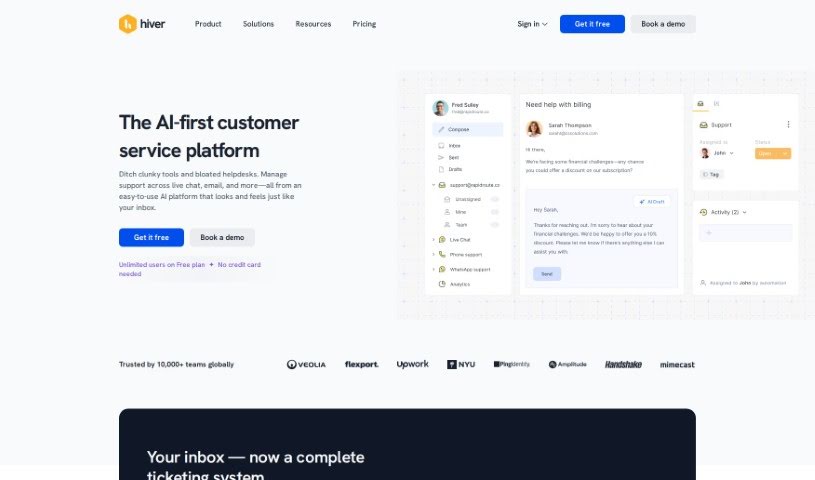
Screenshot of Hiver

Hiver

Discover what Hiver is and how it helps teams manage shared inboxes, automate workflows, and handle customer email more efficiently.

Screenshot

What is Hiver?

Hiver is an AI bot designed to simplify email management. It acts as a smart assistant for your inbox, summarizing long emails, suggesting reply templates, and automatically closing conversations that don’t need a response. This helps you focus on important customer questions and cuts down on autoresponder emails. Users like Robert Zylc, President and CEO of Wheel Wiz, have seen their average query handling time improve by about 30% with Hiver.

Who created Hiver?

Hiver was created by Transition Technologies PSC, a Polish company founded by Piotr Stach, who has a background in computer science. The company is known for software development and builds tech solutions for a variety of industries.

What is Hiver used for?

Hiver offers a suite of tools for managing customer communications:

  • Email Management: Organize and track emails like tasks, with tags, notes, custom views, conversation IDs, and email templates that can include attachments.
  • Shared Inboxes: Lets teams manage a common inbox together.
  • Knowledge Base: Create articles for users, shared publicly or kept private for internal use.
  • Team Collaboration: Internal notes, @Mentions, permalinks, collision detection (so two people don’t reply to the same email), shared drafts, and approval workflows.
  • Workflow Automations: Build automated processes using triggers, conditions, and actions.
  • Round-Robin Auto-Assignment: Automatically distribute incoming emails among team members.
  • Analytics: Insights into your team’s workload and performance.
  • Customer Portal: A self-service option where customers can submit issues and track resolution progress.
  • Out of Office Management: Schedule and manage team availability.
  • Harvey AI: Hiver’s AI assistant, which suggests email templates, closes emails that don’t need a reply, and summarizes long emails into quick notes.

Who is Hiver for?

Customer support agents are a primary audience.

How to use Hiver?

  1. Sign Up: Start with a free trial — no credit card required.
  2. Explore Features: Organize emails as tasks, add tags and notes, create templates, and use shared inboxes for team collaboration.
  3. Use the AI: Take advantage of Harvey AI for email summaries, template suggestions, and automatically closing unnecessary conversations.
  4. Boost Team Productivity: Use workflow automations, round-robin assignment, and analytics to monitor workload and performance.
  5. Pick a Plan: Choose the Lite plan for basic needs or the Pro plan with advanced features like chatbots, customer satisfaction surveys, and API access.
  6. Integrate: Connect Hiver with apps you already use, such as Asana.

Related

Related AI Tools

Discover more tools in similar categories

New tools, in your inbox.

Weekly picks of the best AI tools we've researched and added — no spam, unsubscribe anytime.

Join 25,000+ AI enthusiasts. No spam, unsubscribe anytime.