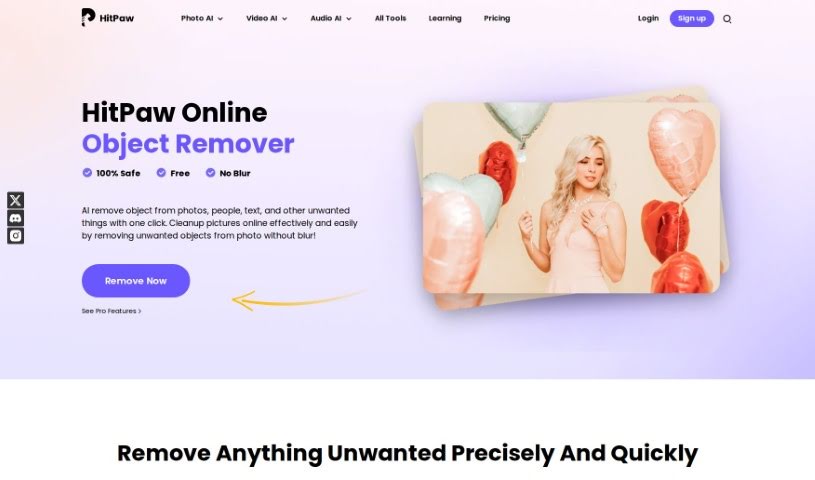
Screenshot of HitPaw Object removing

HitPaw Object removing

Discover what HitPaw Object Remover is and how to use it effectively in 2025. We'll explore its features and see how it stacks up against other photo editing tools.

Screenshot

What is HitPaw Object Remover?

Object removal is essentially the art of cleaning up your photos by getting rid of anything you don’t want in them, all thanks to smart AI technology. Tools like HitPaw Online Object Remover make it super simple for anyone to erase objects, people, text, stickers, or anything else that’s cluttering up your images – often with just a single click! What’s great about this approach is that it cleans up your pictures really effectively without leaving any weird blurriness, giving your edited photos a polished, professional look. The usual process is pretty straightforward: you upload your photo, use a brush tool to highlight the things you want gone, and then download your newly cleaned-up image. All in all, object removal tools like this really simplify making your photos look their best by cutting out distractions and boosting their overall quality.

Who created HitPaw Object Remover?

Tools designed to intelligently remove unwanted elements from photos without causing blurriness, like HitPaw’s Object Remover, are the brainchild of HitPaw. HitPaw is the company behind these clever tools. They offer a whole suite of software, including AI-powered helpers like their Object Remover, Video Enhancer, and Background Remover. HitPaw’s main focus is on providing solutions that are both safe and effective for editing photos and videos, always aiming for user-friendly experiences and top-notch results.

Who is HitPaw Object Remover for?

  • Photographers
  • Graphic designers
  • Marketing professionals
  • Real Estate Agents
  • Social media managers
  • Content creators
  • Event Planners
  • Web Developers
  • Digital artists
  • Journalists

How to use HitPaw Object Remover?

Using the Object Remover tool is really quite simple. Just follow these easy steps:

  1. Upload A Photo: First things first, upload the photo you want to tidy up. This tool lets you remove objects from photos for free, using a technique called image inpainting.
  2. Select Objects: Grab the brush tool and carefully paint over the area of the object you want to remove. This ensures you can precisely select exactly what you want to erase.
  3. Download & Save: Once you’ve marked the objects for removal, just hit the download button. This saves your edited image right to your device, completing the process. You’ll then have your photo, looking clean without those unwanted elements.

By following these three straightforward steps, you can easily use the Object Remover tool to clean up your photos and get rid of anything you don’t want in them.

Related AI Tools

Discover more tools in similar categories that might interest you

123RF AI Image Generator

Creative Image Generation
Learn More

Stay Updated with AI Tools

Get weekly updates on the latest AI tools, trends, and insights delivered to your inbox

Join 25,000+ AI enthusiasts. No spam, unsubscribe anytime.