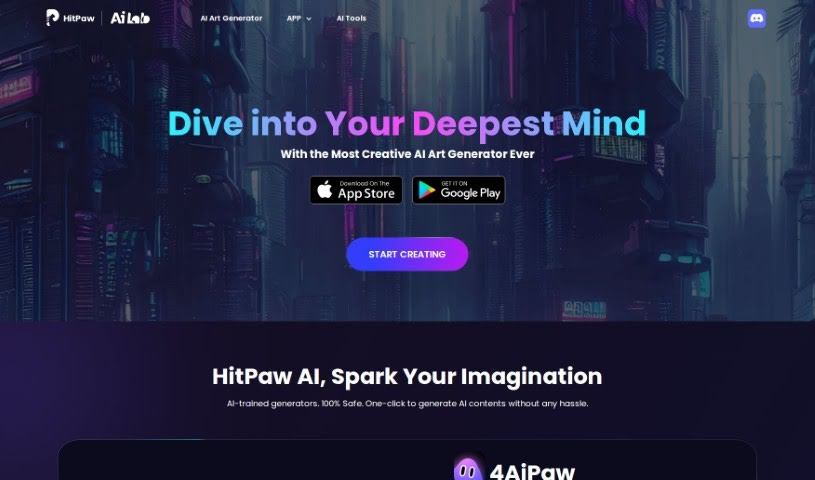
Screenshot of HitPaw AI Art Generator

HitPaw AI Art Generator

Curious about HitPaw AI Art Generator? This guide explains what it is, how to use its features effectively in 2025, and how it stacks up against other AI image generators.

Screenshot

What Exactly is HitPaw AI Art Generator?

HitPaw AI Art Generator is a really cool tool that lets you create AI art with just a few clicks. It’s built for everyone, whether you’re an artist or just starting out. You don’t need any special skills to make amazing creative artworks. You can use it on your iPhone, Android phone, or even right in your web browser, so it’s super accessible no matter where you are. With HitPaw AI, you can really let your imagination run wild and easily whip up unique AI art pieces in a safe environment.

Who’s Behind HitPaw AI Art Generator?

HitPaw AI is the company that developed the HitPaw AI Art Generator. They’re all about creating AI tools that help spark your imagination and creativity, making it simple for anyone to generate cool art with just a few clicks. They’ve already earned the trust of over 3 million users across more than 160 countries and regions. What’s great is that HitPaw AI is known for being 100% safe and secure; your uploaded files are kept private. Plus, their tools are designed to be super user-friendly, meaning you don’t need any professional tech know-how to use them, making them a fantastic option for people all over the world.

Who Should Use HitPaw AI Art Generator?

  • Artists looking for new ways to express themselves.
  • Designers wanting to quickly generate concepts or assets.
  • Creatives of all kinds who want to explore AI art.

How Do I Start Using HitPaw AI Art Generator?

Getting started with HitPaw AI Art Generator is pretty straightforward. Just follow these simple steps:

  1. First, grab the HitPaw AI Art Generator app from either the App Store or Google Play Store.
  2. Once it’s downloaded, install it and then open the app on your phone or tablet.
  3. Inside the app, find and launch the AI Art Generator tool.
  4. Next, pick the kind of creative artwork you’re hoping to create.
  5. Now, you’ll either upload an image you like or type in some text based on the prompt the tool gives you.
  6. Hit that generate button! The AI will then get to work creating your artwork.
  7. Take a look at what the AI made. If you feel like it, you can tweak it further to make it just right.
  8. You can save your new masterpiece directly from the app, or share it with friends.
  9. Consider joining the HitPaw community! It’s a great place to see what other creators are making and connect with them.

With the HitPaw AI Art Generator, you can really let your imagination fly and create unique art without needing any technical background. Seriously, don’t be shy – jump into the exciting world of AI-generated art and let your creativity shine with HitPaw’s easy-to-use platform.

Related AI Tools

Discover more tools in similar categories that might interest you

123RF AI Image Generator

Creative Image Generation
Learn More

Stay Updated with AI Tools

Get weekly updates on the latest AI tools, trends, and insights delivered to your inbox

Join 25,000+ AI enthusiasts. No spam, unsubscribe anytime.