15-Minute plan AI
Professionals Entrepreneurs
Learn more
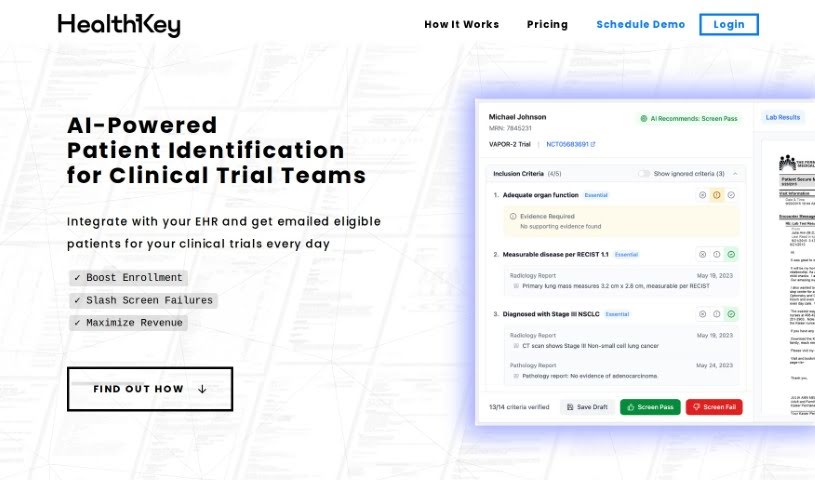
HealthKey is an AI-powered tool that turns medical records into patient summaries and timelines, helping providers prepare for visits faster.
HealthKey is a healthcare tool that uses AI to turn hundreds of medical records into easy-to-read patient summaries. It helps healthcare providers prepare for patient visits faster by delivering upcoming patients’ health timelines and summaries directly to their email each morning. Providers can also chat directly with patient records when they need more detail.
The goal is to reduce administrative work so providers can focus more on patient care — for example, pulling up a full medical history in just two clicks and getting charts ready more quickly.
The specific individual or team behind HealthKey isn’t documented here. What is known is that HealthKey is an AI-powered platform focused on improving patient care by summarizing medical records, providing patient timeline summaries, and offering direct access to patient records. For details about the founder or company, check the official website.
HealthKey is aimed at healthcare providers — doctors and other clinicians — who need to review patient records efficiently before appointments. It fits professionals who want faster chart preparation and less time spent on administrative tasks.
HealthKey is an AI-powered platform that condenses large volumes of medical records into readable patient summaries and timelines. Its core features — daily email timelines, chat with charts, and two-click access to full medical histories — help providers prepare for visits faster and spend more time on patient care. For current pricing and availability, visit gethealthkey.com.
Related
Discover more tools in similar categories
Weekly picks of the best AI tools we've researched and added — no spam, unsubscribe anytime.
Join 25,000+ AI enthusiasts. No spam, unsubscribe anytime.