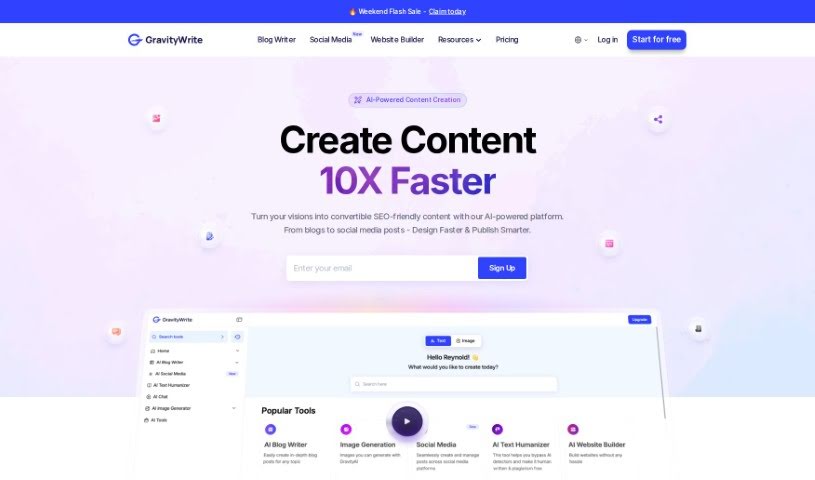
What is GravityWrite?
GravityWrite is an AI tool designed to help you create all sorts of content, from blog posts and videos to ad copy and social media updates, and even images, all in just a matter of seconds. It’s pretty handy, offering features like one-click SEO blog generation, over 250 different templates to choose from, and the ability to create images just by typing a description. It’s built to create content that’s just right for bloggers, marketers, and business owners. Plus, popular brands already trust it, and they offer affordable pricing with guarantees to make sure you’re happy – they even have a free version so you can try it out before you buy.
Who created GravityWrite?
An undisclosed founder developed GravityWrite. This company provides AI-powered tools that make content creation a breeze. You can generate blog posts, social media content, ad copies, and images in seconds. Many popular brands rely on GravityWrite, and it comes with a wide variety of templates for all your content needs. Essentially, it’s a comprehensive, user-friendly platform aimed at making it easy for bloggers, marketers, and business owners to create content that’s perfectly suited to them.
What is GravityWrite used for?
GravityWrite is incredibly versatile and can help you with:
- Crafting effective Email Campaigns.
- Generating engaging Social Media Posts.
- Writing persuasive Ad copy generation.
- Creating compelling Ad copy creation.
- Producing high-converting content for your blogs, ads, and emails.
- Using the Instant Article Writer.
- Developing Website/SEO Content generation.
- Quickly producing Social Media Post Generation.
- Scripting YouTube Video Scripts creation.
- Accessing Writing Templates for various needs.
- Generating Images from Text descriptions.
- Getting Assistance with Ad Copies for Facebook & Google ads.
- Using AI-powered Chat Assistant - GravityChat.
- Generating images from text.
- Writing Homepage Content.
- Creating Ad Copies for Facebook & Google Ads.
- Scripting an Explainer Video Script.
- Brainstorming Lead Magnet Ideas.
- Utilizing Writing Templates for Every Need.
- Having a chat with the AI Assistant - GravityChat.
- Ensuring you Never Run Out of Ideas Again – think Blog Ideas, Video Concepts, Domain Name Suggestions, Marketing Plans, and Social Media Posts.
- Generating YouTube Video Scripts Generation.
Who is GravityWrite for?
GravityWrite is a great tool for:
- Marketers
- Entrepreneurs
- Teams
How to use GravityWrite?
Using GravityWrite is straightforward. Just follow these steps:
- Choose Your Plan: You can pick from a Free, Starter, or Pro plan. Just select the one that best fits what you need for content creation and your budget.
- Access Templates: Take advantage of the 250+ AI templates available. They cover all sorts of content types, like blogs, social media updates, ad copies, and much more.
- Generate Content: Use the unique AI content writer to create content that’s specifically tailored for bloggers, marketers, and business owners.
- Image Generation: Need images? You can quickly create high-quality ones just by typing simple text descriptions. Pick from various styles without needing any design skills.
- Content Categories: GravityWrite offers more than 80 AI writing tools across over 10 content categories, and they support more than 50 languages, so you can create all kinds of content.
- Utilize Top Features: Explore features like the instant article writer, tools for website/SEO content, ad copy creation, social media post generation, and writing YouTube video scripts.
- Customer Support: If you have questions or run into any issues, you can reach out via their ticket system or email support.
- Data Security: GravityWrite takes your data and content security seriously. They use encryption, control access, conduct regular security checks, and follow best practices to keep everything safe.
- Try the Free Version: It’s a good idea to test out the tool with the free version first. It lets you generate up to 5,000 words each month, giving you a feel for it before you decide on a paid plan.
Basically, GravityWrite makes creating content for different formats and platforms much simpler. It’s user-friendly and comes with plenty of support and security to back you up.