What is Grammarly?
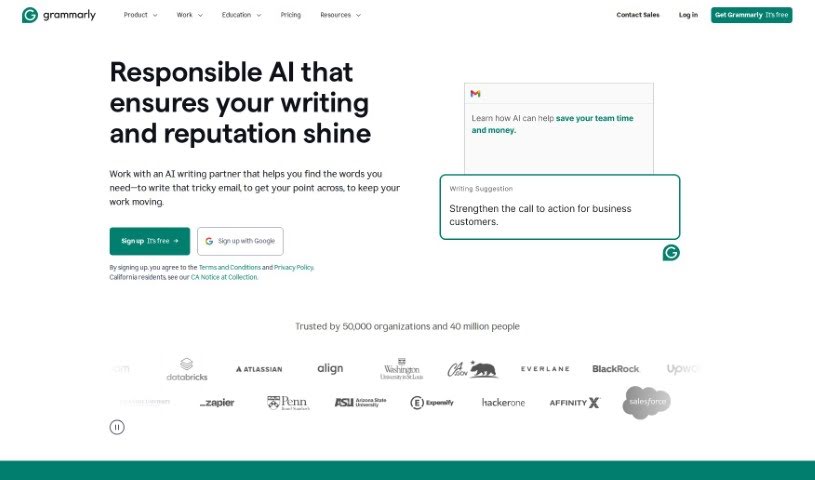
Grammarly is essentially your AI writing sidekick, designed to give you instant feedback as you write. It’s built to help you polish your work by catching grammar mistakes, spelling errors, punctuation issues, and even suggesting ways to make your writing clearer, more stylish, and better suited to your intended tone. It is a helpful editor that offers alternative word choices and context-aware tips to really make your writing shine. Beyond just corrections, Grammarly also includes a plagiarism checker to ensure your work is original, and it can even help with citations. Plus, it plays nicely with tons of apps and websites, working seamlessly across Windows, Mac, iOS, and Android. They’re also serious about keeping your data safe and private – they don’t sell your information or share it with others for ads. For businesses, Grammarly offers specific tools like real-time feedback, custom style guides, plagiarism checks, and help with tone to keep brand messaging consistent. You can try it out with their free plan, or opt for a premium subscription for more advanced features, like stylistic suggestions and checks tailored to specific writing genres.
Who created Grammarly?
Grammarly got its start back in 2009, thanks to its founders Max Lytvyn, Alex Shevchenko, and Dmytro Lider. Their big idea was to help people communicate and write better. They actually launched their first product as a subscription service aimed at students, focusing on grammar and spelling. Over the years, they’ve really expanded what Grammarly can do, evolving into an AI-powered writing assistant for everyone, from students to professionals. The company has seen significant growth, raising over $400 million from investors, and they’re constantly innovating in the language technology space.
What is Grammarly used for?
Grammarly can help you in a bunch of ways:
- Boost your productivity: Get things done faster with fewer errors.
- Make your writing clearer and more concise: Say what you mean, simply and effectively.
- Stick to your brand’s style guide: Keep your company’s voice consistent.
- Improve your calls to action: Make your messages more persuasive.
- Enterprise solutions: Designed for business-wide use.
- See the ROI of better writing: Understand how improved communication impacts your bottom line.
- Meet security standards: It complies with important security accreditations.
- Paraphrase effectively: Find new ways to phrase your ideas.
- Maintain a style guide: Ensure consistent writing across your organization.
- Boost user satisfaction: Happier users often come from clearer communication.
- Strengthen calls to action: Make your prompts more effective.
- Works everywhere you write: Seamlessly integrates with over 500,000 apps and websites.
- Built for businesses: Specifically designed for enterprise needs.
- Security compliance: Meets rigorous security standards.
- Business analytics: Offers features to track writing performance.
- Security accreditations: Ensures data protection and compliance.
- Paraphrasing tool: Helps you rephrase content easily.
- Improve user satisfaction: Enhance customer experience through clear communication.
- Business analytics utilization: Leverage data to improve team writing.
- Enhance career and culture development: Support professional growth and a positive work environment.
- Adapts to many writing styles: Works for different types of content.
- Career and culture development: Aids in professional growth and team building.
Who is Grammarly for?
Grammarly is a great tool for many different roles and teams:
- Customer Support: For clear and helpful customer interactions.
- Marketing: To craft compelling and error-free campaigns.
- IT: For precise technical documentation and communication.
- Sales: To write persuasive proposals and client emails.
- HR: For clear job descriptions, policies, and internal communications.
- HR Departments: Specifically to manage all HR-related written content.
- Customer Support Teams: To ensure consistent, high-quality support.
- Marketing Teams: To create impactful and on-brand messaging.
- IT Teams: For accurate and understandable technical writing.
- Sales Teams: To improve outreach and closing rates.
How to use Grammarly?
Using Grammarly is pretty straightforward. Here’s a simple guide to get you started:
- First, you’ll want to sign up for a Grammarly account over on their website. It’s a quick process.
- Next, decide where you plan to use Grammarly the most – whether that’s on your desktop computer, your mobile device, or directly in your web browser.
- Once you’ve chosen your platform, install the Grammarly browser extension or download the desktop app. The app can even help you write when you’re offline!
- Now, just start writing in whatever app or program you normally use. As you type, Grammarly will pop up with real-time suggestions for grammar, spelling, punctuation, clarity, style, and tone.
- Don’t forget to use the plagiarism checker! It’s a handy feature to make sure your writing is completely original.
- Grammarly integrates with over 500,000 apps and websites, so you can get writing help wherever you are online.
- Really focus on improving your writing style by taking Grammarly’s advice on clarity, conciseness, and tone.
- If you’re using it for business, Grammarly can really help your team communicate better, keep your brand’s voice consistent, and cut down on proofreading time.
- Check out Grammarly’s premium features too. They offer more advanced style tips, readability scores, and even writing checks specific to different genres.
- Finally, make sure to explore Grammarly’s resources, like their blog and educational materials. They’re great for picking up even more tips to improve your writing skills.
By following these steps, you’ll be well on your way to using Grammarly effectively and producing much higher-quality content.