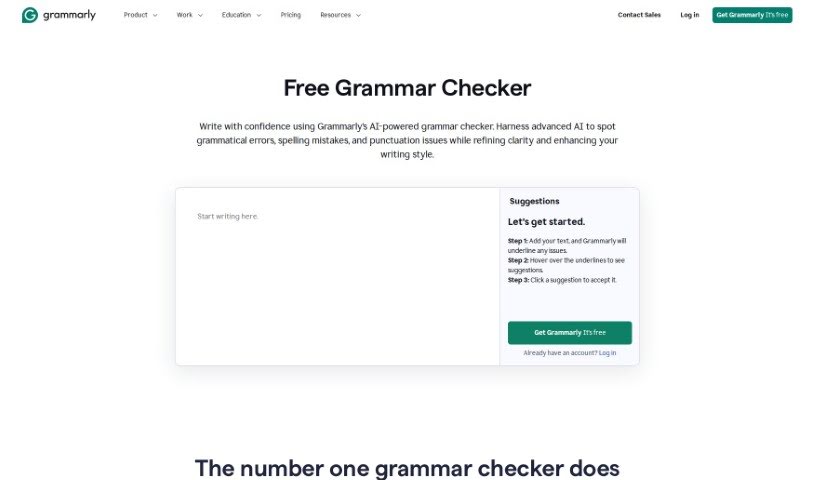
Screenshot of Grammarly AI Grammer Check

Grammarly AI Grammer Check

Curious about Grammarly's AI Grammar Check? Let's dive into what it is, how it works, and how you can use it to polish your writing in 2025. We'll also touch on its features and how it stacks up against other grammar checkers.

Screenshot

What is Grammarly AI Grammar Check?

AI Grammar Check is a smart assistant for your writing. It uses artificial intelligence to scan your text and catch all sorts of errors – from punctuation slips and spelling blunders to awkward sentence structures and the wrong word choices. It’s powered by machine learning, which means it gets smarter over time by learning from tons of correct writing. The big win for you? You get instant feedback, helping you make your writing clearer and much better overall. It’s a go-to tool for students, professionals, and anyone creating content who wants their writing to be accurate and impactful.

Who created Grammarly AI Grammar Check?

Grammarly, the company behind this helpful AI Grammar Check, was actually started by Alex Shevchenko, Max Lytvyn, and Dmytro Lider. Grammarly itself is already well-known for its advanced online grammar checker and writing assistant, which a lot of people and professionals trust to really nail their writing quality and correctness.

How to use Grammarly AI Grammar Check?

Want to get the most out of an AI Grammar Check tool like Grammarly? Here’s a simple breakdown:

  1. Get Started: Head over to the Grammarly website. That’s where you’ll find their online grammar-checking tool ready to go.
  2. Let It Check: Just pop your text into the tool. It’ll then scan everything for grammar mistakes, spelling issues, and punctuation problems.
  3. See Suggestions Instantly: Grammarly gives you immediate tips on how to fix errors and generally make your writing shine.
  4. Follow the Rules: Make sure your writing sticks to standard English grammar by taking Grammarly’s suggestions and making the corrections.
  5. Make it Easy: For even more convenience, consider installing Grammarly Free on your computer or browser. This way, you get suggestions right as you type!
  6. Keep Improving: Don’t just use Grammarly to fix mistakes; use it as a way to boost your writing fluency and overall quality over time.
  7. Explore More: If you opt for Grammarly Pro, you unlock even more powerful features. Think advanced suggestions for tone and clarity, plagiarism checks, and more uses of Grammarly’s generative AI each month.
  8. Write with Confidence: Knowing Grammarly is looking over your shoulder, you can feel really confident that your work is polished and gets your message across clearly and concisely.

By following these steps and using what Grammarly offers, you can really boost your writing skills and create great content without the hassle.

Related AI Tools

Discover more tools in similar categories that might interest you

Academic Help Free Essay Generator

Education Academic Writing
Learn More

Stay Updated with AI Tools

Get weekly updates on the latest AI tools, trends, and insights delivered to your inbox

Join 25,000+ AI enthusiasts. No spam, unsubscribe anytime.